

TL;DR: Industrial buyers reorder past purchases, search by part number, and place bulk multi-SKU orders. A B2B ecommerce store redesign rebuilds the product page, search, and checkout around those three workflows. This guide shows what each one needs, with real store examples and Optimum7 client results.
A B2B ecommerce store often inherits a consumer template: a hero image, one price, a single add-to-cart button, and a browse-the-catalog path to checkout. If a returning buyer wants to place last month’s order again, how much clicking does that path put between them and a filled cart? That template converts a shopper buying one item. It strands a distributor’s customer who orders forty parts every Monday.
Industrial and wholesale buyers do not shop. They procure. They arrive knowing the part number, the quantity, and the account they buy under, and they want the shortest path from that knowledge to a confirmed order. A B2B ecommerce store redesign starts by mapping how those buyers order, then rebuilding the product page, the search, and the checkout around the specific job each customer repeats. This guide walks through every layer, with screenshots of live B2B stores and verified results from Optimum7 client builds. Optimum7 builds this functionality as a BigCommerce Elite Partner and Shopify Plus Partner, with more than 1,000 ecommerce migrations behind it.
What Is B2B Ecommerce, and How It Differs From B2C
B2B ecommerce is the sale of goods from one business to another through an online store, where the buyer purchases on behalf of a company, on negotiated or account-based pricing, in the quantities their operation runs on. The buyer is a procurement lead, an operations manager, or a contractor placing a work order for a company.
Those differences reshape the whole store. A B2C shop optimizes a single impulse purchase at a public price. A B2B store carries account pricing, large and repeating orders, a catalog measured in thousands of SKUs, and payment on terms. The table below lays out where the two models diverge, and every row becomes a design decision later in this guide.

A store that treats a business buyer like a shopper loses the order at the first friction point: no account price, no bulk entry, no way to reorder last month’s list. Building for the business buyer starts with understanding how that buyer works, which is where the next section begins.
How Industrial and Wholesale Buyers Buy Online
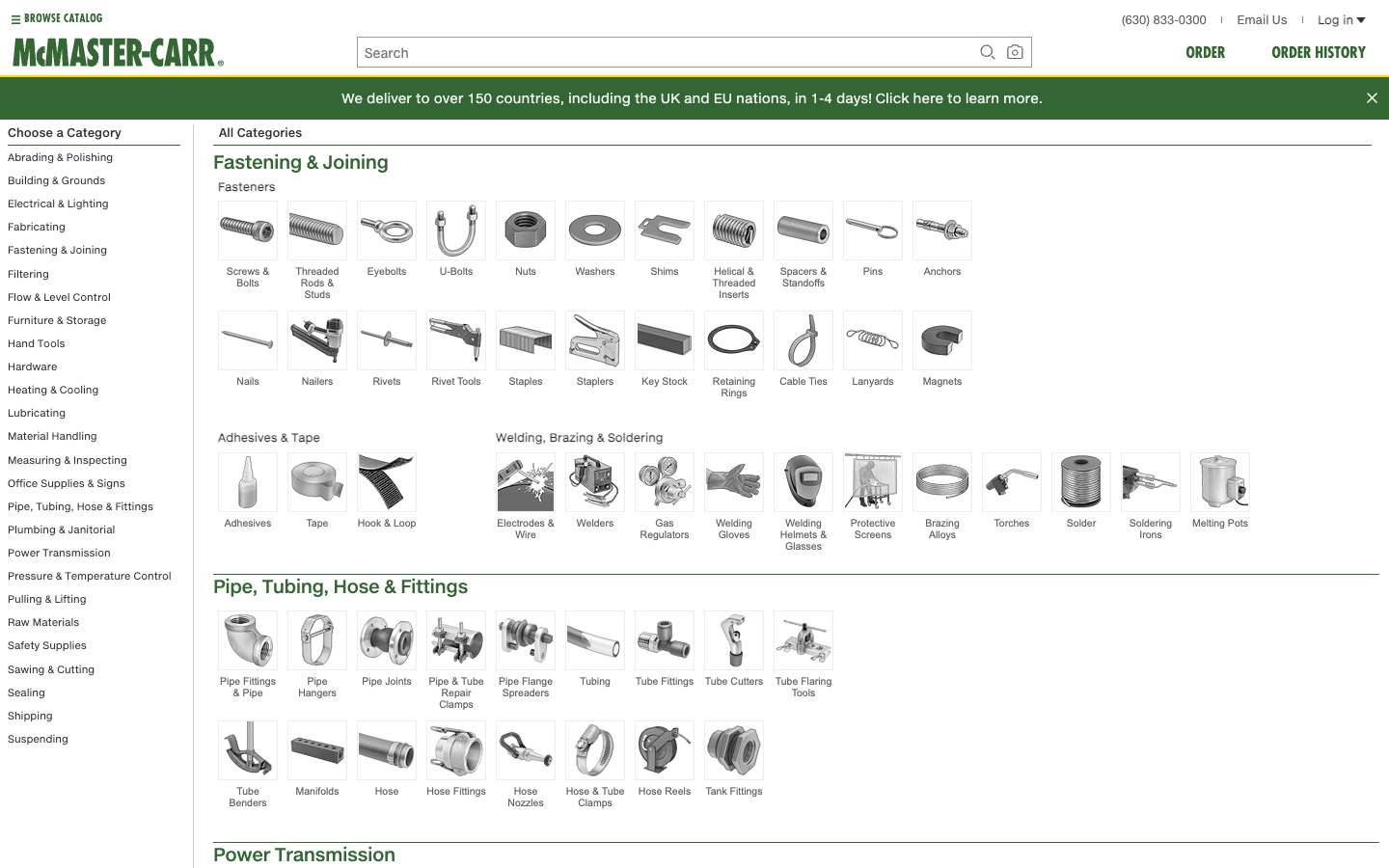
B2B buyers research first and buy repeatedly. They spend much of the buying cycle investigating options on their own, often across several people who have to sign off, then place a first order and settle into a pattern of reordering the same items on a schedule. A deep, well-organized catalog like the one above, where a buyer drills from a broad category down to the exact part, is where that research happens. By the time they reach a supplier’s store, they usually know the exact product and quantity they need.
The buyer is rarely a single person. A specifying engineer picks the part, a procurement lead approves the spend, and an operations or field team places the order. They increasingly do all of it online, on their own time, because a self-service store beats waiting on a sales rep for a quote. If a buyer can specify, price, and reorder a part online at midnight, why would they wait until business hours to call? A store that serves them well answers the specifying question, the pricing question, and the reorder question without a phone call.
For high-volume distributors, much of that setup and reordering can run automatically once the data is in place; the Optimum7 guide on industrial ecommerce automation for B2B companies and distributors covers that operations layer. Once a buyer settles into the pattern above, their behavior on the store narrows to three repeatable actions, and designing around those three actions is where a redesign starts.
How B2B Buyers Place Orders
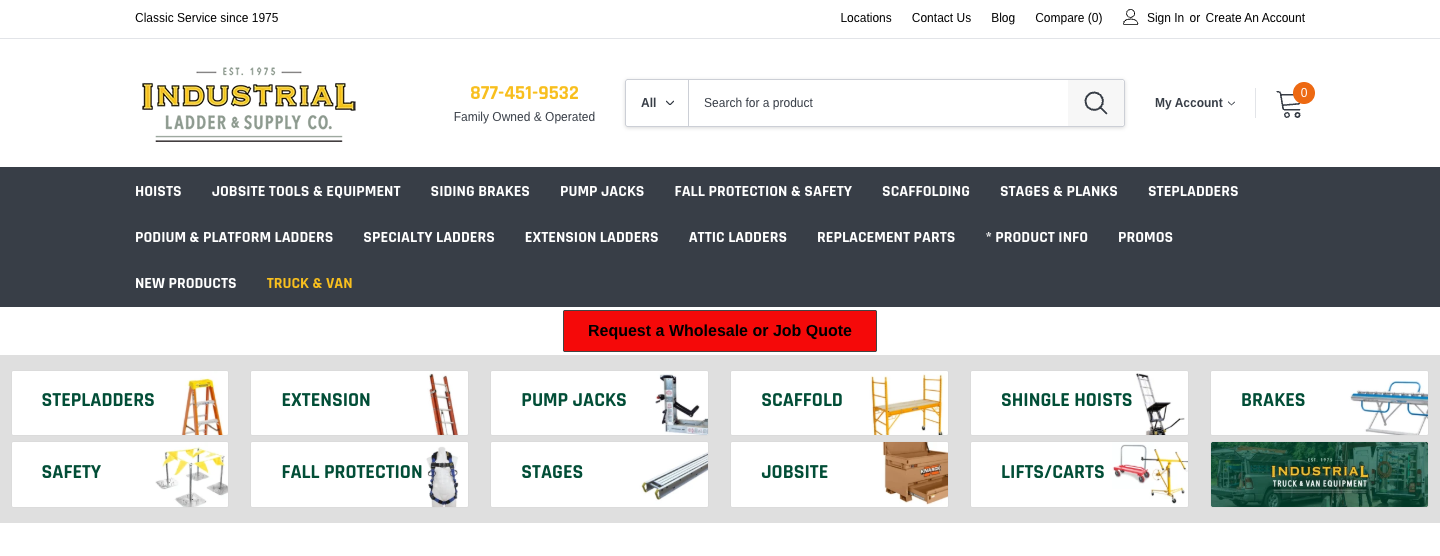
The storefront above belongs to Industrial Ladder & Supply Co., an Optimum7 client that sells ladders, hoists, and jobsite equipment to contractors. Look at the header: a search bar scoped to the whole catalog sits dead center, and a Request a Wholesale or Job Quote button sits above the product tiles. That layout is a decision. It puts a buyer’s two real starting points, search and a quote, ahead of casual browsing. Optimum7 rebuilt this store’s product filtering and technical SEO foundations across its 10,000-SKU catalog so buyers reach the exact part faster; the revenue and ranking gains are in the case study near the end of this guide.
Before a single design choice, a redesign names which of three behaviors each customer repeats. A repeat buyer reorders. A technical buyer searches by part number or specification. A purchasing buyer places a bulk order across a long list of SKUs in one pass. Design the interface around the behavior your customers perform, and every later decision about the product page and checkout follows from it.
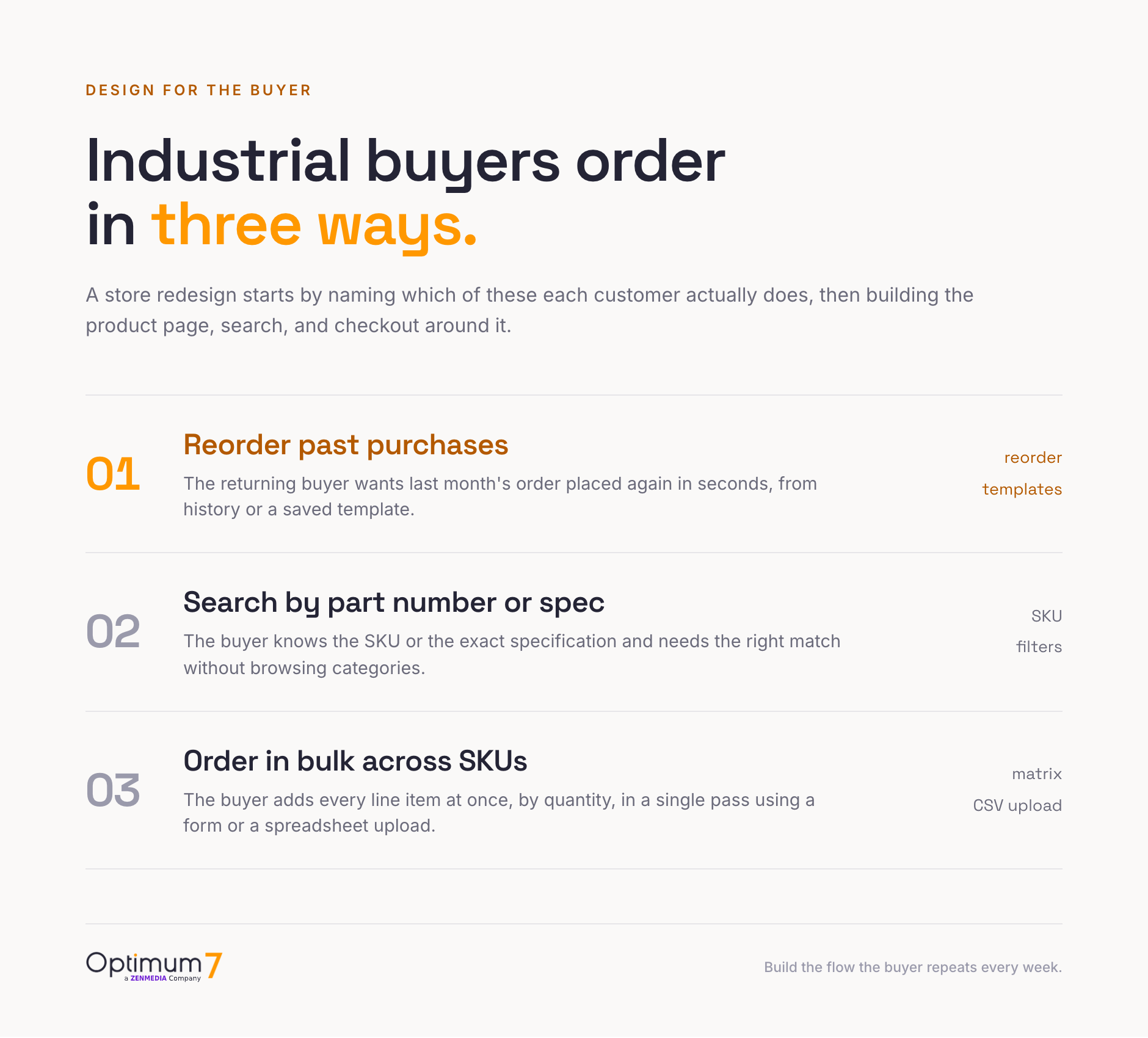
Buyers often do all three. A large distributor’s account might reorder consumables weekly, search for a replacement part monthly, and place a bulk seasonal order twice a year. The point of mapping them is priority: you build the fastest path for the action each customer performs again and again, then support the others cleanly. If you are planning the deeper platform and data side of this, the Optimum7 guide on how to build a B2B ecommerce platform for distributors covers account structure and catalog architecture in detail.
Redesigning the B2B Product Page for Bulk Quantities
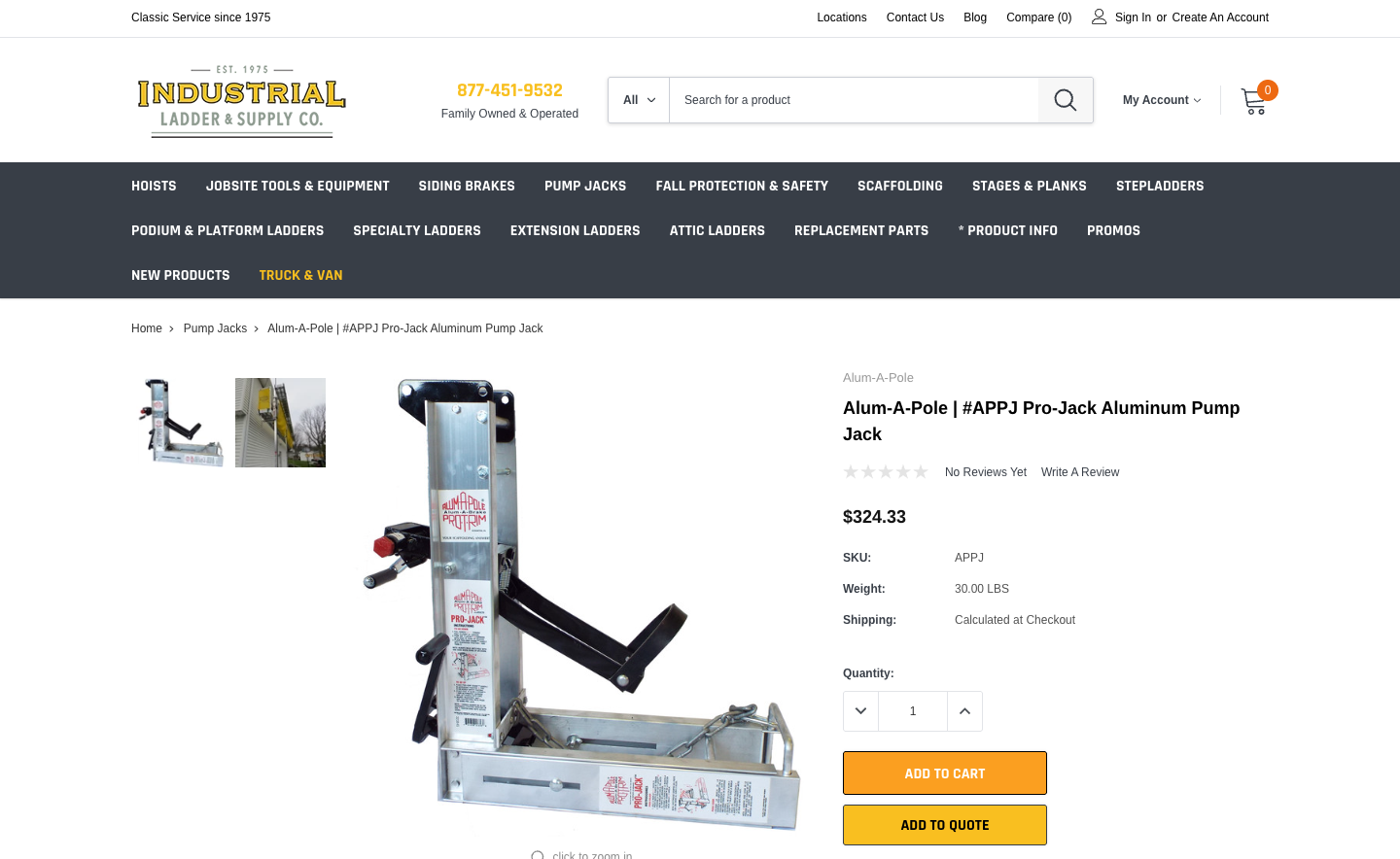
This is the same client’s product page, and it reads nothing like a consumer listing. The SKU is printed in plain sight, the weight and shipping basis are stated, a quantity stepper sits above the buttons, and the buyer gets two ways forward: Add to Cart or Add to Quote. A contractor who needs ten of these and net terms adds them straight to a quote. The page answers procurement questions on the spot.
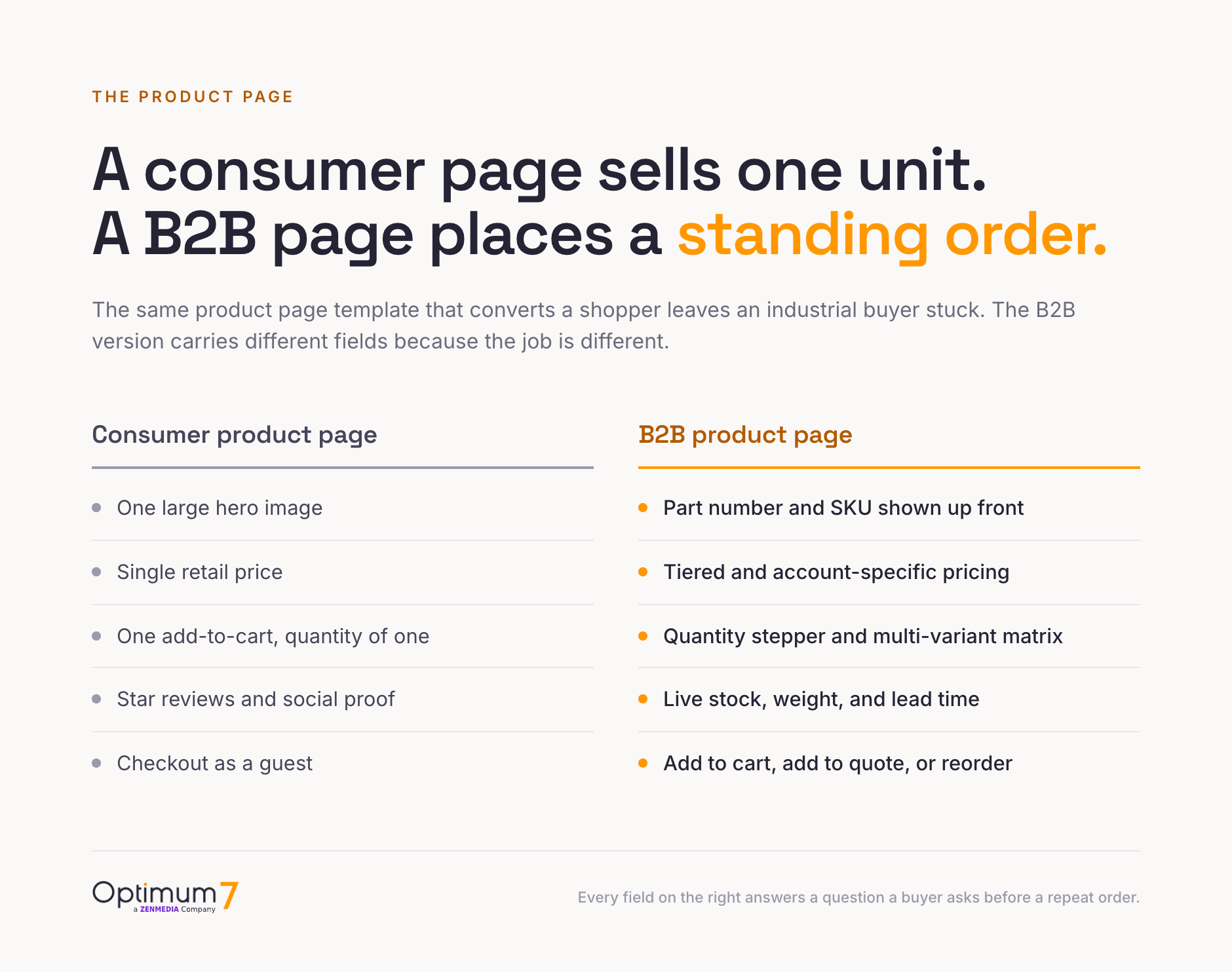
B2B product page optimization starts with the fields a buyer needs to place the order. A B2B product page carries different fields because the buyer’s job is different. The consumer version optimizes a single emotional purchase. The B2B version optimizes a repeatable, high-quantity order placed by someone who already knows what they want. A redesign swaps the whole template for one built to carry that order.


The matrix view earns its place on any store selling variants at volume. A uniform supplier who sells one shirt in six sizes and four colors should never make a buyer open twenty-four product pages. A single table with a quantity field per cell turns that order into thirty seconds. Optimum7 builds this as custom bulk order functionality for Shopify and BigCommerce, so a buyer places a large multi-SKU order without leaving one screen.
Spec-Based Search and Filtering for Large Catalogs
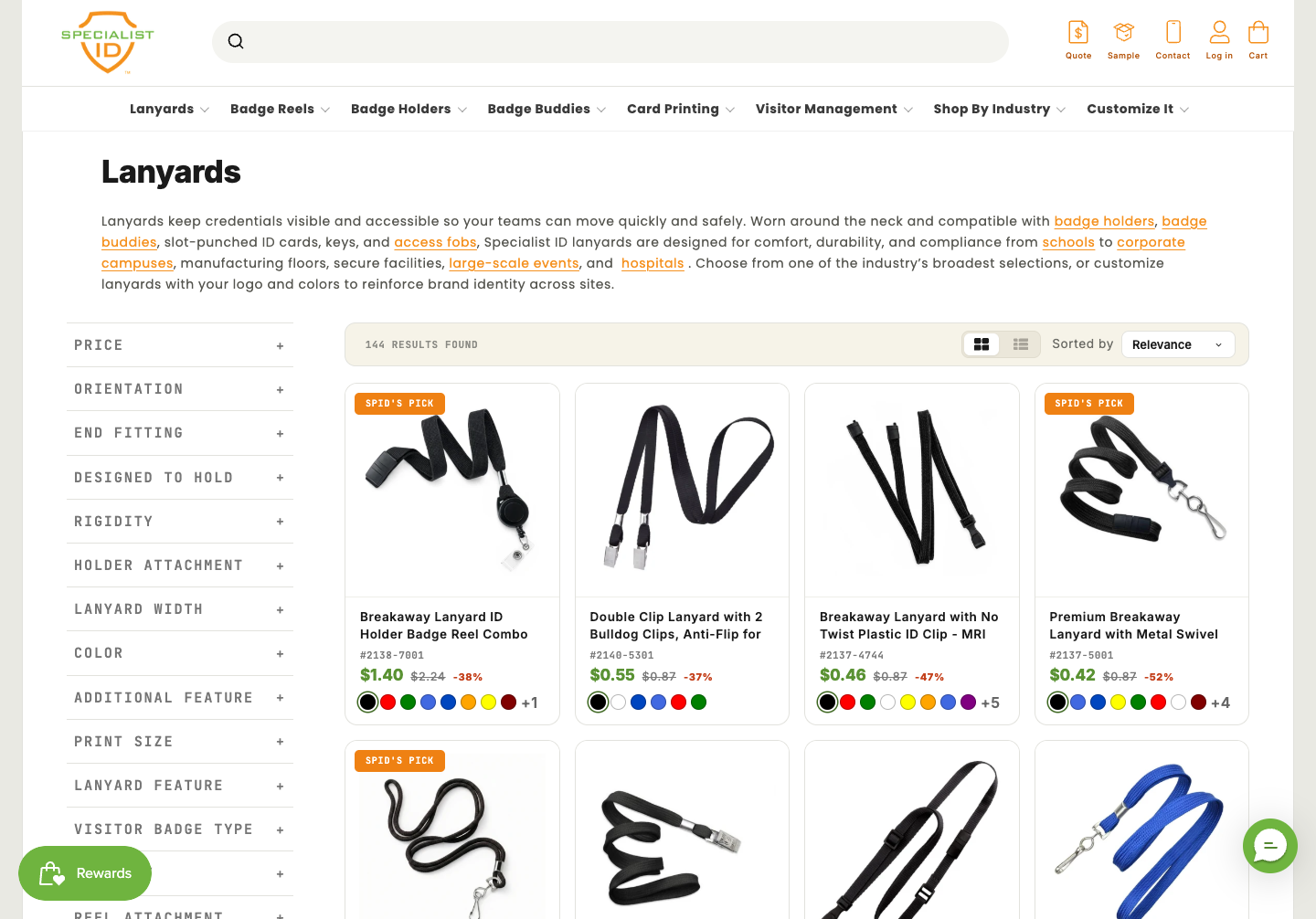
On a catalog with thousands of SKUs, search is the store. The lanyards category above narrows 144 products through a deep faceted filter sidebar, with facets for price, orientation, end fitting, width, and color, and the part number printed on every card. A buyer who needs one specific configuration reaches it in a click or two. When a contractor searches a part number your catalog uses, does the right SKU come back first, or a page of loosely related products? On a B2B store, the difference is the sale.
Spec-based search means the engine understands part numbers, manufacturer codes, synonyms, and technical attributes, then lets a buyer filter by the specifications that matter: dimension, voltage, material, brand, compatibility. Generic keyword search built for a fashion store fails here because it cannot map “System One rack parts” to the exact fitment a professional needs. Optimum7’s guide on AI-powered search and filter functionality lays out how intelligent search lifts conversion on deep catalogs.
One caution on filtering at scale: faceted navigation generates URL combinations that can waste crawl budget and dilute rankings if left unmanaged. On a large B2B catalog, search and SEO have to be designed together, which is why a redesign pairs the filter build with technical SEO from the start.
Quick Order, CSV Upload, and Reordering
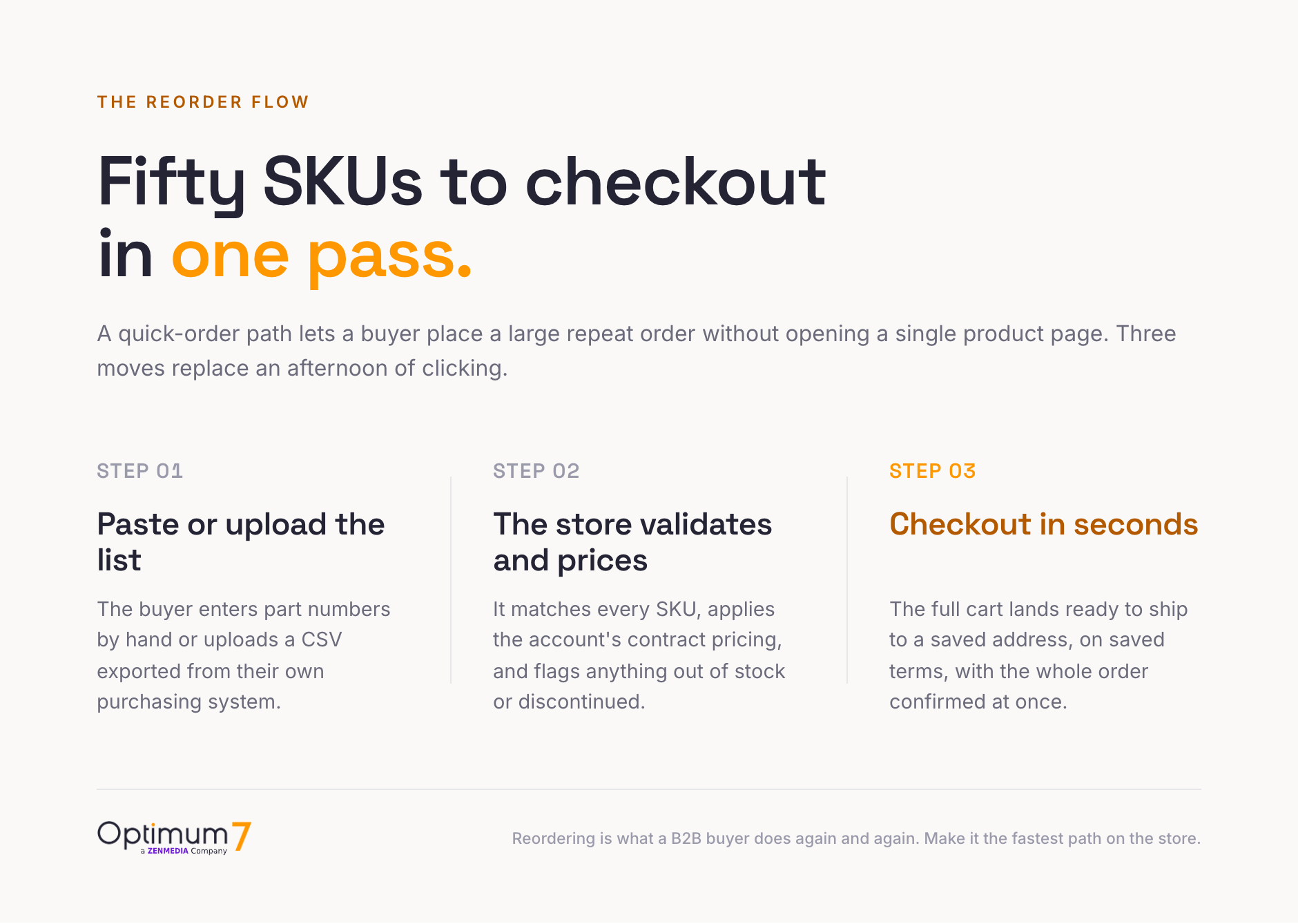
For a large share of B2B customers, the highest-value feature on the store is placing last month’s order again in under a minute. A quick order path lets a buyer skip browsing entirely: they type or paste part numbers, the store matches and prices each line against their account, and the full cart lands ready to check out. Fifty SKUs become a confirmed order in a single pass.
Each tool removes a different friction, so a mature B2B store offers all three. The buyer who knows ten part numbers uses the quick form; the buyer with a 200-line purchase order uploads the file; the buyer restocking the same kit every week reorders from a template. None of them should ever touch a category page to complete a routine order.
Customer-Specific Pricing and the Buyer Portal
B2B pricing is rarely one public number. A distributor shows contract pricing to one account, wholesale tiers to another, and gated pricing that only appears after login to a third. The redesign has to carry that logic into the storefront so every buyer sees their price, their terms, and their history the moment they sign in. This account layer is where a generic consumer platform runs out of room.
These are concrete builds. Optimum7 built tax-exempt checkout for Specialist ID so nonprofits and qualifying bulk buyers clear tax automatically, and builds gated wholesale pricing that shows contractor and reseller accounts their own rates only after they log in. The account layer is also where a replatform gets complicated, since pricing rules and hierarchies rarely migrate cleanly; the Optimum7 B2B ecommerce migration guide covers how customer-specific pricing and permissions move to a new platform.
Connecting the Store to ERP, Inventory, and Procurement Systems
A B2B store rarely stands alone. It connects to the systems that already run the business: the ERP that holds inventory and cost, the product data in a catalog or PIM, and the procurement platforms that large buyers order through. Those connections are what keep stock, pricing, and orders accurate as order volume climbs.
ERP integration keeps the store’s stock levels, cost, and account pricing in sync with the back office in real time, and pushes every order into fulfillment without anyone rekeying it. When a buyer sees live availability and a confirmed price, the store is reading the ERP as the system of record for that data. Get this wrong and buyers lose trust the first time the site sells something that is out of stock.
A PunchOut catalog lets a large buyer order from inside their own procurement system. The buyer punches out from a tool such as SAP Ariba, Coupa, or Jaggaer into your store, builds a cart, and sends it back as a purchase order, using the cXML or OCI standard their platform speaks. An enterprise buyer whose purchasing policy requires procurement-system ordering cannot buy from a store that has no PunchOut, however strong the catalog is.


These connections turn a storefront into a system buyers trust for accurate stock and pricing. The Optimum7 guide on how to build a B2B ecommerce platform for distributors covers the data and integration layer in depth.
Configurable Products and Measurement-Based Pricing
Some B2B catalogs do not sell fixed SKUs at all. They sell products a buyer configures or measures: a shutter cut to an opening, a shelving run built to a wall, a banner priced by the square foot. For these, the product page becomes a configurator or a pricing calculator, and the redesign replaces a slow manual quote with instant, rule-based pricing the buyer controls on screen.
A working configurator does more than compute a price. It enforces valid combinations so a buyer cannot order a part that will not fit, surfaces the resulting SKU and lead time, and hands a clean spec to fulfillment. When the same logic that used to live in a salesperson’s spreadsheet runs on the product page, the buyer self-serves at 11 p.m. and the order arrives correct. The Optimum7 ecommerce product configurator guide breaks down when a store needs one and how the build works.
A close cousin is measurement-based pricing, where the price comes from a number the buyer enters. Flooring, siding, wallpaper, banners, and raw materials are sold by measurement, priced by square foot, weight, volume, or perimeter. A pricing formula set at the product level turns the buyer’s measurement into a price on the page as the inputs change. Optimum7 builds this as a Dynamic Measurement Price Calculator for BigCommerce, Shopify, and Magento, with a different formula per product so materials that price differently each use their own calculation.
What a B2B Store Redesign Costs and How It Is Scoped
A B2B redesign is scoped by workflow. The budget follows which of the layers above a store needs: a distributor who only needs quick reordering and account pricing carries a smaller build than one adding a configurator, ERP-synced inventory, and a full buyer portal. A useful redesign starts with an audit of how current customers order, then prices the specific functionality that removes their friction. The work usually pairs ecommerce development with the search, pricing, and migration pieces each store requires.
The return shows up in two places: buyers who complete larger orders faster, and a catalog that earns organic traffic because it is built cleanly. Industrial Ladder & Supply Co. is a clear example of the second. Working across a 10,000-SKU catalog, Optimum7 rebuilt technical foundations and refined product filtering, and organic revenue grew from $34,286 to $46,048.94 year over year while top-three rankings climbed from 336 to 476.
If a replatform is part of the plan, the platform choice shapes what the account, pricing, and bulk-order layers can do out of the box. The Optimum7 comparison of the best ecommerce platform for selling online weighs the options for a catalog this complex, and ecommerce migration services handle moving the catalog, accounts, and pricing rules without losing data.
Frequently Asked Questions
What is B2B ecommerce?
B2B ecommerce is the sale of products from one business to another through an online store. The buyer purchases on behalf of a company, on negotiated or account-specific pricing, in the quantities their operation needs. Common examples include distributors, manufacturers, and wholesalers selling to contractors, resellers, and other businesses.
How is B2B ecommerce different from B2C?
A B2C store sells single items to individuals at one public price. A B2B store serves company buyers with account-specific pricing, bulk and repeat orders across long SKU lists, deep spec-driven catalogs, and payment on terms such as purchase orders and net accounts. The relationship is an ongoing supply arrangement built on reordering.
How do you redesign a B2B ecommerce store for bulk ordering?
Start by mapping how customers order: reorder, spec search, or bulk. Then rebuild the product page with a quantity stepper and matrix view, add a quick-order form and CSV upload for large orders, and carry account-specific pricing into checkout. The goal is placing a large multi-SKU order in one pass.
What is spec-based search in ecommerce?
Spec-based search lets buyers find products by part number, manufacturer code, or technical attributes such as dimension, voltage, and material. On large industrial catalogs it pairs with faceted filters so a buyer narrows thousands of SKUs to the exact fitment in a click or two.
What is a quick order form?
A quick order form lets a buyer add products by typing or pasting part numbers with quantities, then add the whole list to the cart at once. It skips category browsing entirely and is the fastest path for buyers who already know their SKUs and reorder similar lists often.
How is a B2B product page different from a B2C product page?
A B2C page sells one unit with a hero image, one price, and a single add-to-cart. A B2B page shows the SKU, live stock, tiered or account pricing, a quantity matrix, and options to add to a quote or reorder. It is built for a repeat, high-quantity purchase by a buyer who knows what they want.
How long does a B2B ecommerce redesign take?
Timeline follows scope. A focused build adding reordering and account pricing to an existing store moves faster than a full replatform with a configurator, ERP-synced inventory, and a buyer portal. A redesign is scoped from an audit of how current customers order, so the budget maps to the functionality that removes their specific friction.
Which platform is best for a B2B store?
It depends on catalog size and how much account, pricing, and bulk-order logic you need. Shopify and BigCommerce both support B2B builds with custom functionality, while a large or highly configured catalog may justify a heavier platform. The right choice is the one whose account model fits your buyers with the least custom work.
What is a PunchOut catalog?
A PunchOut catalog lets a buyer order from inside their own e-procurement system, such as SAP Ariba or Coupa. The buyer punches out to the supplier’s store, builds a cart, and returns it to their procurement tool as a purchase order, using the cXML or OCI standard. It is often required to sell to large enterprise buyers.
How does a B2B ecommerce store integrate with an ERP?
An ERP integration syncs inventory, cost, and account pricing between the store and the back office, and passes orders into fulfillment automatically. The store reads the ERP as the system of record, so buyers see live stock and their contract price, and staff never rekey an order. It is usually built through the ERP’s API or a middleware connector.
Can a product page calculate pricing from a measurement like square footage?
Yes. For products sold by size or amount, a product-level pricing formula turns a buyer-entered measurement into a price on the page. Optimum7’s Dynamic Measurement Price Calculator handles square feet, square inches, weight, volume, or perimeter, so materials like flooring, siding, and banners price correctly without a manual quote.
About the author: Duran Inci is the CEO and Co-Founder of Optimum7, an ecommerce development and digital marketing agency. He helps mid-market and enterprise brands scale revenue through conversion optimization, SEO, and custom ecommerce solutions.