

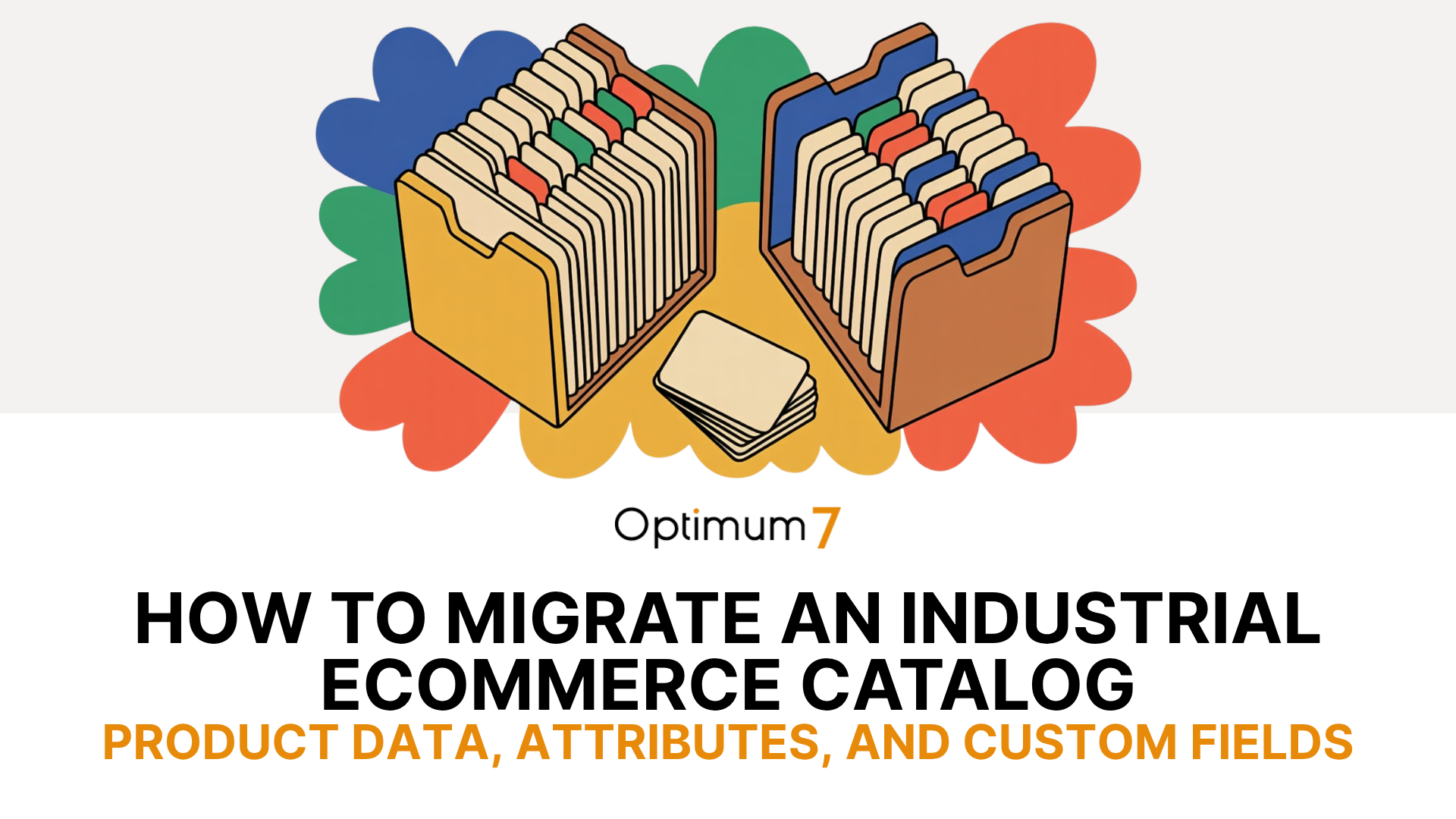
TL;DR: A migration counted in SKUs moved can still break an industrial catalog. The data that fails is the attributes, product relationships, and custom fields buyers search on. Map every field before anything moves, validate against the old store at staged checkpoints, and cut over only after each price and relationship is confirmed live. Done this way, a catalog moves with zero data loss.
Moving an industrial catalog to a new platform is a harder job than moving a fashion store, for one specific reason. A shirt has a size and a color. A hydraulic fitting has a thread pitch, a pressure rating, a material grade, a set of cross-references to the parts it replaces, and a price that changes depending on which distributor is logged in. If your catalog runs on fitment data, cross-references, and customer-specific pricing, what happens to all of it the day you switch platforms?
That question is where migration plans go thin. The plan counts products, orders, and customers, then reports success when those totals match on the new store. The totals can match perfectly while the industrial ecommerce catalog is quietly broken: attributes flattened into plain text, spec sheets detached from their products, replacement-part links pointing nowhere, and contract pricing showing the wrong number to the wrong buyer. Optimum7 has run more than 1,000 ecommerce platform migrations and over 3,000,000 page migrations since 2007, as a BigCommerce Elite Partner and Shopify Plus Partner. Industrial catalogs are consistently where this data quietly breaks. This guide walks the full move, from what a catalog migration is through the method that keeps every field intact.
What Is an Industrial Ecommerce Catalog Migration?
Industrial ecommerce catalog migration is the process of moving a B2B or industrial product catalog, including its SKUs, technical attributes, product relationships, documents, and pricing rules, from one ecommerce platform to another with that data intact and functional.
An industrial ecommerce catalog migration moves a full product catalog from one platform to another with its technical data intact. It is the data-heavy core of a replatform: the platform change is the visible part, and the catalog migration is the part that decides whether the new store works for the people who buy from it.
The two terms get used interchangeably, and the difference matters at planning time. Replatforming means changing the ecommerce platform your store runs on. Catalog data migration means moving the product records into it. A replatform always includes a catalog migration, and the migration is the phase where attributes, fitment, and custom fields are kept or quietly lost. Treat it as a data project with a platform attached, and the rest of this guide follows from there.
What Makes a Catalog Industrial or B2B
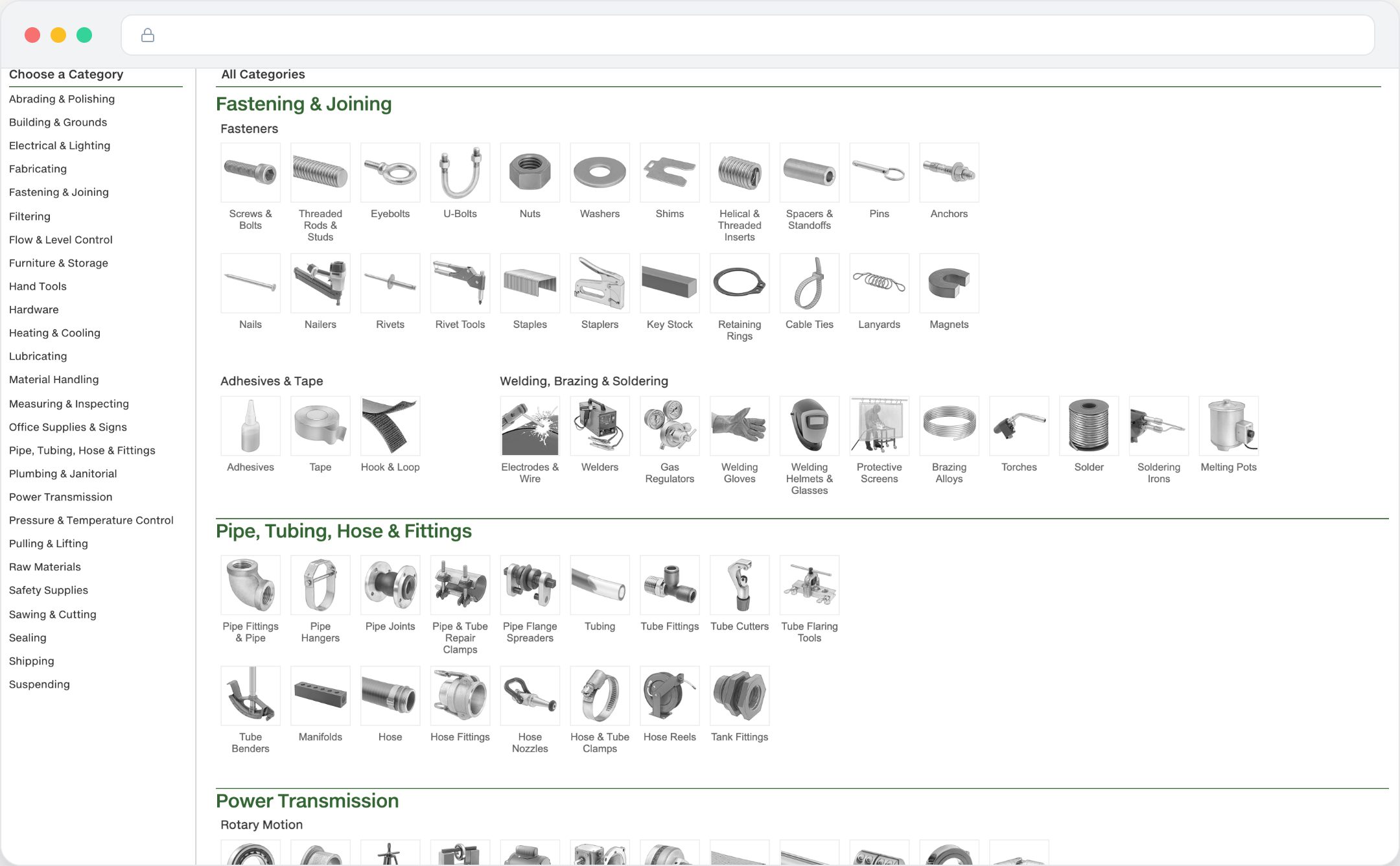
An industrial or B2B catalog is defined by the depth of its data. Each SKU carries technical attributes such as diameter, thread, grade, material, voltage, and load rating, plus compatibility and fitment rules, cross-references to the parts it replaces, units of measure, safety certifications, and pricing that varies by customer contract. That depth is the reason a generic migration tool struggles with it.
A consumer catalog is shallow and forgiving: a shirt has a size and a color. An industrial catalog is the store’s buying infrastructure, the structure a maintenance engineer uses to find the exact replacement part at 6am with a machine down. Open a large industrial catalog and one category tree can hold fasteners, pipe fittings, welding supplies, and power transmission parts, each product carrying a dense attribute set that powers faceted search.
When a catalog reaches tens of thousands of technical SKUs, product data stops being content and becomes the engine of the storefront. Every filter, every “fits your machine” result, and every quote depends on it. For how that data drives a distributor storefront end to end, see Optimum7’s guide on industrial ecommerce automation for B2B companies and distributors.
When to Migrate: Signs Your Platform Is Holding the Catalog Back
Industrial stores migrate when the current platform starts saying no to the data the catalog needs. Has yours reached that point? Four signs tend to show up together, and each one is a direct cost to the buyer trying to place an order.


The platform you move to decides how much of this the store supports natively. BigCommerce and Shopify Plus both handle deep B2B catalogs with different tradeoffs, and an aging Magento build is often what triggers the move in the first place. Start with Optimum7’s best ecommerce platform comparison, then the platform-specific BigCommerce migration and replatforming guide or Shopify Plus migration guide.
The Product Data That Breaks in a Migration
Data loss in an industrial migration is rarely a dramatic failure. It is silent. Optimum7 calls what is at risk here catalog data integrity: whether the data behind the catalog still works after the move, beyond a matching record count. A default importer set to platform defaults moves every SKU, the attributes survive as text but stop working as filters, and the gaps surface weeks later as a support ticket: a buyer cannot find a part by its old number, a spec sheet is missing, a contract price is wrong. Five categories of data account for the bulk of it, and none appear in a product-count report.
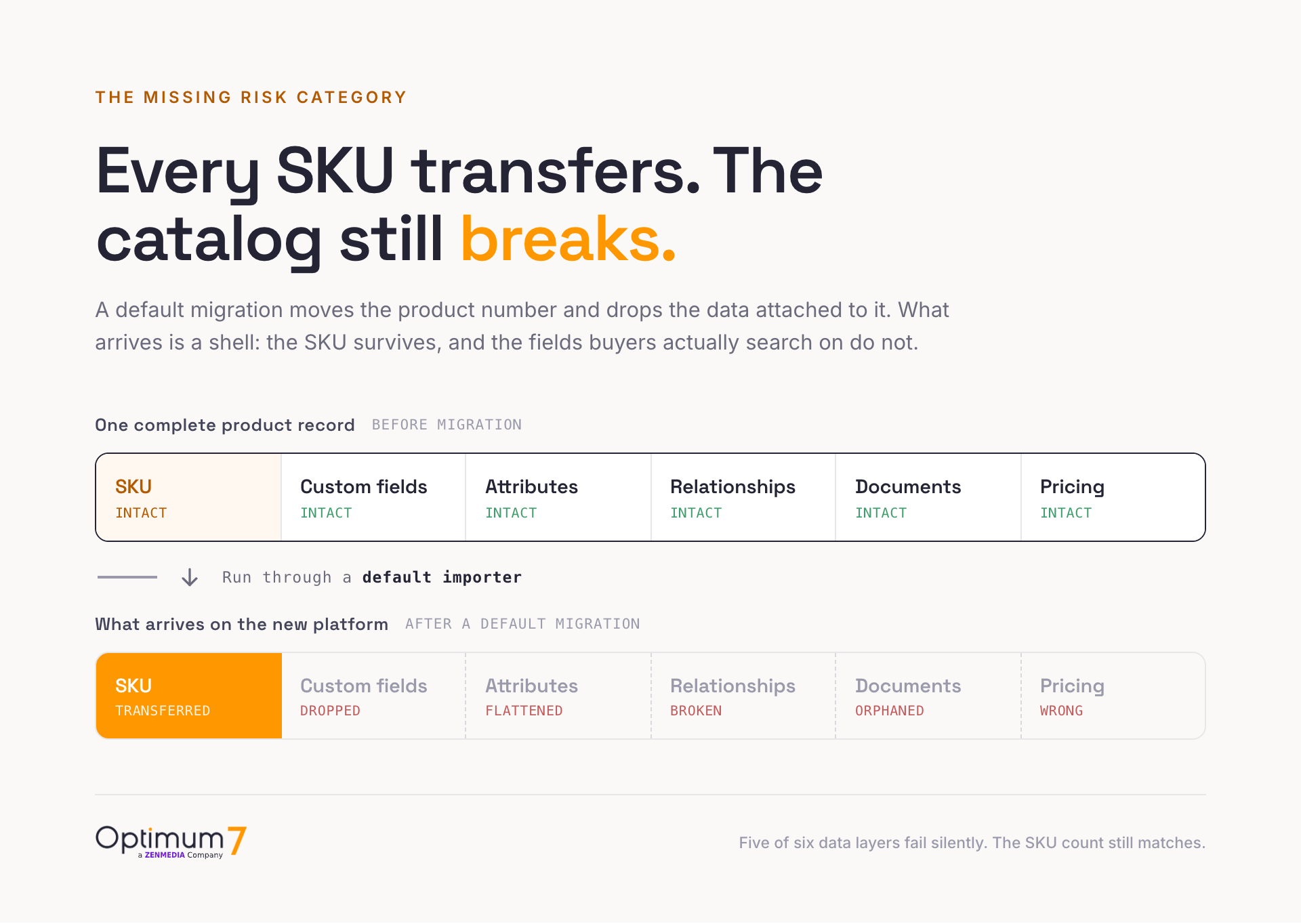
Custom fields are the first casualty. These are the legacy fields built for one integration or one workflow, often undocumented, and a default importer either drops them or buries them in metafields where nothing reads them. Product attributes and specs, the diameter, thread, grade, material, voltage, and load rating that power faceted search, collapse into a single description field and stop being filterable. Product relationships, the fitment records, cross-references, replacement parts, and kits, break silently because the links depend on IDs that the new platform reassigns.
The last two are the costliest to rebuild. Spec sheets and documents, the PDFs, drawings, CAD files, and safety certifications a buyer needs to specify a part, get orphaned from the SKU they belong to. And tiered and contract pricing, the per-account rules that decide what each buyer pays, is the one item teams forget until a customer sees the wrong number at checkout. The table below maps each type to what breaks and where it needs to land.
| Data type | What breaks if unmapped | Where it needs to land |
|---|---|---|
| Custom fields | Dropped or hidden in unread metafields | Mapped, named metafields wired into templates |
| Attributes and specs | Collapse into plain text, stop filtering | Structured facets in search and navigation |
| Product relationships | Fitment and cross-references break silently | Related-product and fitment rules by SKU |
| Spec sheets and docs | PDFs and drawings orphaned from products | Attached to the SKU as downloadable assets |
| Tiered and contract pricing | Wrong price shown to the wrong buyer | Customer-group price lists tied to accounts |
What to Migrate Beyond the Product Catalog
A catalog migration is one part of the move. A full B2B migration also carries customer accounts and negotiated terms, order history, customer-specific pricing, and the integrations that keep all of it accurate. The product data is the visible layer; this is the layer that decides whether the business runs on day one.
Each data domain carries its own logic and its own failure mode. The table below maps what a full B2B migration moves and what breaks when a domain is handled loosely.
| Data domain | What it carries | Risk if handled loosely |
|---|---|---|
| Product catalog | SKUs, attributes, relationships, media | Attributes flatten and fitment links break |
| Customer accounts | Company hierarchies, roles, net terms | Buyers locked out or given wrong access |
| Order history | Past orders, reorder lists, saved quotes | Reorder links resolve to dead SKUs |
| Contract and tiered pricing | Customer groups, volume breaks, regional terms | The wrong price shown to the wrong buyer |
| Integrations | ERP, CRM, and PIM connections | Stock and orders drift out of sync |
For distributors, the account and pricing layer is often the reason to move in the first place. Optimum7’s guide on how to build a B2B ecommerce platform for distributors covers how those systems fit together on the new platform.
Build One Source of Truth Before You Migrate
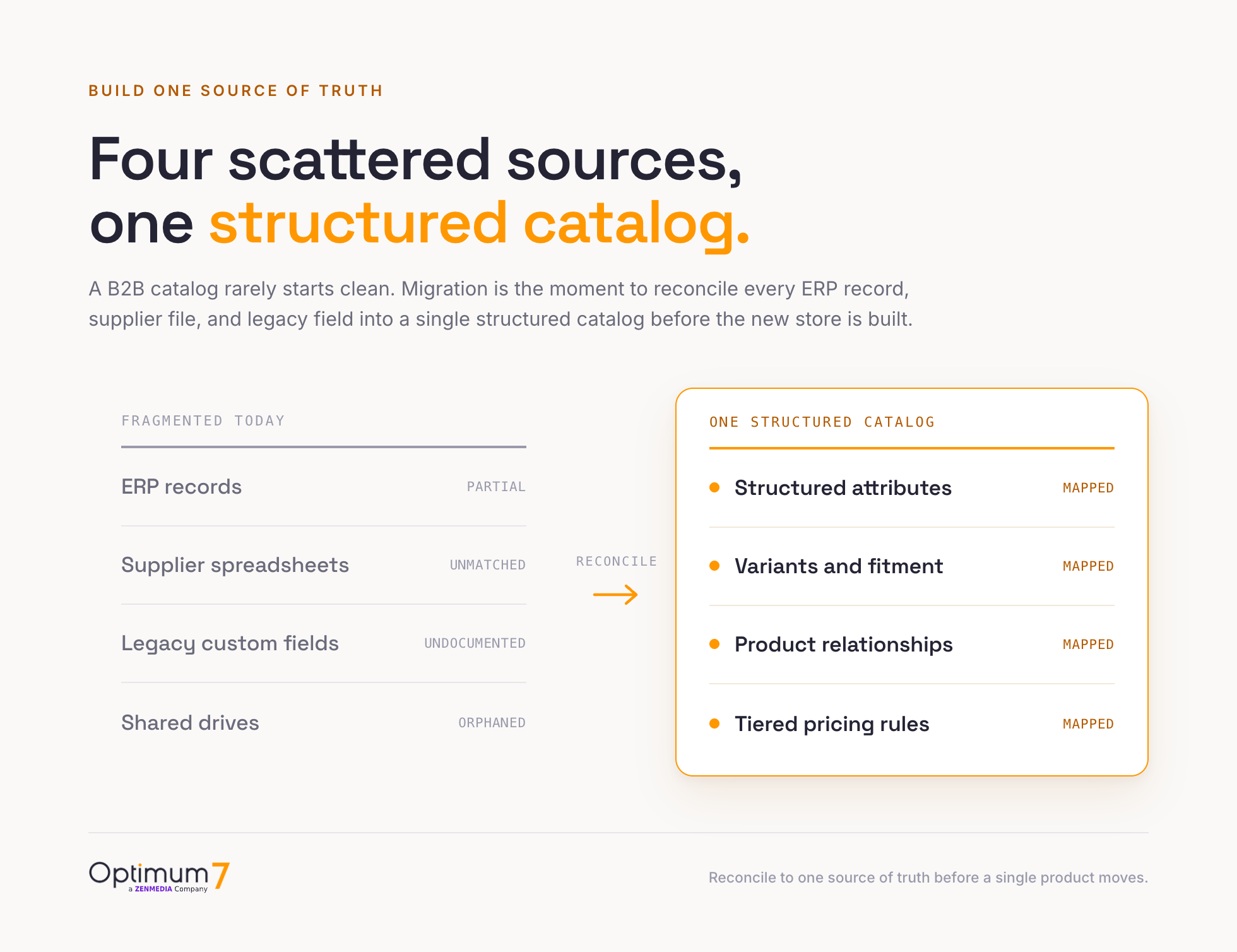
A B2B catalog rarely starts from one clean data source. The authoritative values live across ERP records, supplier spreadsheets, years of custom fields built for a single integration, and shared drives nobody has audited. A migration that copies each of those sources forward without reconciling them carries the fragmentation into the new store, so the move is the one moment to consolidate them.
Before a single product moves, the data has to be gathered into one place and reconciled. This is the step teams skip under deadline pressure, and it is the step that decides how clean the migration will be. Where does the authoritative value for each attribute live today: the ERP, a supplier file, or a field someone edited by hand in the old admin three years ago?
The pre-migration audit answers that. Every attribute, every custom field, every pricing rule, and every document is inventoried and assigned a single source of truth. Conflicting values get resolved up front, during the audit. Fields that exist only because of an old workaround get retired deliberately. What remains is a clean catalog specification, a set of structured attributes, variants, and relationships that becomes the map the migration follows. That map has to be locked before the bulk import: once a new ERP or PIM sync starts running against the rebuilt store, a bad field mapping can overwrite the corrected data.
How Optimum7 Migrates a Catalog Without Data Loss
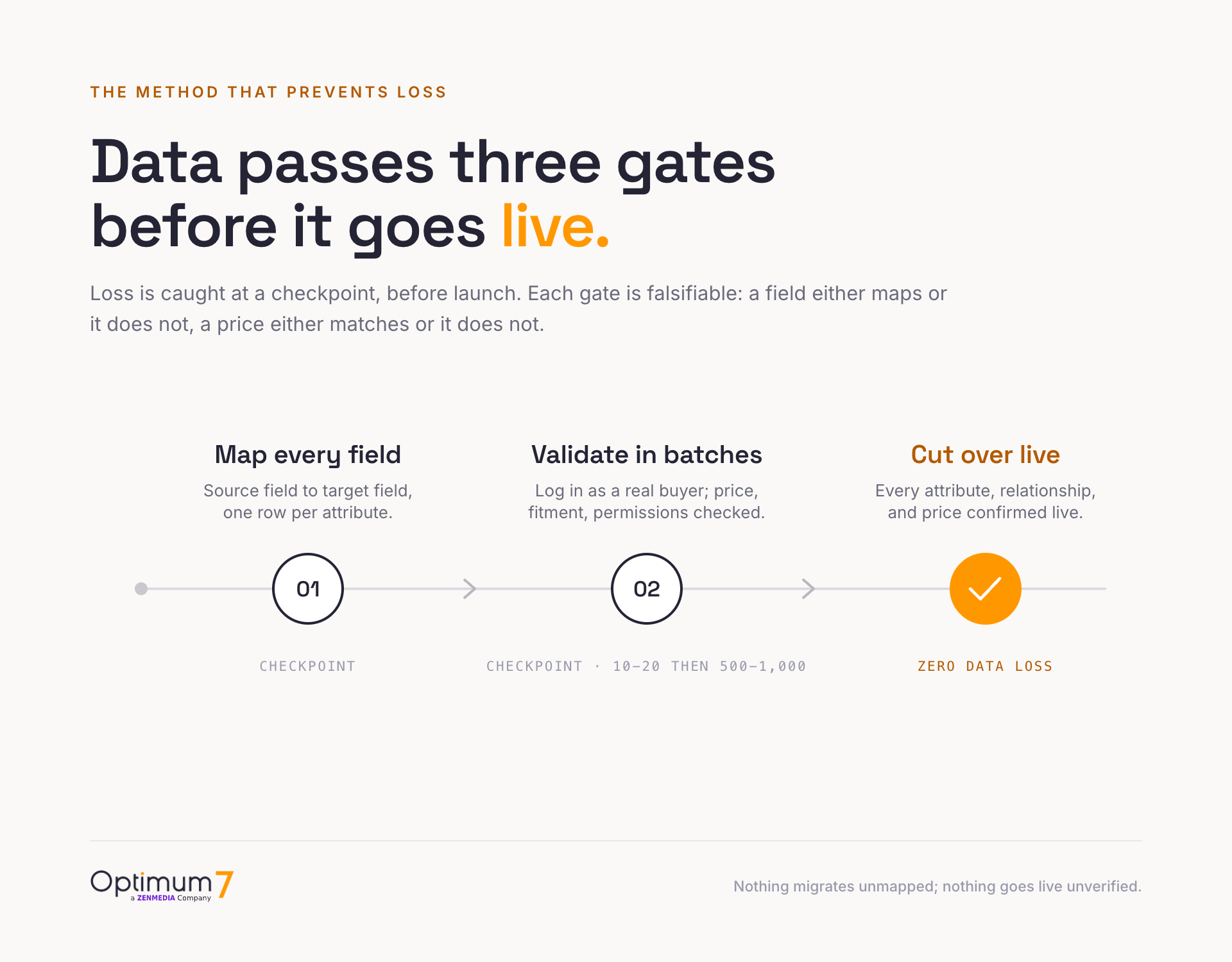
Data loss is caught at a checkpoint before launch, while it is still cheap to fix. The method that makes that possible has three moves, and each one is falsifiable: a field either maps or it does not, a price either matches or it does not. There is no room for “it looks fine.”

Validation runs the store the way a buyer and a connected system will use it. Optimum7 runs the same specification search on the old and new store and compares what comes back, confirms that products depending on custom fields landed where they were mapped, and triggers an ERP or PIM update before launch to check that each value writes to the correct field. Fitment lookups, compatibility rules, and replacement-part relationships are tested the same way.
The batching detail matters more than it sounds. A bulk import of a full industrial catalog in one pass hides its own errors: a formatting fault in one attribute repeats across every product before anyone notices. Migrating in validated batches catches that fault on record twelve, long before it reaches record twelve thousand. When the final batch validates, the cutover becomes a confirmation step. Optimum7’s ecommerce migration and replatforming services run every industrial move this way.
Preserving SEO Rankings and Fitment Through the Move
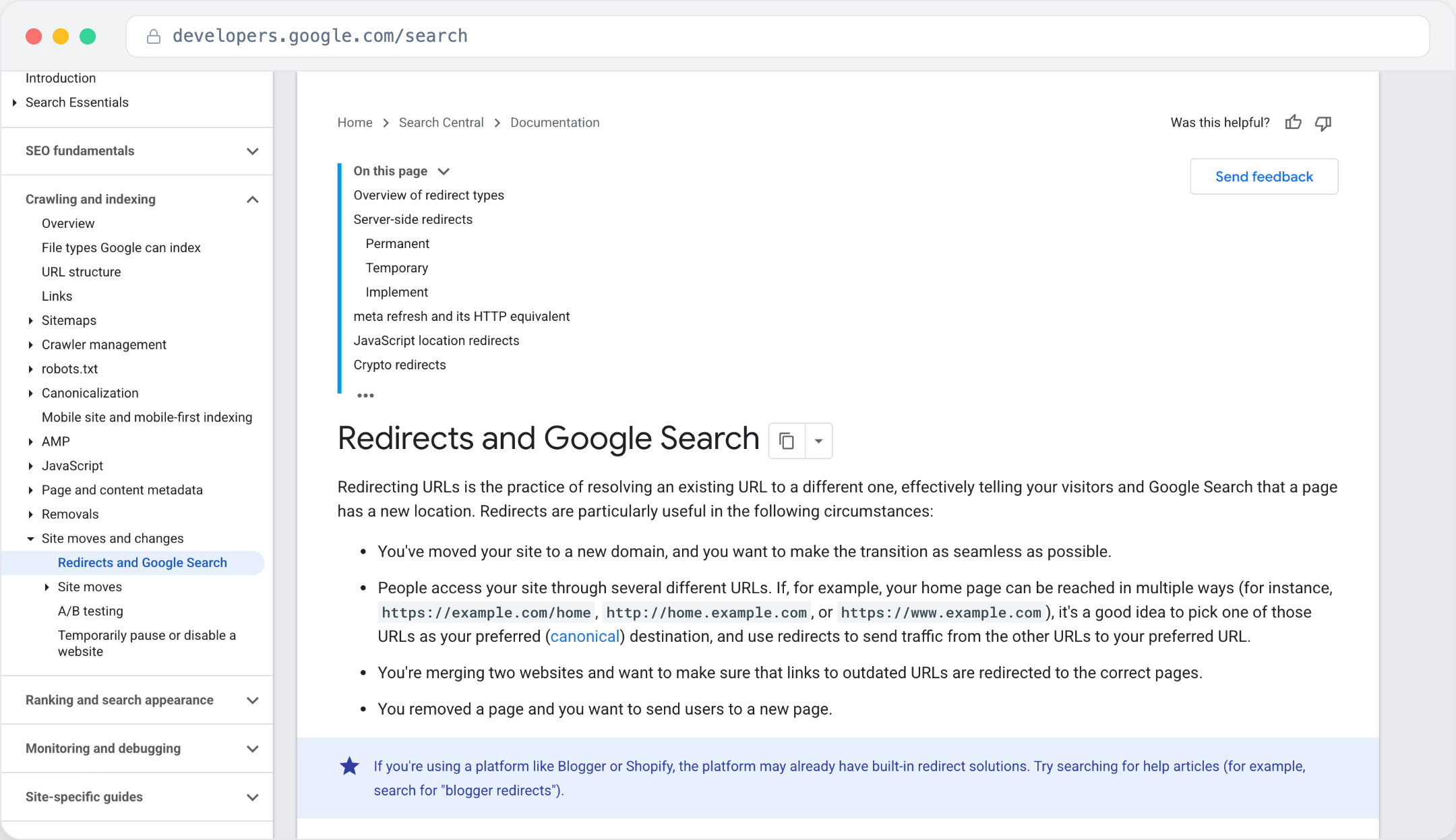
Two things get damaged in a careless move that are hard to win back: search rankings and fitment discovery. Both depend on URL and relationship structures that a default migration reassigns. An industrial store that ranked for thousands of part-number and application queries can lose that footprint overnight when old URLs return errors to search engines.
SEO preservation is a mapping exercise, the same discipline as the data migration: every old URL mapped to its new equivalent with a 301 redirect, and page metadata and structured data carried across so the new pages inherit the old authority. Fitment is the parallel case. A store organized by vehicle or by machine depends on relationship records that connect each part to what it fits. Those records have to be migrated as structured data so they resolve on day one. For the fundamentals of how ranking works, see Optimum7’s guide on how SEO works, and for the full planning view, the ecommerce platform migration planning guide.
Launching the Migration and the First Weeks After
The riskiest window is the cutover and the weeks right after launch. A staged go-live with a documented rollback plan and active post-launch monitoring keeps a clean migration clean. Industrial buyers notice a wrong price or a dead reorder link within hours, so the launch plan is validated the same way the data is: step by step.
Before launch
Go-live day
The first weeks after
A migration is finished only after the first weeks confirm it: rankings hold, accounts resolve, prices are right, and orders flow. Treating go-live as the finish line is why some migrations look successful on launch day and generate support tickets for a month.
Two Industrial Catalog Migrations With Zero Data Loss
The method holds up at production scale on complex, real-world catalogs. Two Optimum7 migrations show it: a Toyota performance parts store with deep fitment data, and an industrial fastener distributor with tens of thousands of technical SKUs and a live ERP dependency.
The same method held on a very different catalog. Where LC Engineering was built on vehicle fitment, Fasteners Direct is a high-volume industrial distributor with a live ERP dependency, and the move preserved every record it depended on.
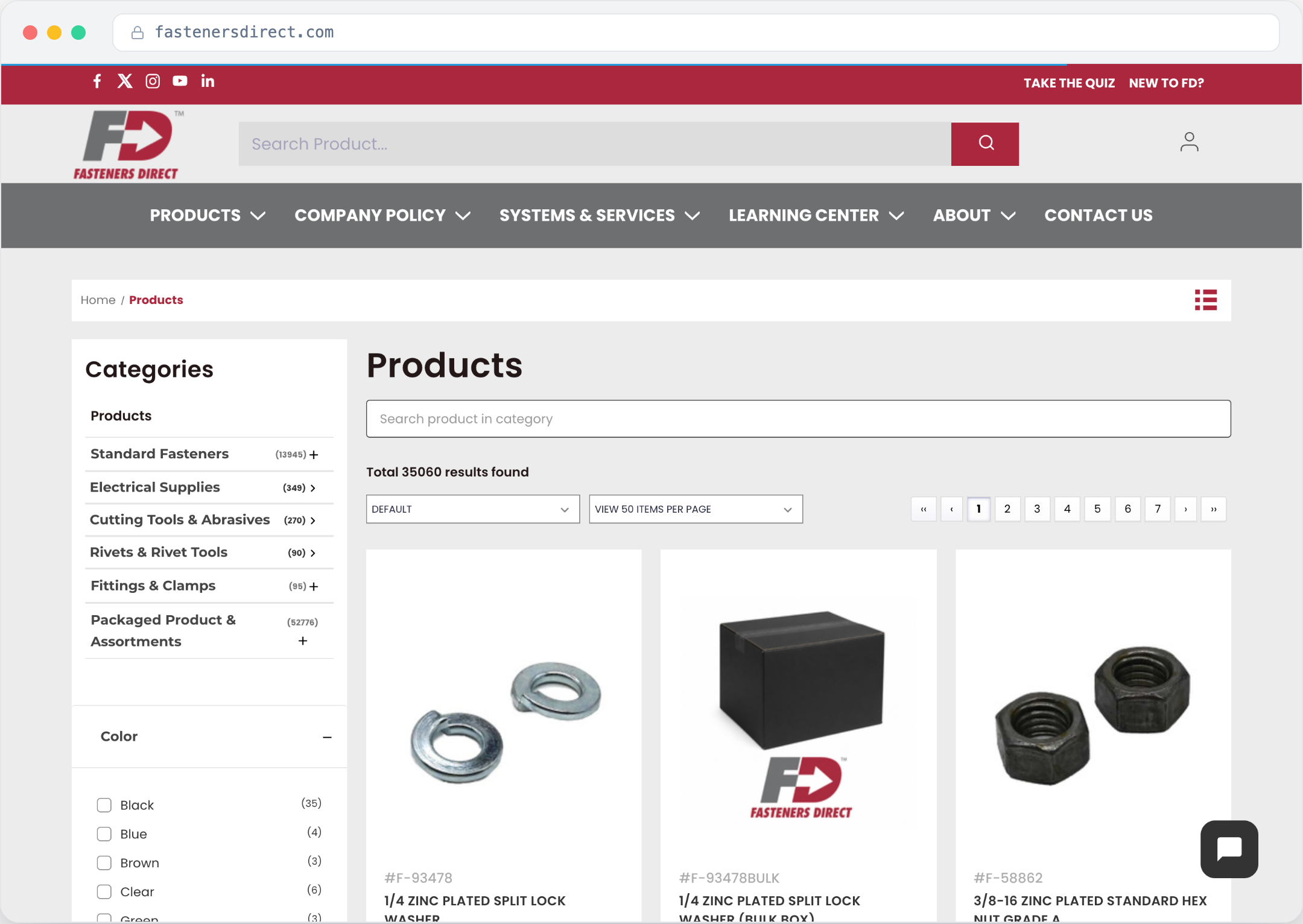
That reconciled catalog is what buyers see in production. The Fasteners Direct storefront runs a deep category tree, faceted filtering across the full SKU range, and stable product numbers buyers can search on, all synchronized in real time with the ERP.
The same result repeats at the scale of the full practice. Optimum7 has replatformed more than 1,000 stores and migrated over 3,000,000 pages with SEO preservation and zero data loss set as the standard for every move.
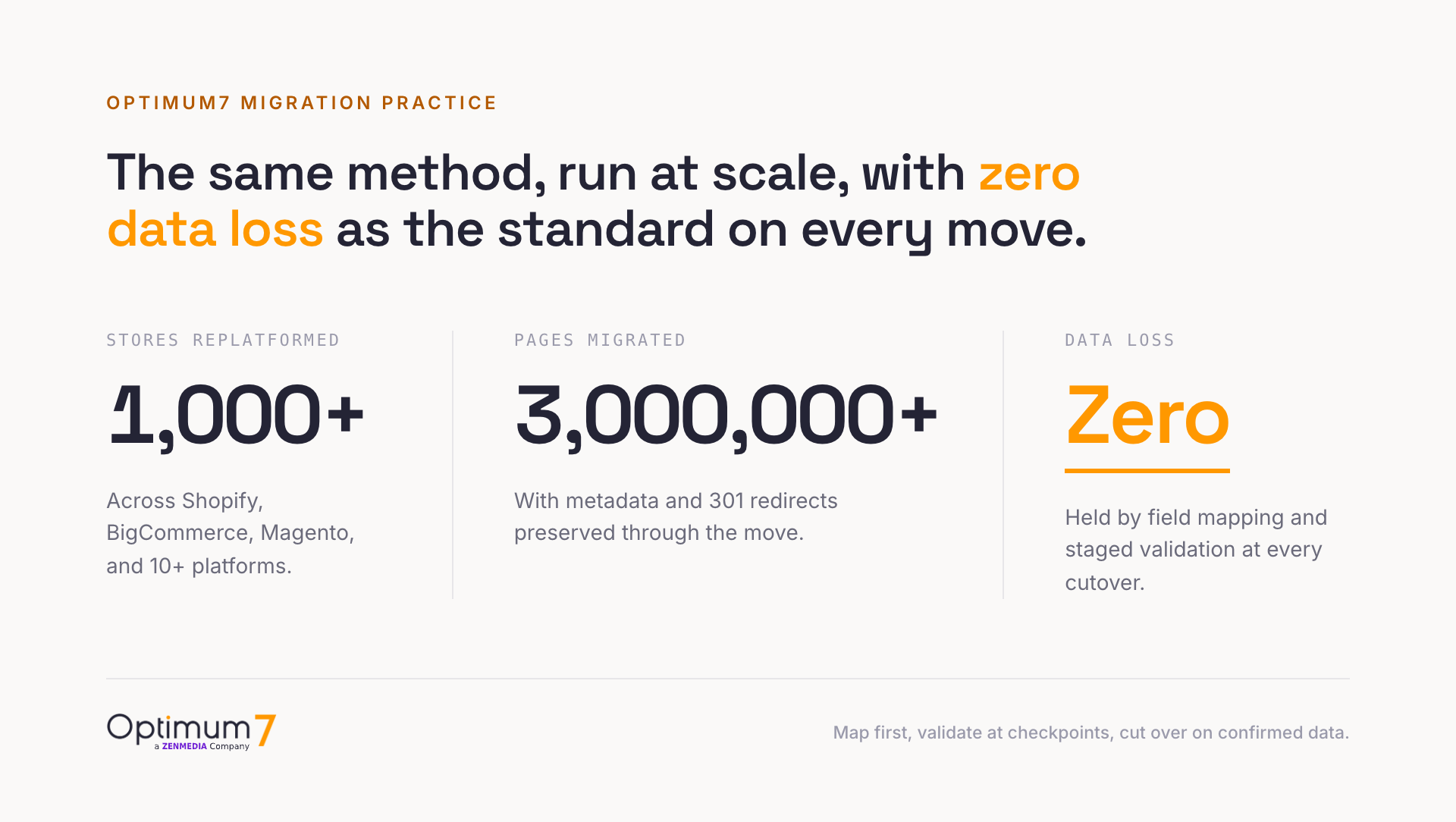
The pattern holds across automotive fitment and industrial fasteners alike: map first, validate at checkpoints, and cut over on confirmed data.
What an Industrial Catalog Migration Costs and How Long It Takes
Cost and timeline scale with data complexity. A 5,000-SKU catalog with clean attributes and no custom pricing is a faster, cheaper move than a 5,000-SKU catalog with fitment rules, tiered pricing, and a live ERP dependency. The planning horizon below is how Optimum7 scopes an industrial migration by catalog size and complexity.
| Catalog size | Typical data complexity | Planning horizon |
|---|---|---|
| Under 1,000 SKUs | Clean data, few attributes, no custom pricing | A few weeks |
| 1,000 to 10,000 SKUs | Attributes, variants, some relationships | Roughly one to two months |
| 10,000 to 50,000 SKUs | Fitment, ERP sync, tiered pricing | Roughly two to four months |
| 50,000+ SKUs, multi-integration | Legacy custom fields, several live systems | Three to six months |
The real cost of a migration shows up after a cheap one drops data: rebuilt attributes, re-created fitment tables, lost rankings, and support load while customers hit broken pages. A migration scoped around the data, with mapping and validation built in, protects revenue through the move. To pressure-test a budget against real numbers, Optimum7’s breakdown of ecommerce platform migration and custom development cost is the place to start, and the team can scope a specific catalog through the custom ecommerce development team.
Frequently Asked Questions
What is the difference between ecommerce migration and replatforming?
Replatforming is changing the ecommerce platform your store runs on. Catalog or data migration is moving your product data into the new platform. A replatform always includes a catalog migration, and the migration is the part that decides whether attributes, fitment, and pricing survive the move intact.
What is catalog data integrity in an ecommerce migration?
Catalog data integrity means the data behind the catalog still works after the move, beyond a matching record count. Product attributes stay usable in filters, ERP- and PIM-fed custom fields keep receiving the right updates, product relationships stay connected, and the category structures buyers use to narrow a large catalog still return the right products.
Do I need a PIM to migrate an industrial catalog?
Not always. A PIM, or product information management system, helps when catalog data is scattered across ERP, spreadsheets, and legacy fields, because it gives every attribute a single source of truth before migration. For smaller catalogs, a structured specification and disciplined field mapping do the same job.
Will my custom fields and product attributes survive a platform migration?
They survive when they are mapped before the move. A default bulk importer often drops custom fields or flattens attributes into plain text. A field-by-field migration assigns every custom field and attribute a target location on the new platform first, then validates that each one filters and displays correctly before cutover.
How do you migrate fitment data and product relationships without breaking links?
Fitment and cross-reference records are migrated as structured relationship data tied to SKUs, so the links resolve at launch. Because the new platform reassigns internal IDs, the migration remaps every relationship to the new IDs and validates a sample of parts against the old store to confirm each link resolves.
How do you protect SEO rankings during an industrial catalog migration?
Every old URL is mapped to its new equivalent with a 301 redirect, and page metadata and structured data are carried across so new pages inherit existing authority. For a large industrial store ranking on part numbers and applications, this redirect map is as important as the product data itself.
Can you keep tiered and contract pricing accurate after the move?
Yes. Customer-specific and tiered pricing is migrated into customer-group price lists tied to accounts, then verified by logging in as a representative buyer from each tier and confirming the exact contract price shows line by line before launch.
What data do you migrate in an ecommerce migration?
A full migration moves the product catalog (SKUs, attributes, relationships, and media), customer accounts and their negotiated terms, order history and reorder lists, contract and tiered pricing, and the ERP, CRM, and PIM integrations that keep all of it accurate. The catalog is the visible part; the accounts, pricing, and integrations decide whether the store works on day one.
Why do B2B ecommerce migrations fail after launch?
They fail when the team treats the project as a data transfer and underestimates the business logic: customer-specific pricing, account hierarchies, approval workflows, and ERP sync. Gaps in that logic surface only under real use, days or weeks after go-live, which is why post-launch validation and monitoring belong in the migration plan.
How long does an industrial ecommerce migration take?
Timeline scales with data complexity. A small, clean catalog can move in a few weeks, while a large catalog with fitment, tiered pricing, and live ERP integration typically runs two to four months, and the largest multi-integration catalogs run three to six months.
Can the business keep running during the migration?
Yes. A two-way integration keeps inventory, orders, and customers synchronized during the move, and staged validation means the cutover happens only after the new store is confirmed against the old one. Optimum7 migrations target zero downtime at launch.
About the author: Duran Inci is the CEO and Co-Founder of Optimum7, an ecommerce development and digital marketing agency. He helps mid-market and enterprise brands scale revenue through conversion optimization, SEO, and custom ecommerce solutions.