

TL;DR: A B2B migration rarely fails on products. It fails on the account rules underneath: the price, catalog, permissions, and approvals tied to each buyer’s account, which live across the store and the ERP with no clean export. They have to be rebuilt and tested account by account. Optimum7 moved one distributor’s 2,000+ accounts to BigCommerce B2B Edition with every pricing tier intact by validating against real logins before cutover.
Moving a B2C store is mostly a content problem: products, images, categories, redirects. Moving a B2B store is an account problem. If your top account logged in the morning after cutover, would they see their negotiated price or the list price? That single question is what a B2B migration lives or dies on, because when a distributor logs in they expect their price, their team’s ordering permissions, and their company’s locations exactly where they left them. Break any one of those and your best customers feel it as a broken promise the morning after launch.
That gap is where B2B replatforming projects lose weeks. A B2B price belongs to the buyer’s account, and it is expressed through a web of account rules: who the company is, what its buyers may do, which catalog and price they see, how they pay, who approves the order, and how all of it ties back to the ERP. Optimum7 groups those rules into an eight-layer framework. This guide walks through why each layer breaks in a migration, how the major platforms store it, and the four validation stages that prove it works before cutover.
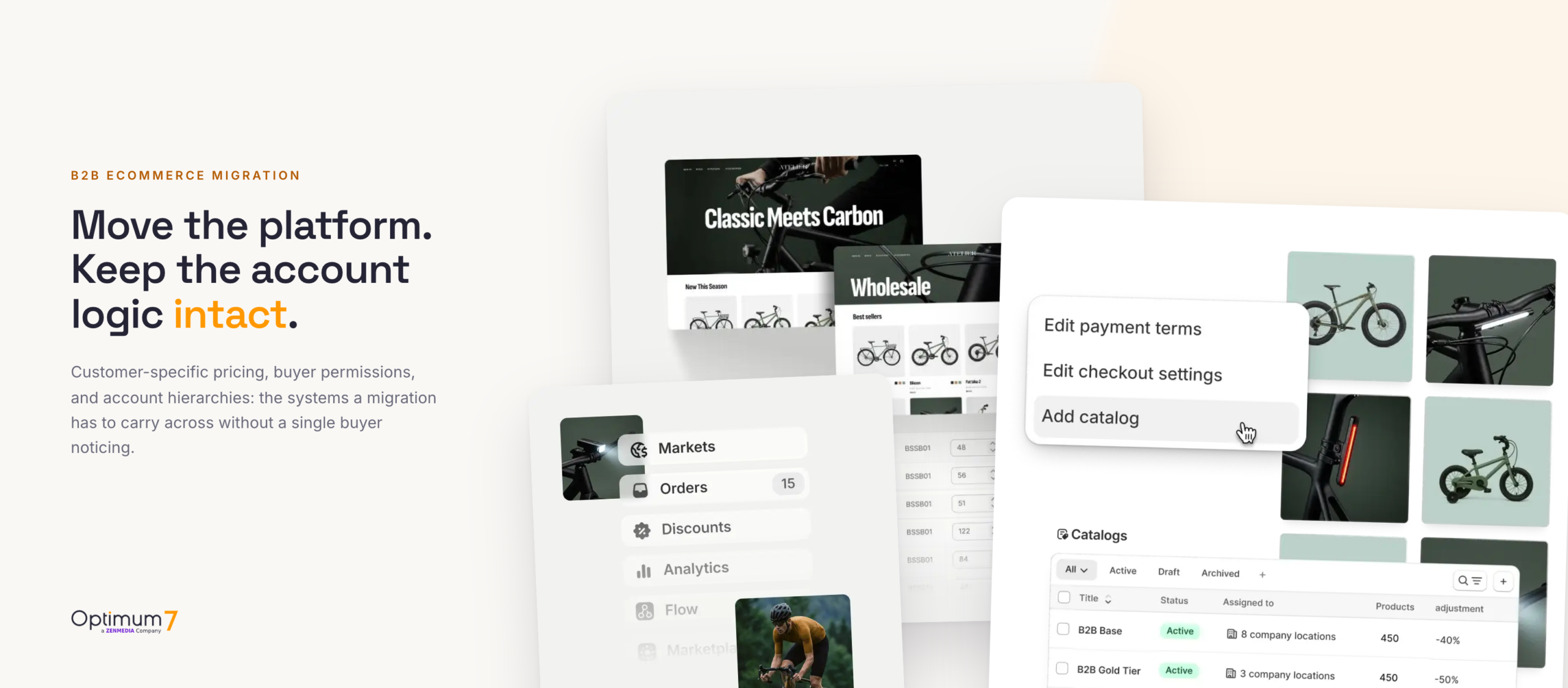
One B2B admin holds each buyer’s catalog, price, role, and location. Carrying all of it across intact is the real work of a migration.
Why Customer-Specific Pricing Breaks During a B2B Migration
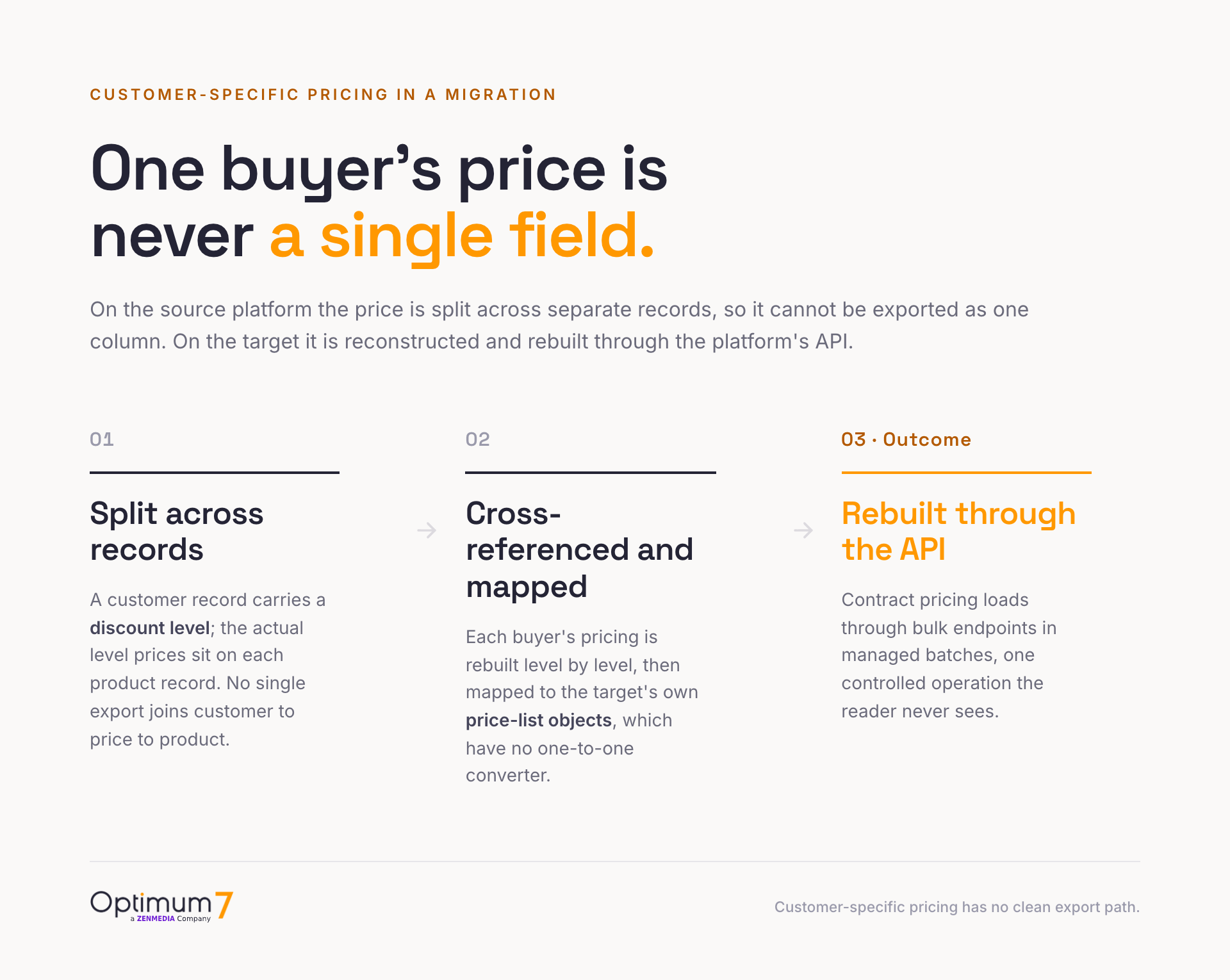
On the source platform the price is rarely a single column you can export, it is a relationship spread across several places. Take a store on Volusion, a common migration source. A customer record carries a discount level, but the actual prices for that level sit on each product record, in fields like DiscountedPrice_Level1 through DiscountedPrice_Level5. No single export joins the customer to the price to the product. To reconstruct one buyer’s pricing you have to cross-reference level by level, and Volusion’s generic export caps at 100 records per run with single-use download URLs. The pricing matrix gets reconstructed on the target from those scattered fields.
3dCart, now Shift4Shop, makes the point in a different way. It stacks three separate pricing constructs: ten group price levels, quantity-pricing tiers, and per-customer price lists that can override both. A flat product CSV represents none of that faithfully, because the group-to-price-to-product logic lives outside the product record. When three pricing systems overlap on the source, a single import file on the target cannot express which rule wins.
Underneath the pricing sits the reason it is so easy to get wrong: what a buyer is allowed to see and buy is decided by a stack of account rules, and price is only one of them. Three of those rules are what a buyer notices first.


Optimum7 has run this class of move enough times to make the point with numbers. When Omnimax USA, a B2B wholesale distributor, moved to BigCommerce B2B Edition, the work that mattered was carrying 2,000+ customer accounts and their five pricing tiers of negotiated, per-account pricing across so every buyer logged in to the right number.
The Eight Layers That Decide What a B2B Buyer Can Buy
A standard migration counts records: products, customers, and orders in the new store against the old one. That count can come out perfect while what a given account is allowed to buy has quietly changed. The eight layers below are what actually decides that, and each one is stored differently on every platform, which is why none of them survives a flat export.
| Account layer | What has to hold after migration | How the platforms store it |
|---|---|---|
| 1. Company and location hierarchy | Parent companies, branches, and billing and shipping identities sit under the correct account. | BigCommerce Account Hierarchy up to 5 layers (enabled by support); Shopify Company with locations; Adobe company structure plus parent-child hierarchy. |
| 2. Buyer roles and permissions | Buyers, admins, approval rights, spending limits, and location authority work as they did before. | BigCommerce Junior, Senior, and Admin plus custom roles; Shopify ordering-only and location admin; Adobe permission tree. |
| 3. Customer-specific catalogs | Each company and location sees only the products and catalogs assigned to it. | BigCommerce price list plus customer group; Shopify B2B catalog plus publication, up to 25 per location; Adobe public and custom shared catalogs. |
| 4. Negotiated pricing rules | Customer, contract, quantity, location, and category prices land on the right accounts. | BigCommerce price-list records with bulk tiers; Shopify fixed or percentage prices with quantity breaks; Adobe shared-catalog fixed, percentage, and tier pricing. |
| 5. Payment terms and credit | Net terms, deposits, credit limits, and invoice workflows follow the account they belong to. | BigCommerce Company Credit and Payment Terms; Adobe Payment on Account with a credit limit and balance; Shopify payment-terms templates. |
| 6. Approval and order workflows | Orders that need review still route to the right approver. | No platform ships native multi-tier approval; Shopify checkout-to-draft, Adobe’s order-approvals branch, and custom apps carry it. |
| 7. Tax, shipping, and destination | Tax treatment, approved destinations, and location shipping rules carry over unchanged. | Per-location tax IDs and exemptions on Shopify and Adobe; tax-exempt data is often re-entered by hand, since Volusion exports it encrypted and unusable. |
| 8. ERP and back-office links | Customer, pricing, order, and inventory identifiers resolve to the matching ERP, PIM, and CRM records. | ERP is often the pricing system of record (NetSuite item pricing, SAP condition technique, Dynamics trade agreements); PunchOut endpoints re-pointed per buyer. |
Company and location hierarchy
Account hierarchy is the hardest layer to move because no standard customer import carries the parent-child relationship. That link is structural, so it has to be re-established on the target in the target’s own model. On BigCommerce B2B Edition, Account Hierarchy links company accounts into a tree up to five layers deep, but the feature is off by default and must be enabled by support before any link can be created. On Shopify, the structure is a flat company with one or more locations, and a hard constraint bites: B2B orders are permanently bound to their company and cannot be moved. On Adobe Commerce, applying a parent company’s settings across its child companies overwrites the children’s existing configuration, so the order of operations matters or you erase what you meant to keep.
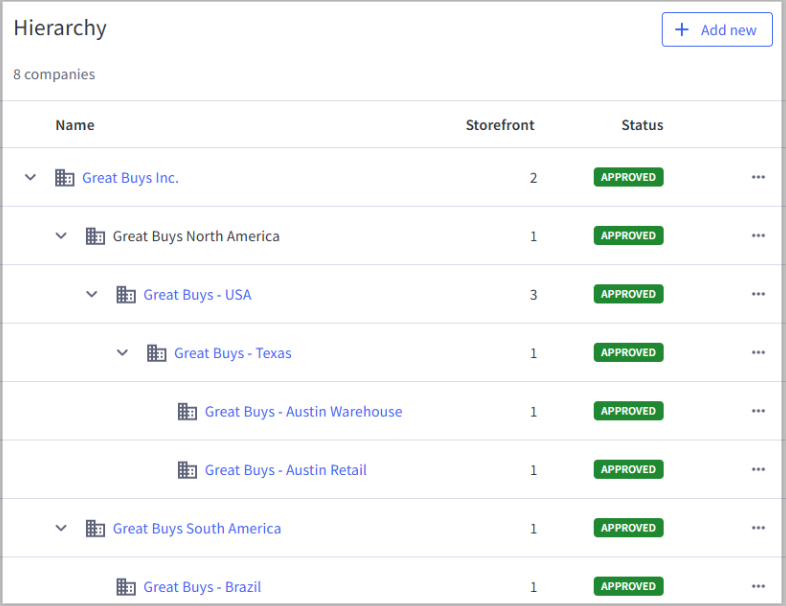
A parent-child account hierarchy in BigCommerce B2B Edition, five layers deep.
Buyer permissions and approvals
Permissions break because every platform draws the map differently, and roles rarely translate one-to-one between them. A Senior Buyer on BigCommerce, whose role maps to a specific permission integer, lines up only loosely with Shopify’s two native roles, ordering-only and location admin. Adobe models the same intent as a permission tree the company admin toggles. Two specifics catch teams off guard. First, all three platforms leave multi-tier order approvals and per-user spending limits to apps or custom development, so those approval chains and budget caps get rebuilt on the target from scratch. Second, passwords have to be reset: hashing schemes differ between systems, so every buyer sets a new one. Handled well, that is a planned reset campaign timed to launch; handled poorly, it is a wave of support tickets on day one.
Negotiated pricing and catalogs
The target platform models pricing with its own objects, and there is no one-to-one converter between them. A BigCommerce price-list record, a Shopify B2B catalog price, and an Adobe Commerce shared-catalog tier price are three different shapes for the same commercial idea. Price sheets get rebuilt through each platform’s API: BigCommerce, for instance, moves price data through a bulk upsert that runs in batches of 100 with a concurrency limit and one job per store at a time, so a large contract-pricing catalog is a managed load. Catalog access rides alongside pricing, since a company should see only its assigned products, and that visibility is a separate object on each platform that has to be re-bound to the right accounts.
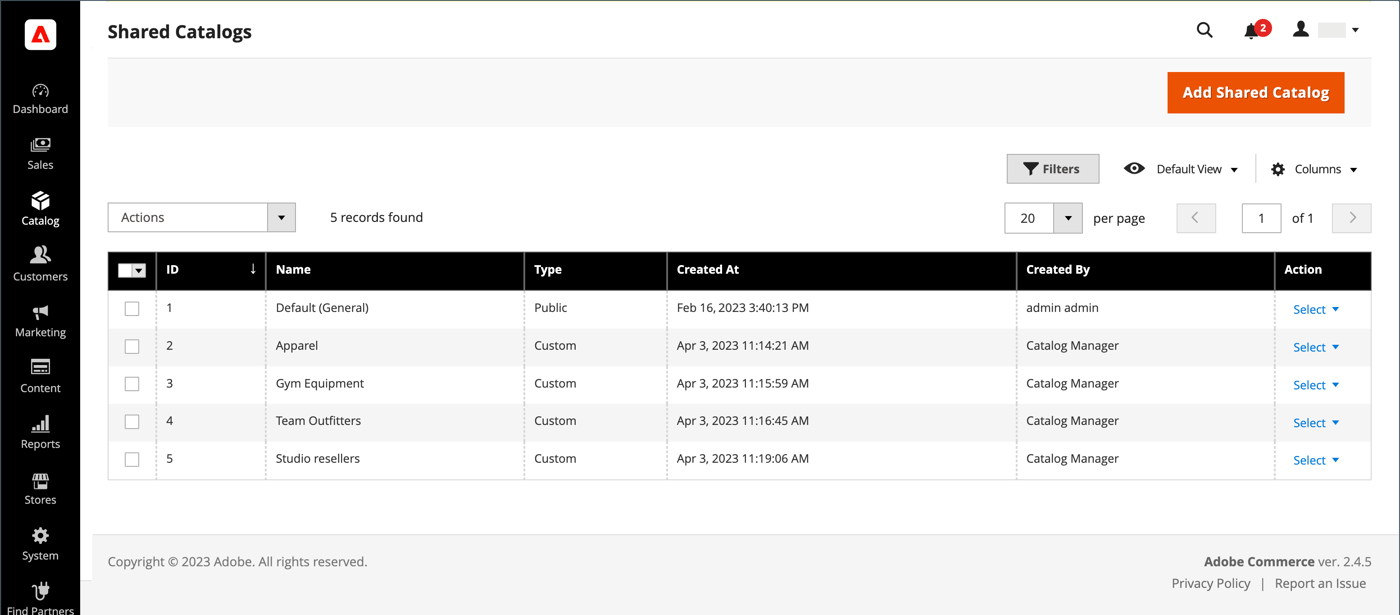
Public and custom shared catalogs scope pricing and product access to specific companies in the Adobe Commerce admin.
ERP, PunchOut, and the back office
For a large share of B2B sellers, the real system of record for price is the ERP. In NetSuite, negotiated prices live on the customer record’s item-pricing subtab; in SAP, they resolve through the condition technique; in Microsoft Dynamics 365, sales trade-agreement prices take priority over the item base price. The store either receives a pushed price list or calls the ERP’s pricing engine at checkout, so the migration becomes a re-point of that integration, then a check that the new store asks the same question and gets the same answer. Large buyers add another workstream: they shop through their own procurement system over a PunchOut catalog using cXML or OCI. When the domain and endpoints change, every PunchOut relationship is reconfigured, its shared secret re-exchanged, and tested inside that buyer’s procurement environment. There is no single cutover test that covers all of them, so one missed connection means a major account cannot order while the storefront looks perfectly healthy to everyone else.
How BigCommerce, Shopify Plus, and Adobe Commerce Handle These Layers
BigCommerce B2B Edition, Shopify Plus, and Adobe Commerce model the same eight layers with different objects and different limits. This table is the reference for what has a native home versus what has to be rebuilt or custom-built. Read it as the map for a move in any direction between them.
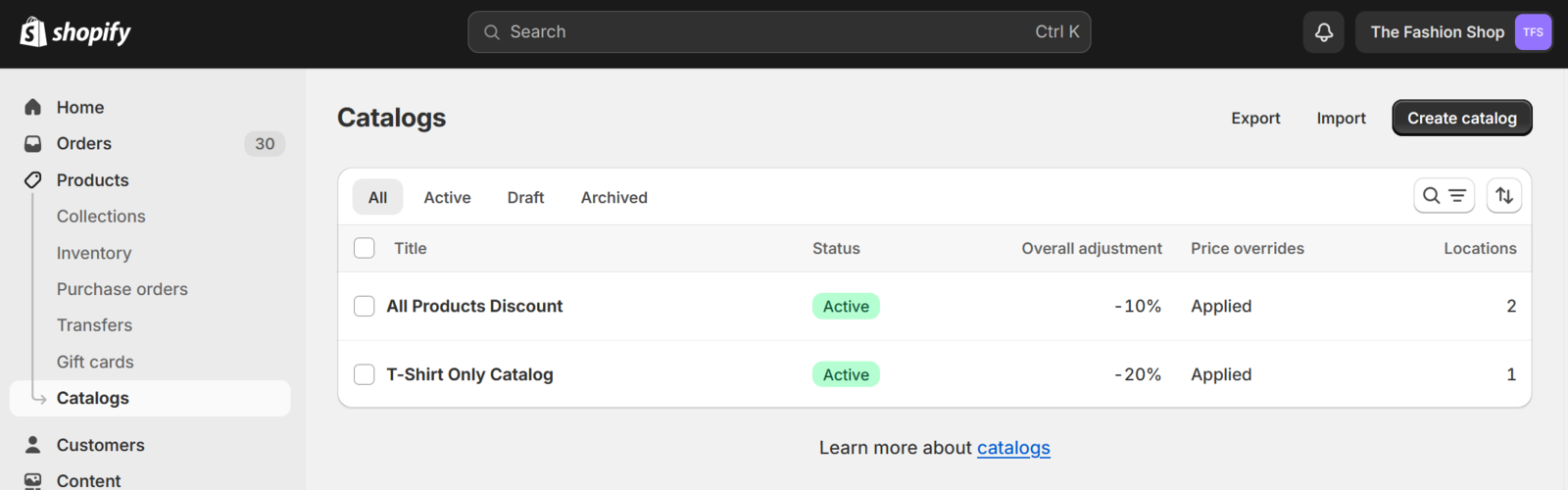
B2B catalogs with per-catalog price adjustments in the Shopify admin.
| B2B capability | BigCommerce B2B Edition | Shopify Plus B2B | Adobe Commerce B2B |
|---|---|---|---|
| Customer-specific pricing | Price lists assigned to customer groups, per-variant records with bulk tiers | B2B catalog pairing a price list with a publication, attached to a company location | Shared catalog mapped one-to-one to a customer group, fixed or percentage prices |
| Buyer roles | Junior Buyer, Senior Buyer, Admin, plus custom roles | Two levels: ordering-only and location admin | Permission tree edited by the company admin, custom roles |
| Account hierarchy | Parent-child companies up to 5 layers, enabled by support | Flat: one company, one or more locations, no company nesting | Internal team structure plus a separate multi-company hierarchy |
| Native approval / spend limits | Company Credit and Payment Terms, no multi-tier approval | Checkout-to-draft merchant review only | Order-approvals branch in the permission tree, Payment on Account |
| Native quotes | Yes, shopping-list to RFQ to quote | Not native, app or draft-order based | Yes, negotiable quotes with a full status flow |
| Migration-in tooling | B2B REST API for companies, users, price lists, quotes; bulk price upsert in batches of 100 | Catalog price CSV; company setup via API; no native CSV importer for companies or contacts | REST modules for company, credit, quote, shared catalog; advanced-pricing import for tiers |
Each platform has a native home for the basics and a gap where the advanced controls should be, and that gap is where custom development earns its place. It is a decision to make before the move. If you are still choosing the destination, our guide to the best ecommerce platform for selling online covers the wider trade-offs, and the platform-specific playbooks for a BigCommerce migration and replatforming and a Shopify Plus migration and replatforming go deeper on each destination.
The Four Validation Stages Before Cutover
The method that keeps buyer accounts intact runs in four stages, and the account logic is the payload the whole sequence protects. What would it cost you if the first order after launch came from your largest account at the wrong price? These four stages exist so that never happens.
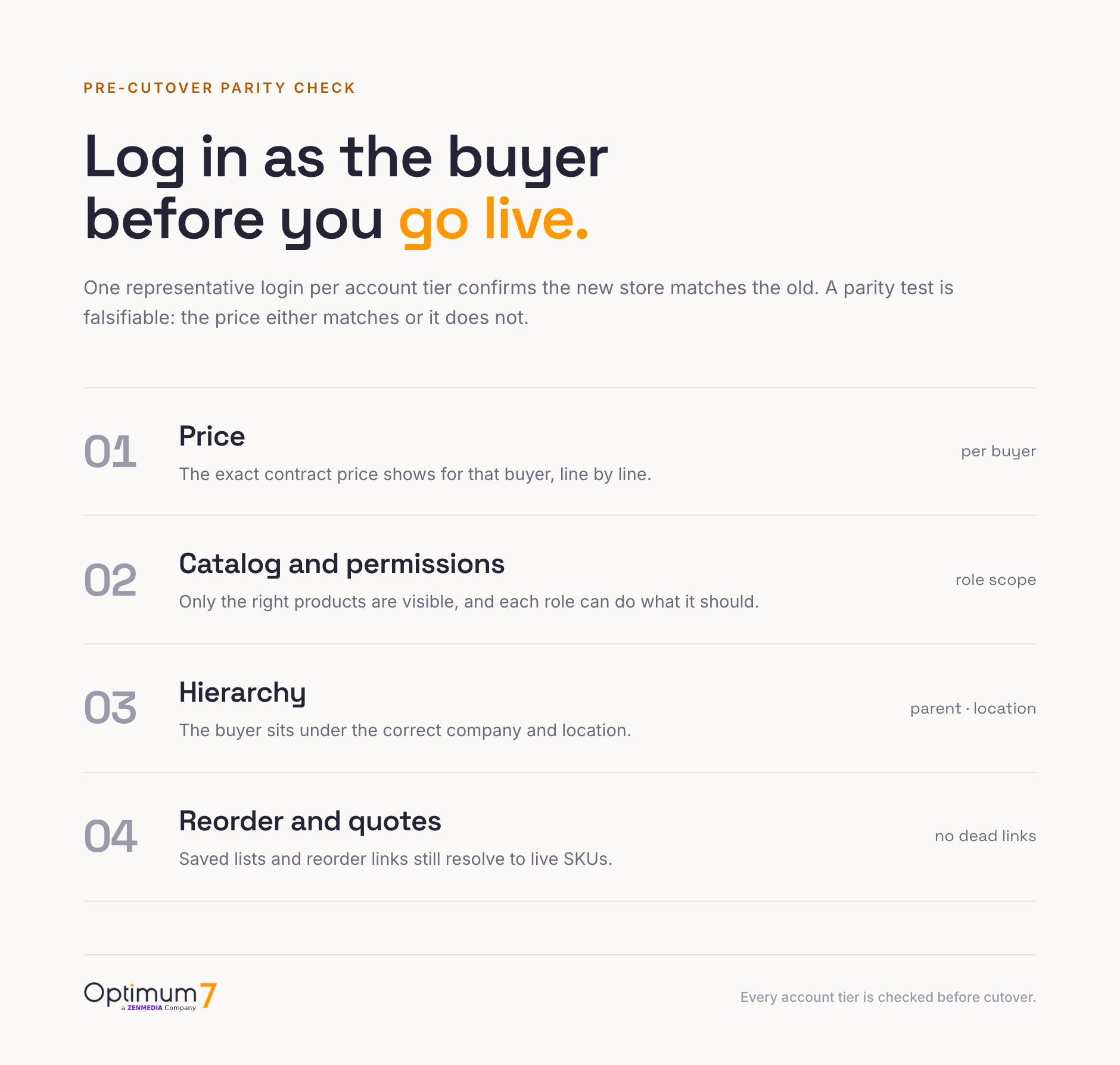
The test stage is the difference between a migration you can defend and one you are hoping went well. Run these account-level checks while the old store is still live:
This is how the Omnimax USA migration held: the five pricing tiers were validated against real account logins before launch, so dealers logged in to the pricing they already had. Two more Optimum7 migrations show the same discipline carrying across different source platforms.
Optimum7 runs this class of move as an ecommerce migration engagement, with the account logic treated as the payload that has to survive intact. For the buying organizations on the other side of the login, our guides on building a B2B ecommerce platform for distributors and AI deployment for B2B ecommerce cover what comes after the move.
What Drives B2B Migration Cost and Timeline
A B2B migration is priced on the complexity of the account logic and the integrations. Product count barely moves the number: two stores with the same catalog size can differ by an order of magnitude in effort based on the layers below. These are the drivers to scope against before asking for a price.
Timeline follows the same logic. A store where price lives in the ERP and hierarchy is shallow can move in weeks; an enterprise with deep hierarchies, dozens of PunchOut buyers, and custom approval logic runs to a multi-month program with a stabilization window after launch. For a fuller treatment of the numbers, our guides on the complete ecommerce platform migration planning process and ecommerce platform migration and custom development cost break down scoping and budget. The one figure worth protecting at any budget is buyer trust, spent the first time a top account sees the wrong price.
Frequently Asked Questions
How is a B2B ecommerce migration different from a B2C one?
A B2C migration moves products, content, and redirects, and success is a clean catalog. A B2B migration also moves the account logic underneath: customer-specific pricing, company hierarchies, buyer permissions, payment terms, and ERP links. Those rules decide what each account can buy and at what price, and they carry the real risk.
Will B2B buyers need to reset their passwords after the move?
Yes. Platforms store password hashes that differ between systems and cannot be exported and reloaded, so every buyer sets a new password on the new store. Buyer accounts and their company associations do carry across, so a planned password-reset communication timed to launch keeps the reset from reading as a broken login.
Do PunchOut catalog connections survive a replatform?
Not on their own. A PunchOut connection points at specific URLs on your store and authenticates with a shared secret. When the platform and domain change, each buyer’s procurement system is reconfigured with the new endpoints and secrets, then tested in that buyer’s environment. Every relationship is handled individually, so PunchOut is scoped as its own workstream.
Should customer-specific pricing live in the store or the ERP?
For a large share of B2B sellers the ERP is already the system of record, holding negotiated prices in NetSuite, SAP, or Microsoft Dynamics. When that is the case, the store displays what the ERP returns, and the migration becomes a re-point of that integration; the prices never leave the ERP. Confirming where price truly originates is one of the first project decisions.
How long does a B2B ecommerce migration take?
It depends on the account logic more than the catalog. A store with shallow hierarchy and ERP-owned pricing can move in weeks. An enterprise with deep hierarchies, dozens of PunchOut buyers, and custom approval workflows runs to several months plus a stabilization window. The account inventory from stage one of the method is what tells you which end of that range you are on.
Which platform is best for a B2B migration?
There is no single answer, because each platform models B2B data differently and none has every advanced control native. BigCommerce B2B Edition carries the deepest native hierarchy and quoting; Shopify Plus is leaner and app-dependent for approvals; Adobe Commerce offers the finest-grained permission tree. The right choice depends on how much of your account logic is native versus custom on each.
About the author: Duran Inci is the CEO and Co-Founder of Optimum7, an ecommerce development and digital marketing agency. He helps mid-market and enterprise brands scale revenue through conversion optimization, SEO, and custom ecommerce solutions.