

TL;DR: A Shopify migration and replatforming project rebuilds how your store works inside Shopify’s rules. Products, customers, and orders transfer with planning; themes, apps, and custom checkout logic do not. Plan what moves, what breaks, and what it costs, and the move protects the rankings you already hold.
A Shopify migration moves your catalog, customers, orders, and content onto Shopify, and the replatforming half of the job rebuilds the parts of your store that Shopify handles its own way. If you moved your store next month, do you know which of your current features would survive the switch and which would turn into a monthly app subscription? That question, more than the raw data transfer, decides how smoothly the move goes.
A Shopify migration is the data transfer: products, customers, orders, and content moving into Shopify. Replatforming is the full project around it: rebuilding the theme, the app stack, the integrations, and the checkout logic on the new platform. Every serious move to Shopify is both at once.
Shopify’s scale is why the platform feels safe to move to, and it cuts both ways: the path is well worn, so the mistakes are well documented too. Teams treat the move as a data export and get blindsided by the store rebuild it demands. The stores that come through it cleanly plan for three jobs at once, a data transfer, an SEO project, and a front-end rebuild, and they make the Shopify-specific decisions before launch.
This guide is written for merchants moving to a standard Shopify plan; if you are evaluating the enterprise tier, our Shopify Plus migration guide covers that path. It covers the full journey: how Shopify differs from what you are leaving, which platform-specific catches to expect, what does and does not migrate, what the move costs in 2026, how to protect your organic traffic, and the process that ties it together. Where standard Shopify hits a wall that only Plus solves, the guide says so plainly. If you are still weighing the move itself, our guide to choosing the right ecommerce platform and the platform-agnostic ecommerce migration planning process cover that decision.

What Changes When You Move to Shopify
What are you really buying when you move to Shopify? A hosted platform that trades open-ended control for speed, security, and stability. Shopify runs the infrastructure, patches it, scales it through peak traffic, and keeps checkout fast. In return, it decides how several core parts of your store work, and four of those decisions shape every migration.


Shopify is still a sound destination for a growing store. The trade-offs turn the migration into a series of deliberate calls: which features to rebuild natively, which to replace with an app and its monthly cost, and which to retire because they never earned their keep. A move that treats those calls as afterthoughts is the one that runs over budget and launches with holes in it.
Migrating to Shopify From Your Current Platform
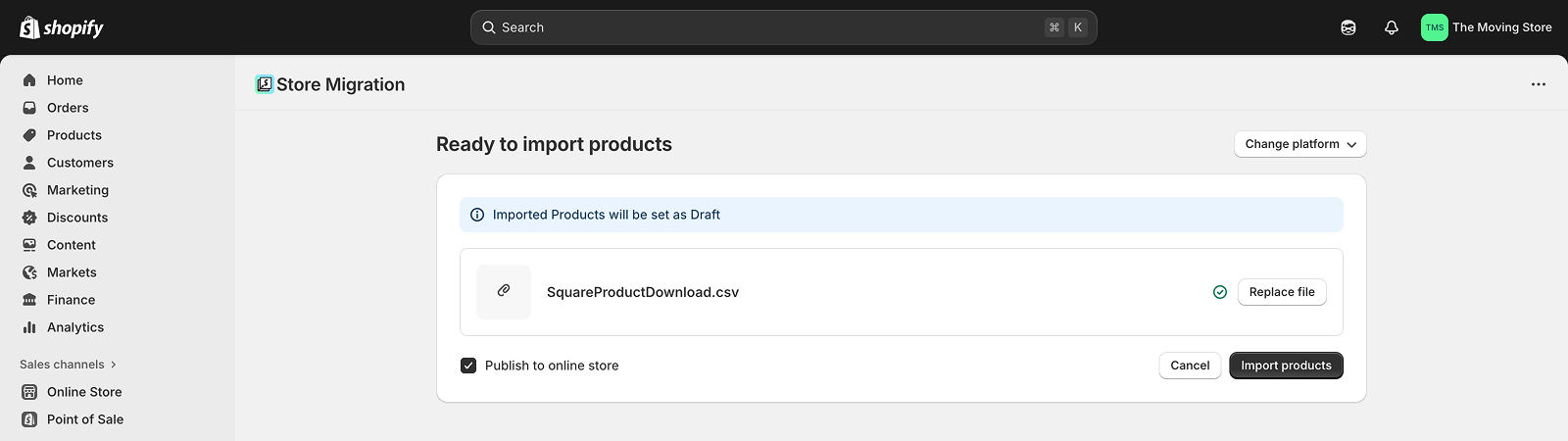
The platform you are leaving decides most of the work. Shopify’s free Store Importer pulls products, customers, and content from the major platforms, but each source carries a different catch that the importer will not warn you about, and each one is a line item in the project plan.

| Coming from | What moves with the importer | The Shopify-specific catch |
|---|---|---|
| WooCommerce | Products, customers, pages, blog posts | A WooCommerce store runs on a deep stack of plugins, and none of them transfer; subscription data rarely moves cleanly |
| Magento / Adobe Commerce | Catalog and customers by export | Magento’s flexible attributes collapse into Shopify’s three-option model, and crawlable layered-navigation URLs have no direct equivalent |
| BigCommerce | Products, customers, content; orders via a migration app | BigCommerce supports more product options natively, so complex catalogs hit Shopify’s three-option cap and need restructuring |
| Wix | Products by CSV | Wix allows six product options to Shopify’s three, and blog content does not transfer by CSV |
| Squarespace | Products by export | The export caps at 2,000 products, and order history and customer preferences arrive incomplete |
The pattern across every row is the same: structured records move, and the platform-specific logic around them does not. A WooCommerce store’s real value is often locked in its plugins, a Magento store’s in its attribute model and indexed facet URLs (and, increasingly, in the rising cost of keeping Magento running), a Wix or Squarespace store’s in content the CSV export leaves behind. Naming that gap for your specific source platform is the first hour of a serious migration. Optimum7 runs dedicated migrations for stores moving from WooCommerce to Shopify, BigCommerce to Shopify, and Wix to Shopify, and handles Magento and Squarespace moves through its ecommerce migration team.
What Does Not Migrate to Shopify
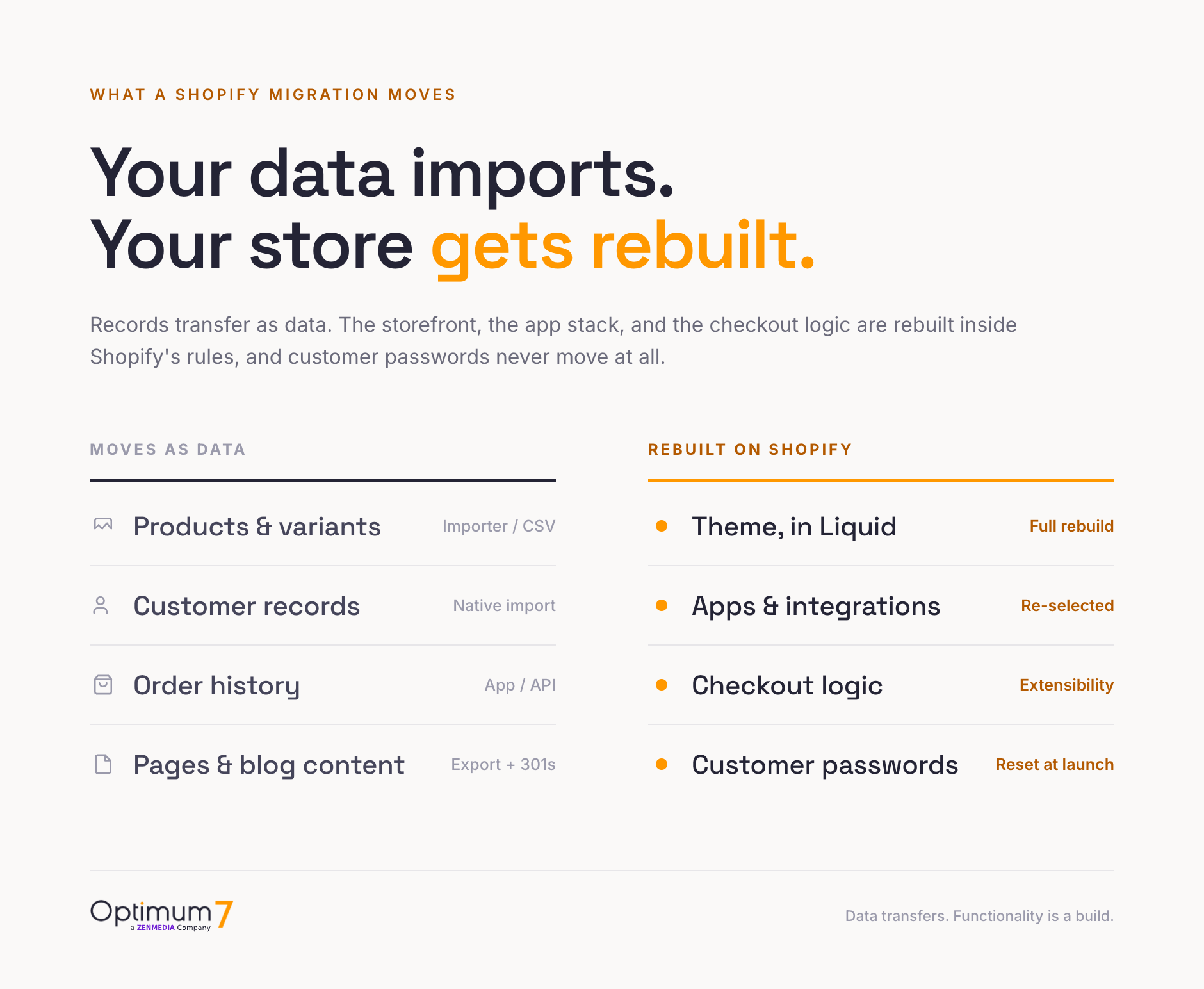
A clean Shopify data migration starts with an honest list of what will not come across on its own, and the action each item forces. These four are the ones that generate first-week support tickets when a team assumes the importer handled them.
Shopify’s Product Option Limit and Your Catalog
Shopify raised its per-product variant cap to 2,048 variants in October 2025, which retired the old 100-variant ceiling that used to block large catalogs outright. The limit that still bites is options: Shopify allows only three options per product, such as size, color, and material. A store that sells on four or more axes, say size, color, material, and length, has to restructure before a single record imports.
This is the exact wall Optimum7 hit on the Plants4Home WooCommerce-to-Shopify migration. Products that exceeded the option limit were restructured into Shopify’s model before the transfer began, and the store launched with zero post-launch data escalations. The alternative, discovering the cap on import day, stalls the whole project while someone re-architects products under deadline pressure.
Shopify’s Combined Listings feature can group separate products into one storefront listing, which softens the constraint for some catalogs, though it is a merchandising workaround with its own setup and it keeps the three-option limit in place. The practical rule is simple: inventory your option structure early, flag every product above three options, and decide product by product how to handle it: split it, combine it, or simplify it. That call costs an afternoon during planning and a blown timeline on launch day.
Preserving Customer Data and Order History in a Shopify Migration
A store can be transferred without losing customer data or order history when every field is mapped and validated before go-live, and customer migration is the part of the project where that discipline pays off. Optimum7 moved 1.4 million orders and 653,000 customer accounts from Volusion to Shopify for Alegria Shoe Shop with zero data loss, using field-by-field mapping, staged validation checkpoints, and Shopify’s GraphQL bulk operations to push high-volume datasets through the API without rate-limit failures.
To preserve customer data during a Shopify replatforming project, migrate in dependency order: customer profiles first, then the addresses, tags, and store credit attached to them, then the orders that reference both. Duplicate profiles are the quiet hazard in older stores, where the same shopper may exist under three email variants; resolving those identities during mapping produces a customer database the marketing team can segment cleanly, and skipping it imports the mess at scale.
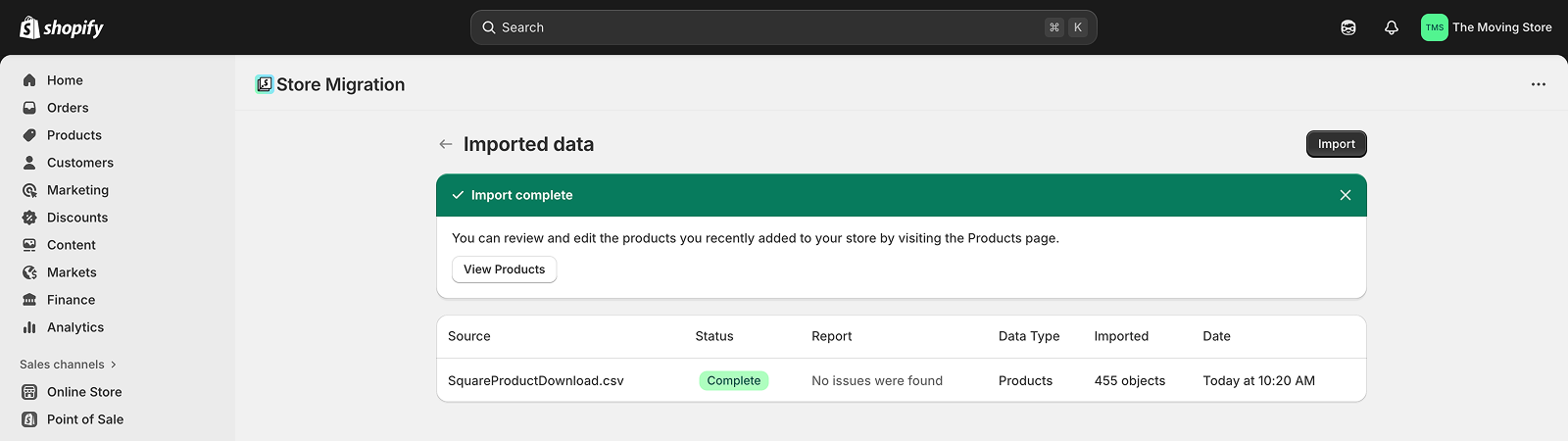
Order history is where the free tooling runs out. Shopify’s Store Importer skips order records it cannot map, so a store transferring real transactional history imports orders through a migration app or the API, where each order carries its line items, totals, and historical tax amounts intact. Keep the old platform’s full data exports archived after cutover; accounting and tax filings should never depend on the new platform being the only copy of a past transaction.
A B2B catalog raises the stakes on the same work, because customer-specific pricing, permission tiers, and account hierarchies all ride on the customer records. Our B2B ecommerce migration guide covers that layer in depth.
Migrating Subscriptions, Recurring Orders, and Billing History
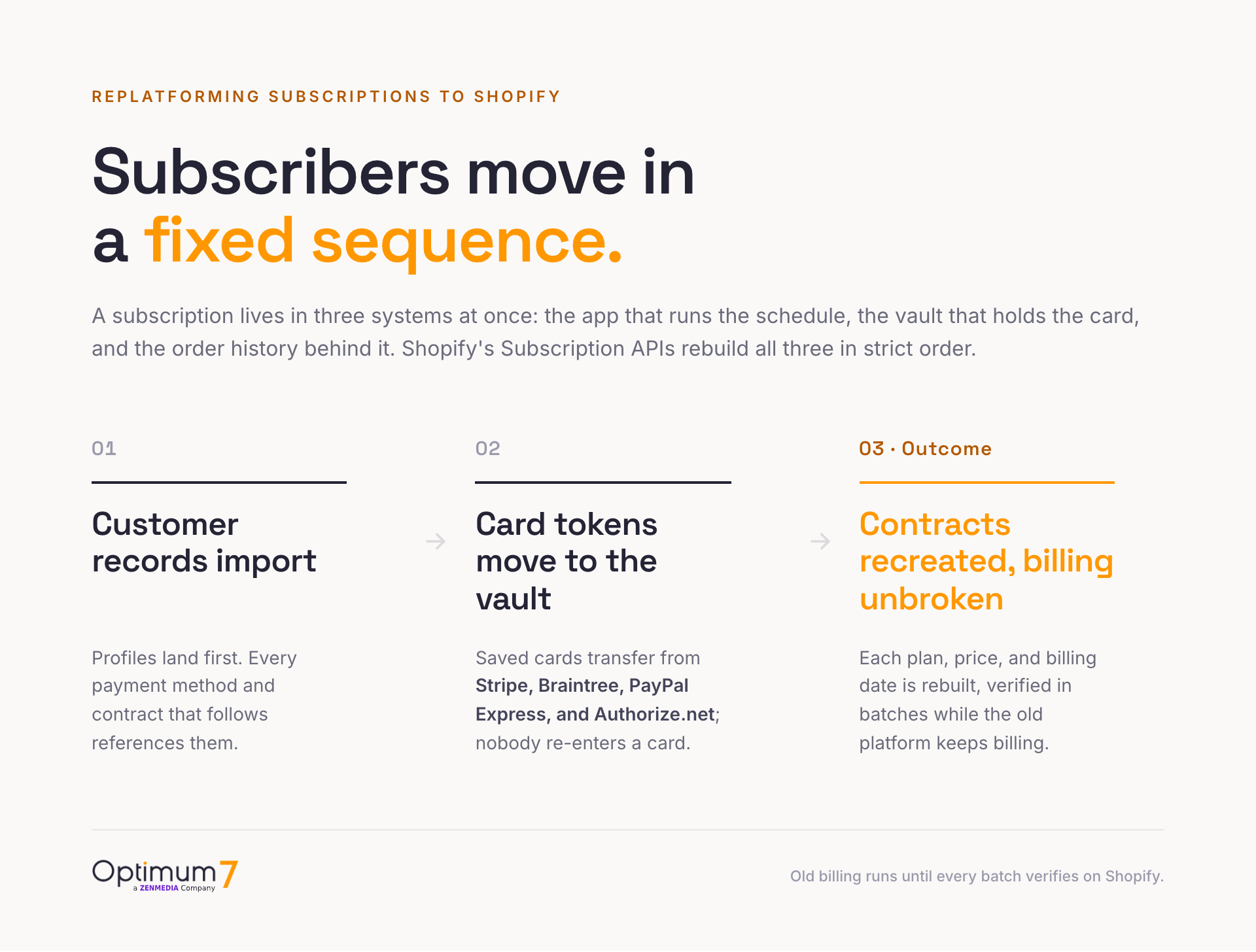
Active subscriptions are the hardest records to replatform to Shopify, because a single subscription lives in three systems at once: the subscription app that runs the schedule, the payment vault that holds the card, and the order history that records every past charge. None of the three moves with the Store Importer. Each is migrated deliberately through Shopify’s Subscription APIs, and the sequence is fixed.
Customer records import first. Saved payment methods move second, into Shopify’s vault; card tokens transfer directly from Stripe, Braintree, PayPal Express, and Authorize.net through Shopify’s payment-method import mutations, so subscribers keep their cards on file without re-entering them. Subscription contracts are recreated last, each one carrying the subscriber’s subscription plan, pricing, billing anchor date, delivery frequency, and shipping address into the new subscription app.
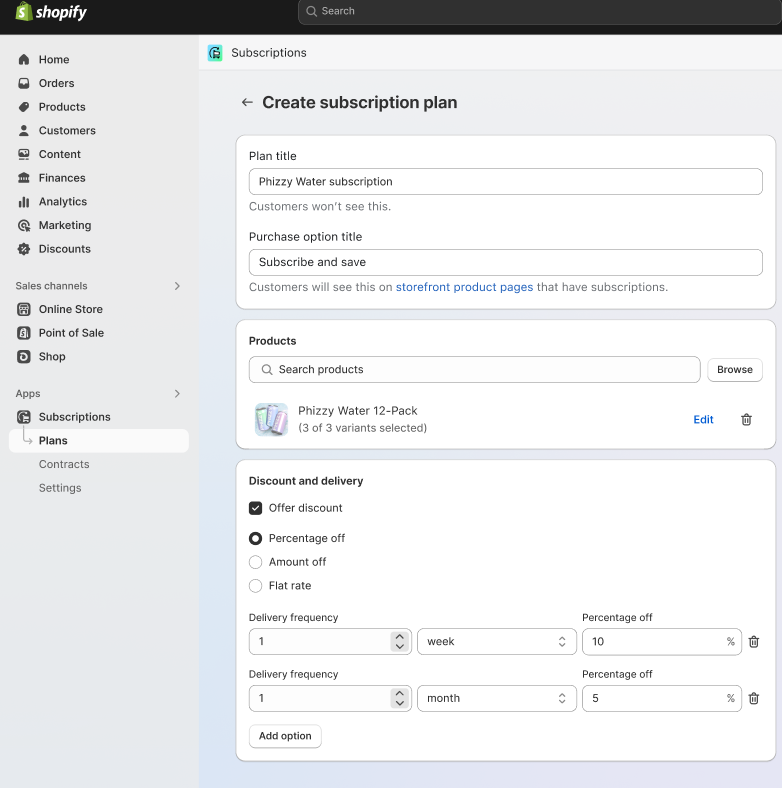
How long it takes to replatform a subscription program to Shopify depends on batch count and verification pace; avoiding downtime through the switch is a cutover-scheduling problem. Keep the old platform billing until each batch of contracts is verified on Shopify, move billing anchor dates across in groups, and reconcile the two systems daily through the overlap so no subscriber is charged twice or skipped. Recurring order logic, the rules for swaps, skips, pauses, and failed-payment retries, is rebuilt inside the new subscription app; billing history imports as plain order records, which keeps every past invoice visible on the customer’s account without making it re-billable.
What a Shopify Migration Costs
A Shopify migration and replatforming project has three cost layers: the one-time project, the ongoing platform and payment fees, and the monthly app stack. Do you know what your payment processor will cost you on Shopify? That is the layer merchants miss in the quote stage, and it runs for the life of the store.
Project cost scales with the amount of rebuild work, and SKU count is a weak predictor of it. A simple catalog move with a light theme and a handful of integrations sits at the low end, while a mid-market replatform with custom work and deep data mapping runs into six figures over several months. Across the migrations Optimum7 has delivered, the platform subscription is a minority share of the total; the implementation, data mapping, theme build, and integration work are where the budget goes, and the quotes that omit them are the ones that double mid-project.
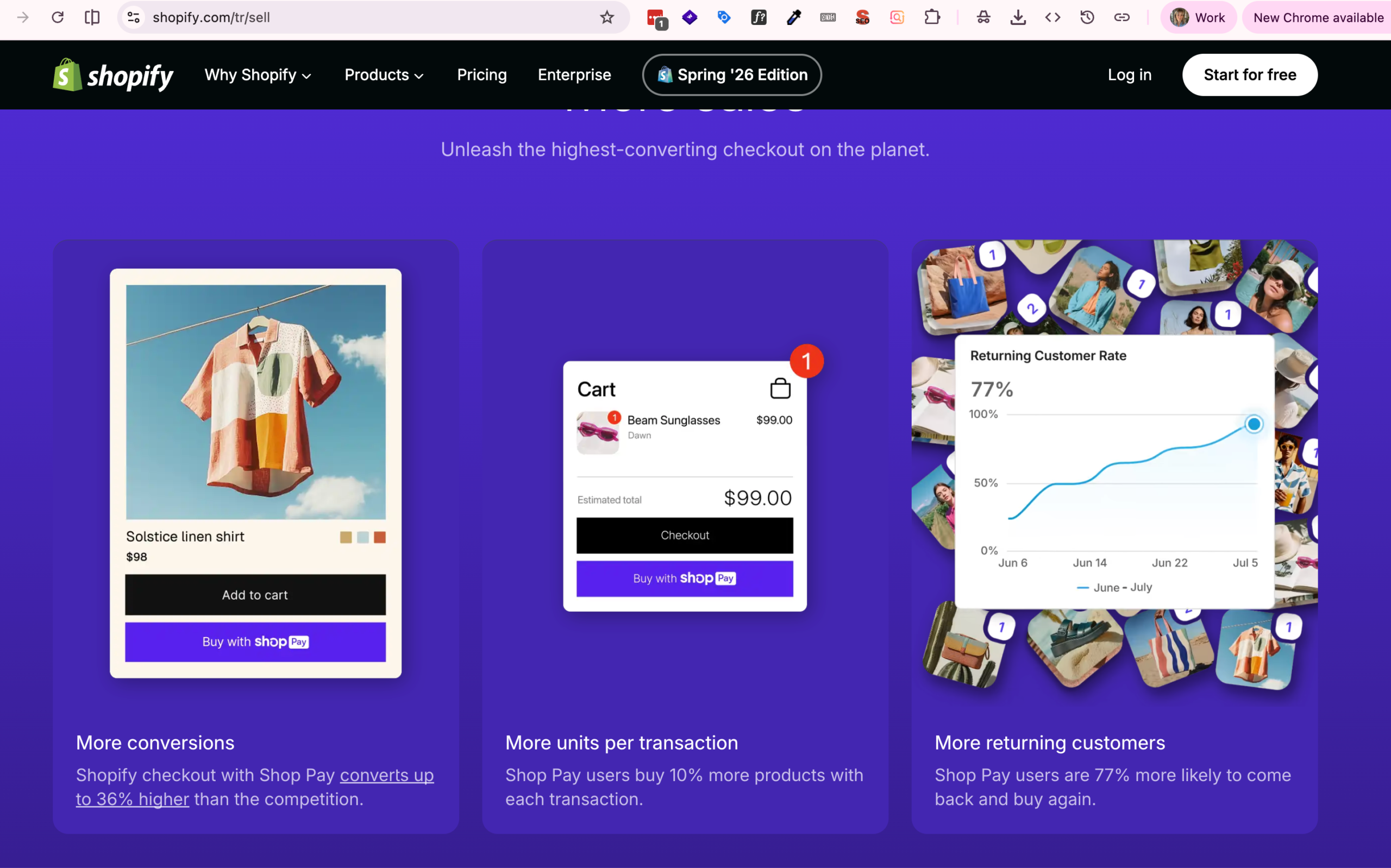
The ongoing cost that catches people is Shopify’s fee on outside payment gateways. Run payments through Shopify Payments and there is no extra platform fee, and Shopify markets the upside hard: its sell page claims checkout with Shop Pay converts up to 36% higher than competing checkouts, with Shop Pay users 77% more likely to buy again. Keep Stripe, PayPal, or another processor and Shopify adds a percentage on every order, on top of what that processor already charges. On a store doing $2M a year, the Basic-plan 2% surcharge is $40,000 in fees that Shopify Payments would avoid, which is why the plan and gateway decision belongs in the migration plan, decided up front.
Shopify Fee on Third-Party Payment Gateways by Plan (2026)
Charged on every order when not using Shopify Payments, on top of the processor’s own rate
Fee applies only when using a payment provider other than Shopify Payments. Source: Shopify, 2026.
The third layer is the app stack. Replacing native features from your old platform with Shopify apps for reviews, loyalty, subscriptions, search, and email adds a recurring monthly bill that grows with every feature you replace. Build that number during planning by listing each feature you rely on today and its Shopify replacement, because the difference between a $30 app and a $300 app for the same job is often just which one you found first.
Protecting SEO When You Move to Shopify
If half your product URLs changed overnight, would every one of them still resolve? On Shopify they will change. Shopify forces its own URL structure, with /products/ and /collections/ prefixes you cannot remove on standard plans, so almost every indexed URL from your old store gets a new address. Without a redirect for each one, the rankings behind those URLs fall, and they do not come back on their own.
Across 892 documented site migrations. Search Engine Journal, 2025. Source
The fix is a complete 301 redirect map built and tested before launch: export every live URL, map each to its new Shopify address, load the redirects with Shopify’s bulk URL Redirects tool using the same 301 redirect mapping method that protects rankings on any migration, then resubmit your sitemap in Google Search Console at cutover and watch the coverage report daily. On the Plants4Home migration, Optimum7 built full 301 coverage for every legacy product, category, and content URL, and the store held its search footprint through the move. With clean redirects, rankings typically stabilize within 4 to 8 weeks; a botched map is what turns a migration into the 523-day recovery above.
How to Manage a Shopify Migration, Step by Step
A managed Shopify migration and replatforming project follows the same sequence whatever platform you leave, and the order is the point: each stage depends on the one before it, and skipping ahead to the data import is the most common way a project runs over. Optimum7 runs every engagement through the same six stages.
How Long a Shopify Migration Takes
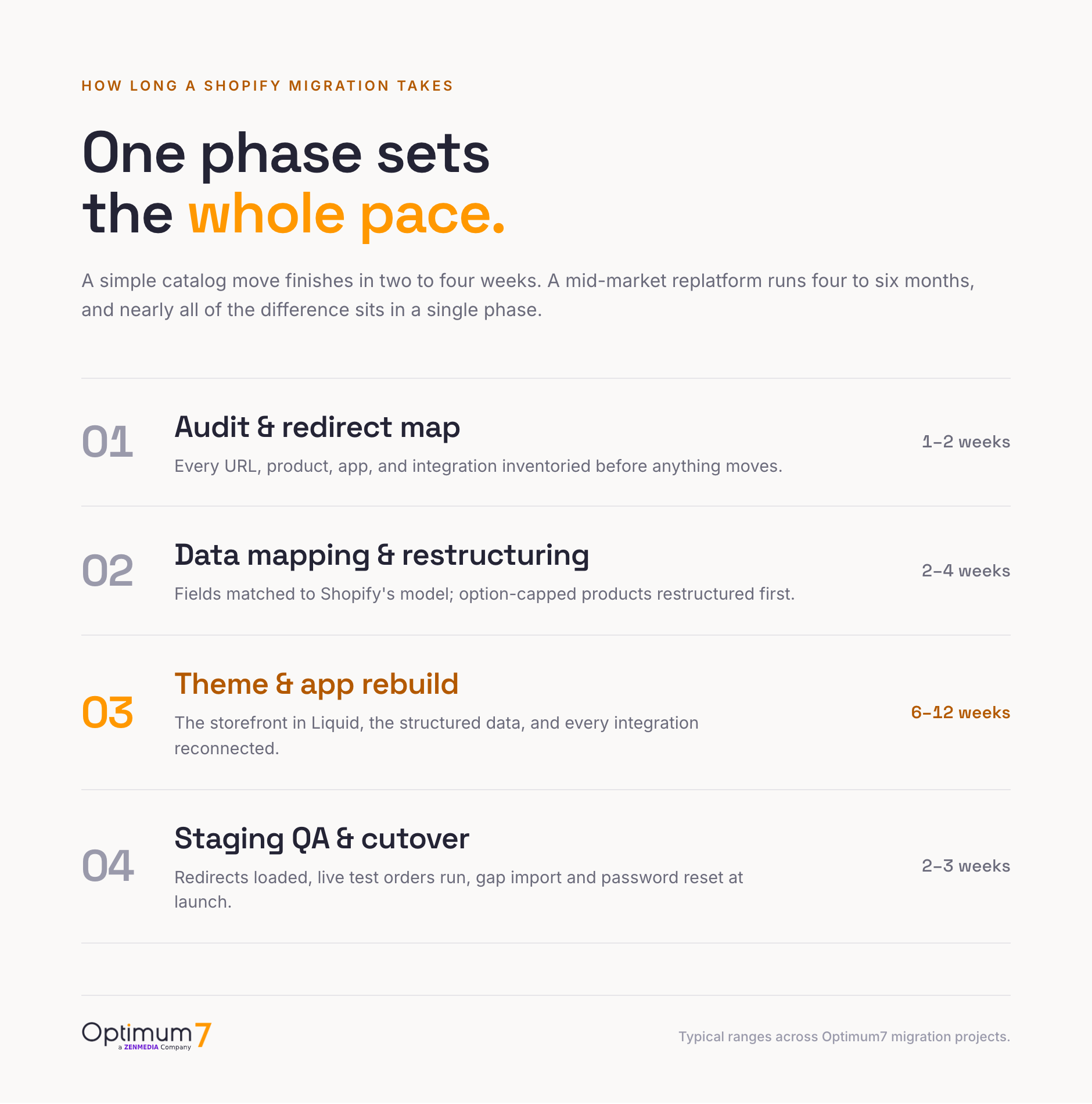
A simple catalog move on the Store Importer finishes in two to four weeks. A mid-market migration with a theme rebuild, app reconnection, and subscription or B2B work typically runs four to six months across Optimum7 projects, and the theme and integration rebuild sets the pace, with the audit and data mapping filling the opening weeks, staging QA the closing ones, and the raw data transfer the fastest step in the middle. The way to compress the timeline is to make the slow decisions early: the option-limit restructuring, the app stack, and the plan tier are the items that stall a project when they surface mid-build.
What Stays Locked Behind Shopify Plus
A standard Shopify plan is the right call for the typical migration, and the standard Shopify vs Shopify Plus decision comes up on every quote. The gap to know before you commit is what stays locked behind Plus, because a few of those limits are expensive to work around once the store is live.

| Capability | Standard Shopify (Basic, Grow, Advanced) | Shopify Plus |
|---|---|---|
| Checkout customization | Branding and app blocks; core information, shipping, and payment steps stay locked | Full checkout editing and custom logic |
| Custom discount and shipping logic | Public apps built on Shopify Functions only | Custom Shopify Functions you build yourself |
| Third-party gateway fee | 2.0% (Basic), 1.0% (Grow), 0.6% (Advanced) | 0.2% |
| B2B catalogs and wholesale pricing | Up to three catalogs, no partial payments | Unlimited catalogs and wholesale tools |
If your old store relied on custom checkout scripts or wholesale workflows, price the jump to Plus into the decision now. Shopify is retiring its legacy checkout customizations through 2026, so any checkout logic you carry over is rebuilt with Checkout Extensibility, which works on all plans, while the deepest custom checkout logic still requires Plus. Audit the Shopify Scripts your store still depends on before they stop running in 2026. Deciding this before you migrate is far cheaper than discovering a locked door after the store is live.
Common Shopify Migration Mistakes
The migrations that stumble tend to fail on the same handful of assumptions. Each one is avoidable with a decision made before launch, while it is still cheap.
Skipping the app audit
Teams assume their integrations reconnect on Shopify. They do not. Every reviews tool, subscription engine, and ERP connector is chosen again and rebuilt on Shopify’s API, and the recurring app bill is real money that outlives the project. Audit the stack, map each feature to its Shopify replacement, and price the monthly total before you commit, well ahead of the month-two invoices.
Treating the option limit as an afterthought
Products that sell on four or more axes fail to import cleanly against Shopify’s three-option cap, and discovering that on import day stalls the whole project under deadline pressure. Restructure option-heavy products into Shopify’s model during planning, when the decision stays a calm spreadsheet exercise on your own schedule.
Going quiet on the password reset
Passwords do not transfer, so every returning shopper resets on first login, warned or not. Stores that stay silent absorb a support spike and a wave of “my account is broken” emails in week one. A short launch-day message that frames the reset as a security step turns a complaint into a non-event.
Letting redirects pile up
App-generated and theme-level redirects can stack into loops or long chains that Google treats as errors, and a blanket redirect to the homepage reads as a soft 404 that sinks rankings. Audit for a single clean 301 per old URL, pointing to the closest matching new page, and remove any redirect an app added on its own.
Choosing a Shopify Migration Agency
A Shopify replatforming is won or lost in the decisions made before launch: the option-limit restructuring, the redirect map, the app rebuild, and the gap import. A partner earns its fee in exactly those decisions. When you evaluate Shopify migration services, ask for named client outcomes and a written plan for each of those four items.
The direction runs both ways. Optimum7 also moved CBD brand Montkush from BigCommerce to Shopify for a wider app ecosystem, and the store saw time on site rise 20% and order-processing efficiency improve 15% with minimal disruption at launch. Planning a move to Shopify? Talk to the Optimum7 team before you lock a date, and if BigCommerce is still on your shortlist, compare the paths with our BigCommerce migration guide.
Frequently Asked Questions
How much does a Shopify migration cost?
Project cost depends on complexity. A simple catalog move costs a few thousand dollars, while a mid-market replatform with custom work, integrations, and a full theme build runs into six figures. Budget separately for the monthly app stack and for Shopify’s fee on third-party payment gateways if you keep an outside processor.
What is the difference between a Shopify migration and replatforming?
A Shopify migration is the data transfer: products, customers, orders, and content moving into Shopify. Replatforming is the wider project around it, covering the theme rebuild, app replacement, integration reconnection, and checkout logic. In practice the terms travel together, because moving a real store always requires both.
How long does it take to migrate to Shopify?
A simple catalog move takes two to four weeks. A mid-market migration with a theme rebuild, app reconnection, and B2B or subscription work runs four to six months across Optimum7 projects. The timeline is driven by the theme rebuild and integration work; the raw data transfer is usually the fastest part of the project.
Will I lose my Google rankings when I migrate to Shopify?
Not if every old URL is redirected to its new Shopify address before launch. Shopify changes your URL structure, so a complete 301 redirect map is the single most important SEO task. With clean redirects, rankings typically stabilize within 4 to 8 weeks; missed redirects are what cause lasting traffic loss.
What does not transfer to Shopify?
Customer passwords, your theme and design, apps and integrations, and saved payment methods do not transfer, and SEO metadata often needs a mapped import. Products, customers, orders, and content do transfer when the migration is planned. Passwords in particular mean every returning customer resets on first login.
Do I need Shopify Plus, or is standard Shopify enough?
Standard Shopify is enough for the typical store. Plus is worth it when you need to customize the core checkout, build your own discount or shipping logic, run more than three B2B catalogs, or want the lowest third-party gateway fee. If your old store depended on custom checkout scripts, factor Plus into the migration decision early.
Do subscriptions transfer when you migrate to Shopify?
Active subscriptions are recreated through Shopify’s Subscription APIs; the Store Importer does not move them. Customer records import first, saved card tokens transfer from Stripe, Braintree, PayPal Express, or Authorize.net into Shopify’s vault, and each contract is then rebuilt with its plan, pricing, and billing date, so subscribers never re-enter a card.
How do you preserve customer data and order history during a Shopify migration?
Migrate in dependency order: customer profiles first, then addresses and tags, then the orders that reference them, with each batch validated before the next. Order history needs a migration app or API import because the free importer skips records it cannot map. Optimum7 moved 1.4 million orders this way with zero data loss.
Can I migrate to Shopify myself, or do I need an expert?
A small store with a simple catalog can use Shopify’s free Store Importer and a theme from the store. A Shopify migration expert earns its cost when you have a large catalog, products that exceed the three-option limit, custom data, or an existing SEO footprint to protect, since that work sits outside what automated tools handle.
About the author: Duran Inci is the CEO and Co-Founder of Optimum7, an ecommerce development and digital marketing agency. He helps mid-market and enterprise brands scale revenue through conversion optimization, SEO, and custom ecommerce solutions.