TL;DR Check the Klaviyo flows that stay active during Black Friday and Cyber Monday. Update five flows for the sale, test that shoppers stop receiving reminders when they progress, and send extra campaigns to recently engaged subscribers. Before launch, assign someone to retire the sale offers and restore the everyday emails.
Klaviyo holiday email marketing starts with the messages shoppers already receive. What happens if a shopper joins your list an hour into Black Friday? The welcome email should lead to the live offer, and a cart reminder should stop when the shopper moves to checkout. Those decisions belong on the same calendar as your VIP, launch, and last-call campaigns.
In its 2025 BFCM recap, Klaviyo reported more than $3.8 billion in attributed value across messages sent on its platform during the five days from Thanksgiving through Cyber Monday in 2025. Email and text accounted for 42% of revenue in Klaviyo’s 10,000-brand reporting cohort during those five days. A store planning the next sale needs its own baseline for revenue, audience size, and delivery health.
Start by opening the live flows in your account and recording the trigger, sending status, and current offer on each message. If you need to check how your store sends events or how your account reports revenue, use the Klaviyo email marketing guide alongside the sale plan. If you are writing campaigns first, start with the Black Friday email templates and test the offer in checkout before scheduling.
Which Klaviyo flows should change for Black Friday?
Review five marketing flows for Black Friday: welcome, browse abandonment, abandoned cart, abandoned checkout, and post-purchase. Each responds to a different customer action, so each needs its own offer and eligibility check. Keep the purchase confirmation and shipping updates in the transactional schedule while you test changes to the marketing messages around them.
Check these flows before adding campaign sends. Klaviyo’s 2026 email marketing benchmarks, based on data from more than 183,000 customers, report that automated flows generated nearly 18 times the average revenue per recipient of campaigns. Compare your own flow and campaign results separately to see which automations are worth testing first.
For a simple offer change, update the affected messages and save the evergreen copy for restoration. A separate sale version is useful when several messages need different delays, filters, or creative. In either setup, write down the first time the offer can be used, the last time it can be used, and which already-queued messages could land outside that window.
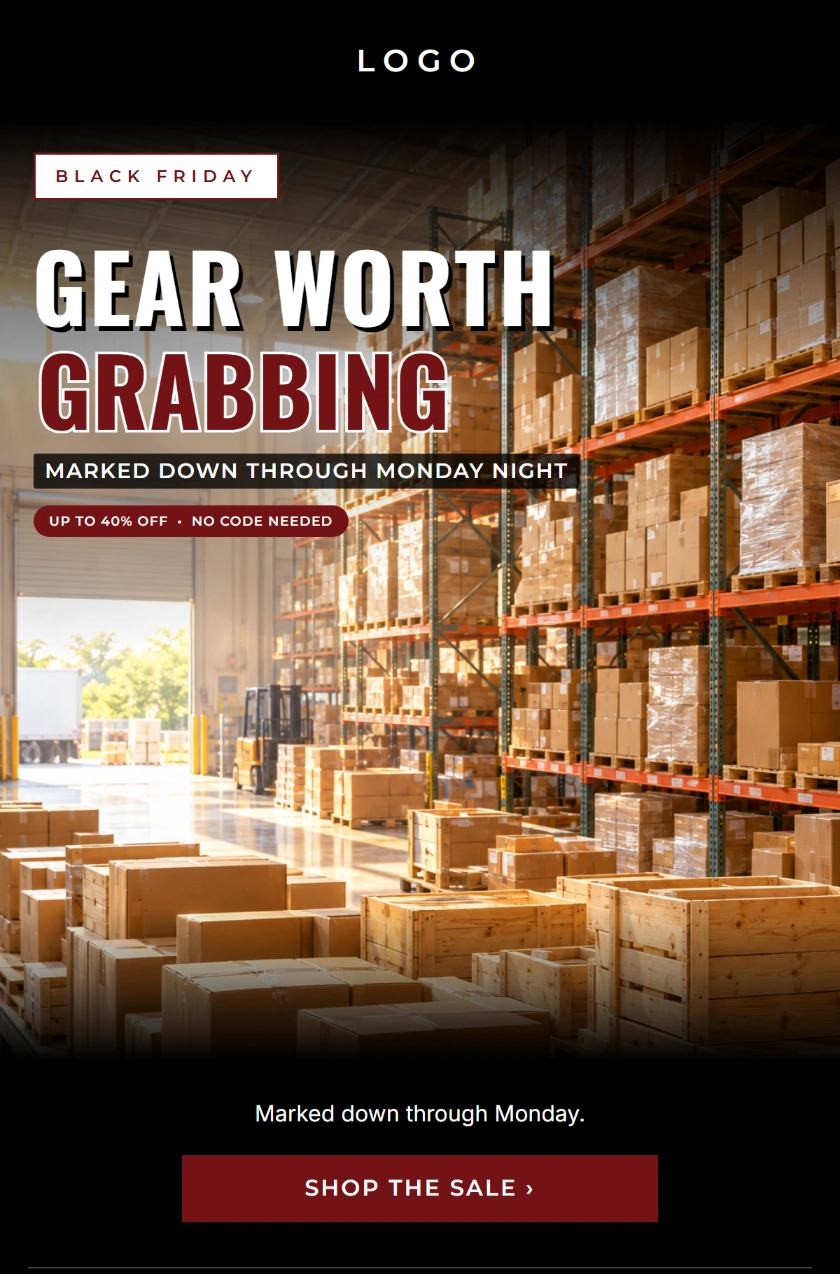
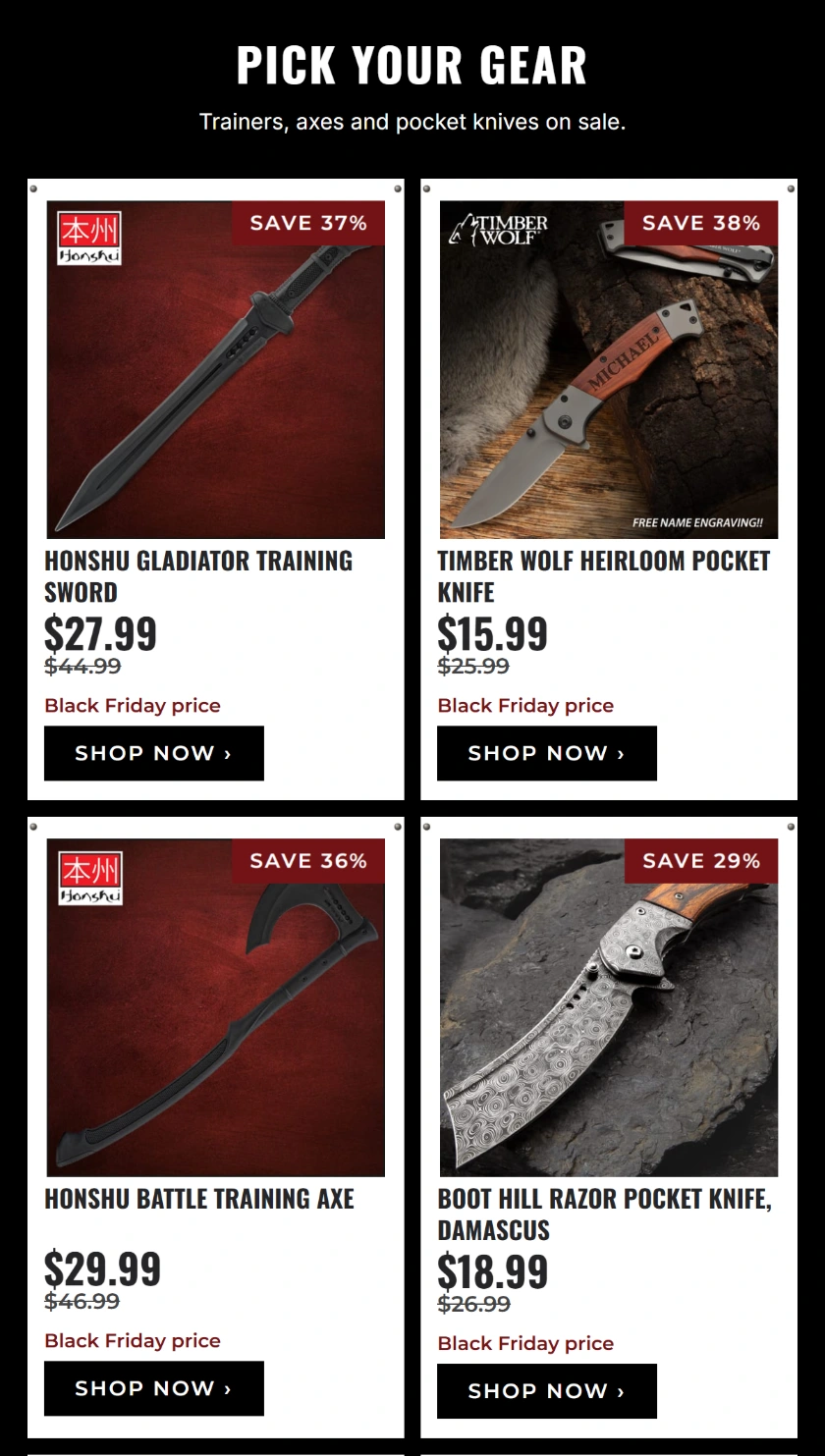
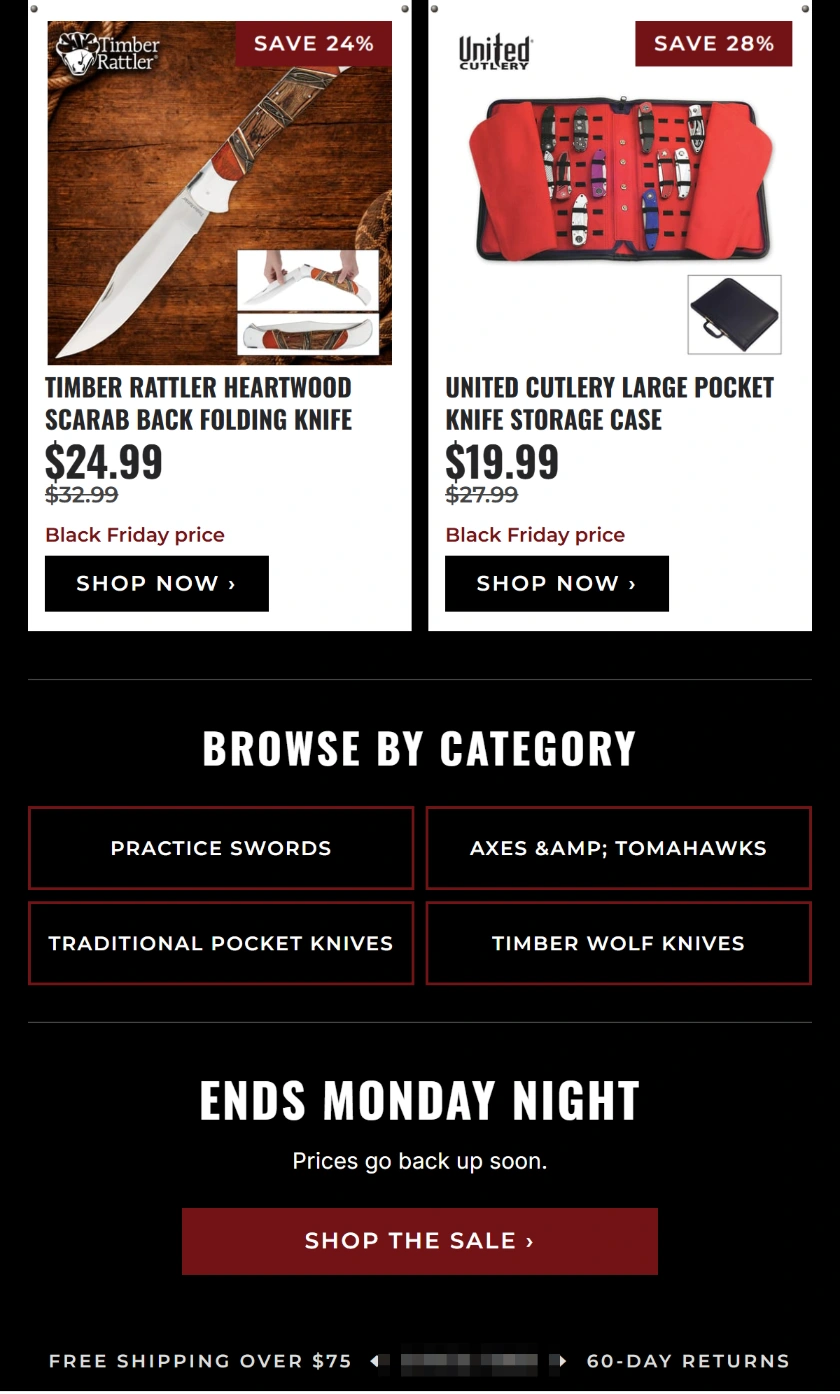
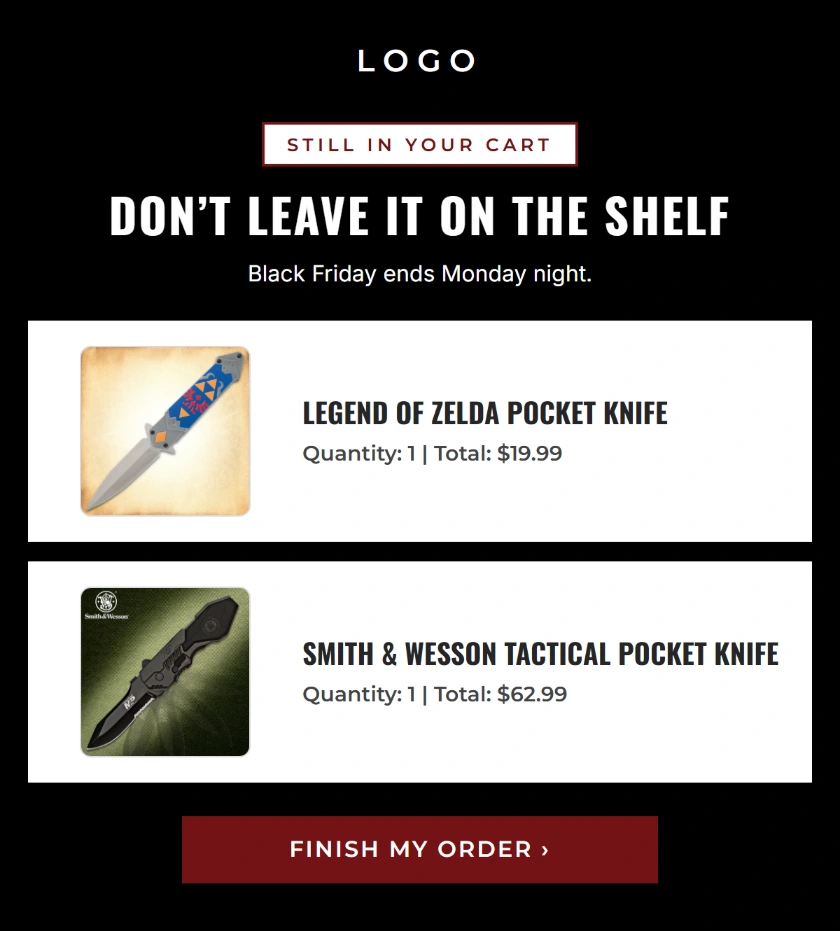
Each email example is shown in three panels. On a phone, swipe across the figure to read the full email. Tap an image to open it full size.
Welcome flow
A welcome flow starts when someone joins the list connected to your signup form. Test that form as a new subscriber and compare its signup promise with the first email and the checkout. If the form promises a code that cannot stack with the sale, revise the form and the email together. A mismatch between the two is visible as soon as the subscriber opens the inbox.
Use the signup experience as your first check. Subscribe from the sale landing page, then from a page that still shows the standard popup. Confirm both routes feed the list connected to the welcome flow. If you use double opt-in, complete confirmation and check which message follows. Record the last time a shopper can enter and still receive any offer-bearing follow-up.
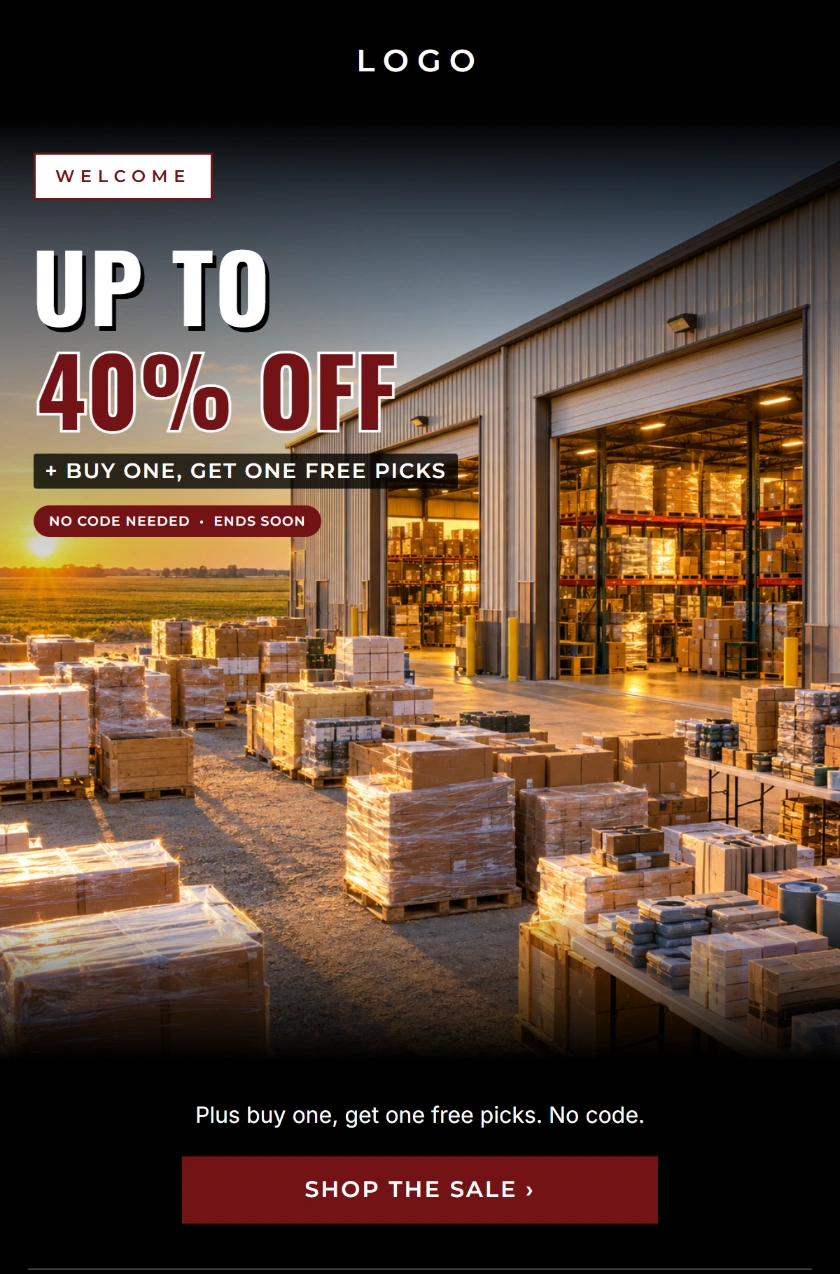
The first welcome example puts the offer and shopping button ahead of the product grid. The follow-up uses a different headline and keeps the sale link in the first screen. Set the delay between the two against the offer’s expiration. If someone signs up near closing time, a delayed promotional follow-up should reach them only while its offer is valid.
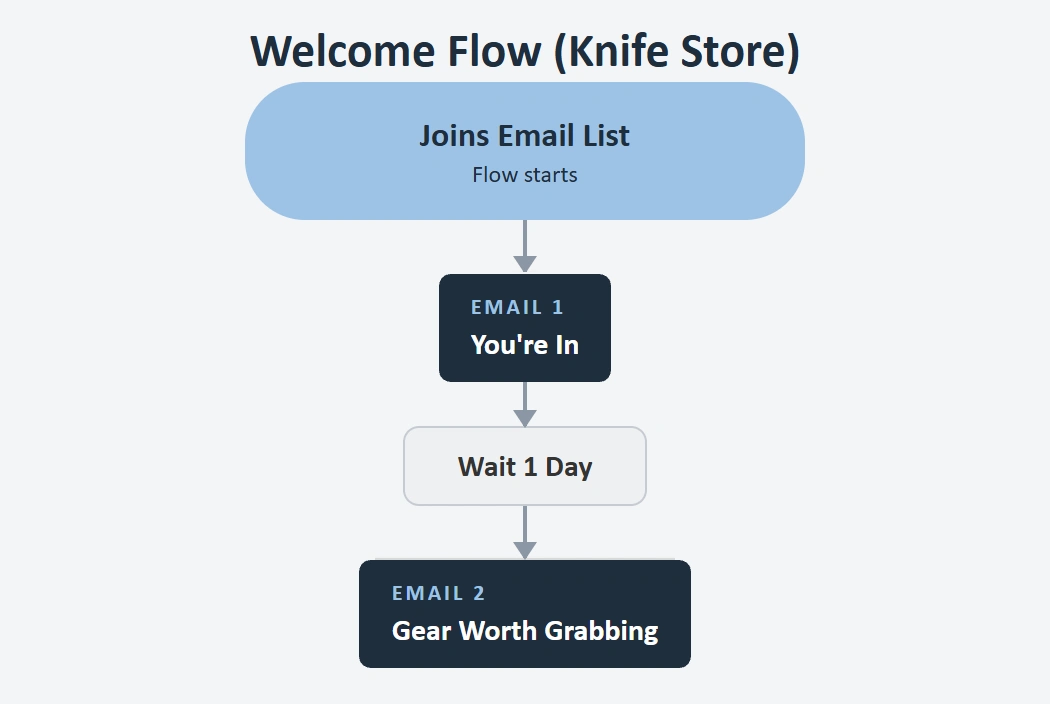
When the welcome offer expires at the same time for everyone, a subscriber who joins late has less time to buy. In the example sequence, the second message follows a one-day wait. Test a new signup on the last day and check that the second message is skipped, retired, or switched to evergreen copy in time. Decide this before you publish the offer on the signup form.
Browse abandonment flow
A browse abandonment flow starts from a Viewed Product event for a shopper Klaviyo can identify. When your store uses separate browse, cart, and checkout emails, add profile filters so an identifiable shopper who subsequently adds to cart, starts checkout, or buys leaves the browse sequence. Confirm that your integration records each event you use. Klaviyo’s browse abandonment setup
Test a shopper you can identify, such as a subscribed test profile that has already clicked through from a store email. View two products and confirm which item Klaviyo shows in the message. Check that a recipient who adds the item to the cart leaves the browse path when the integration records that event. The four-hour wait in the mockup is a test scenario. Choose a delay your promotion can still honor.
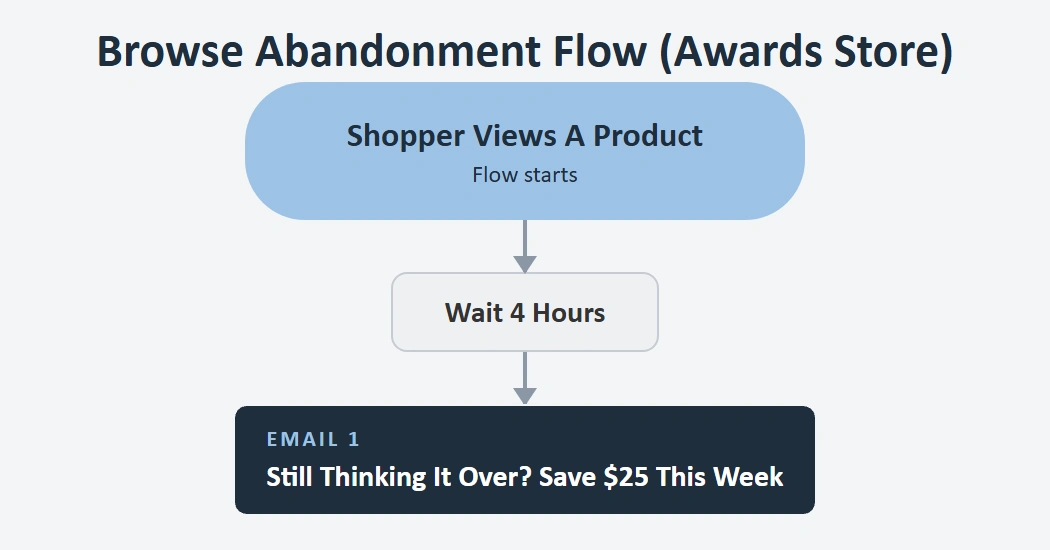
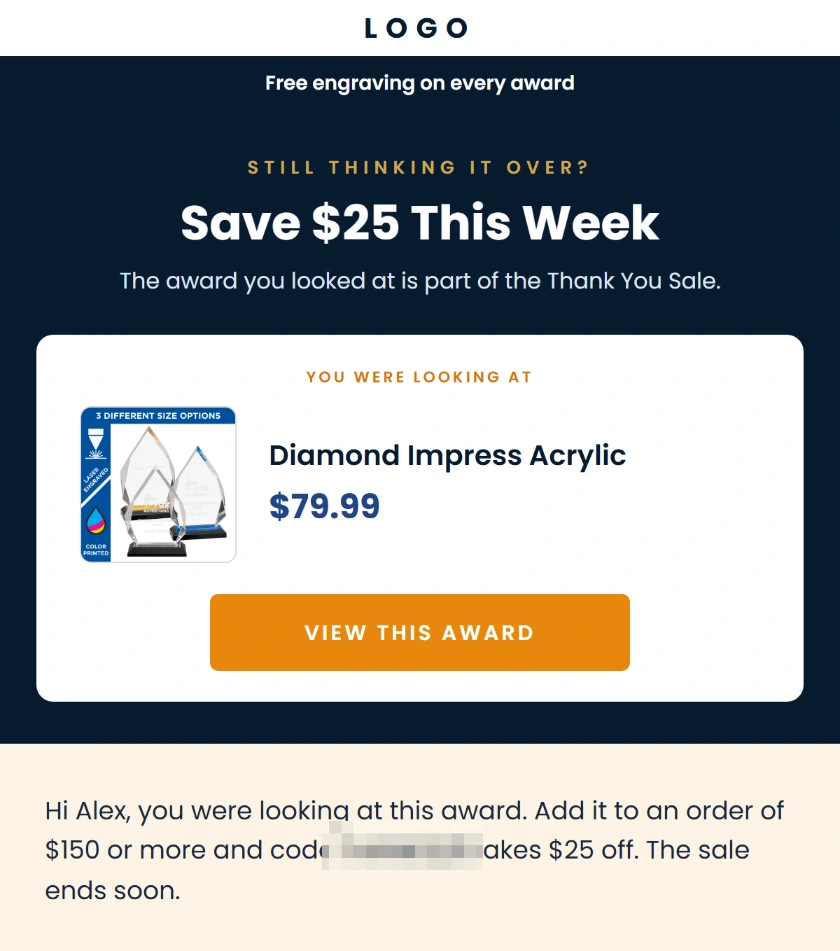
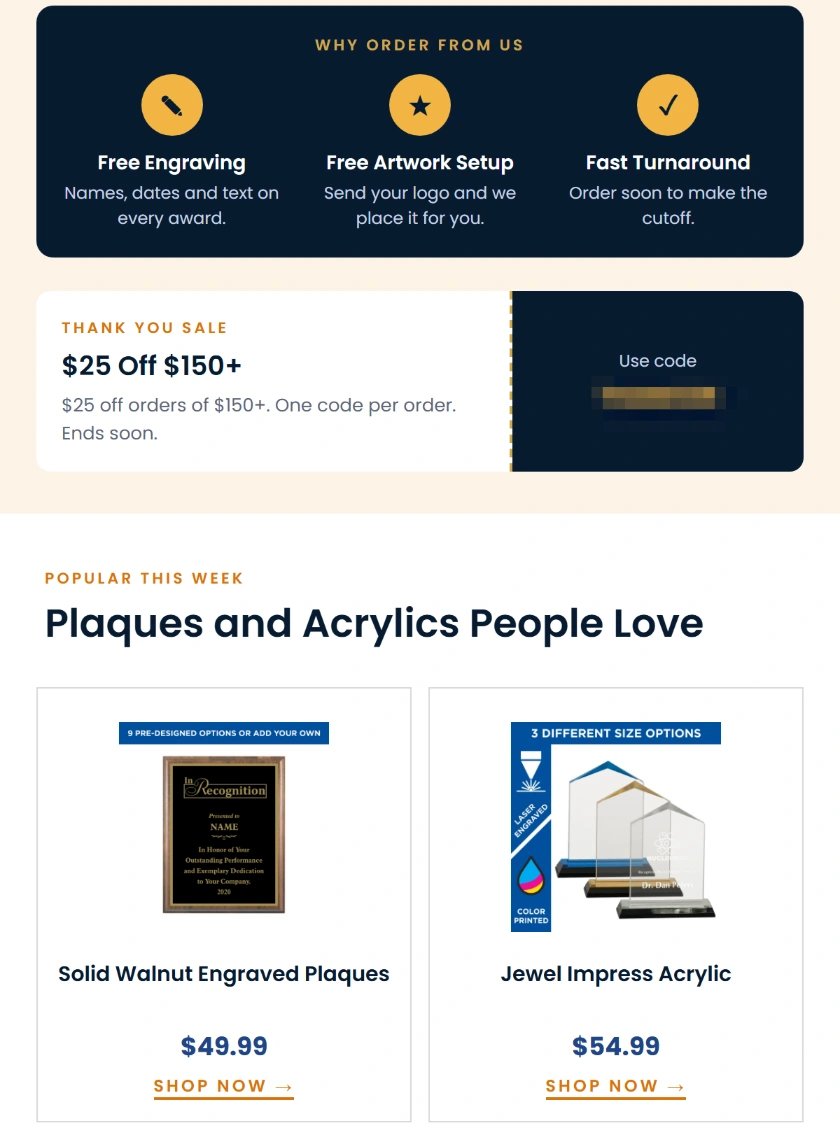
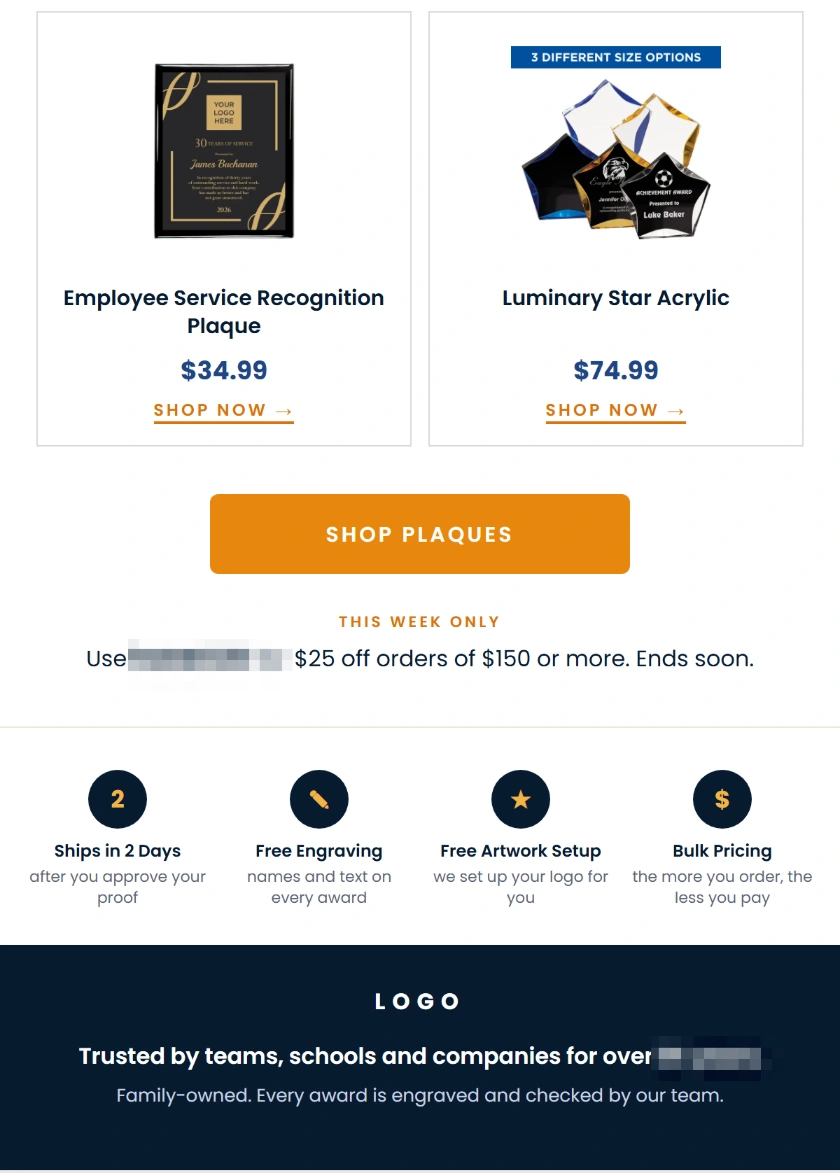
The awards-store example leads with the product the shopper viewed and puts the offer near that item. It also names a minimum spend for the code. Test a product below the threshold so you see the journey a shopper would take: view the item, follow the email link, and build a basket that qualifies. Give shoppers a clear route to qualifying items if the viewed item alone falls below the minimum.
If the last-viewed item is sold out, check what the email shows and where its button lands. For products with variants, compare the displayed name, image, and price with the item the shopper can buy at that destination. Stop the message if the link leads to an unavailable offer and you have no clear substitute.
Abandoned cart flow
For a dedicated cart flow, use Added to Cart as the trigger when your integration supports it. In Klaviyo’s abandoned cart setup, the built-in template commonly starts from checkout. If you create both, configure the cart flow to require zero Started Checkout and zero Placed Order events since entering. That lets the checkout flow take over as the shopper progresses.
Use the cart mockup to walk through the order of events. It starts at Added to Cart, waits one hour, sends the first message, then waits one day before the follow-up. A short promotion may need a shorter second delay. Test one profile that stays at cart and one that starts checkout during the first wait. They should end up in different reminder paths.
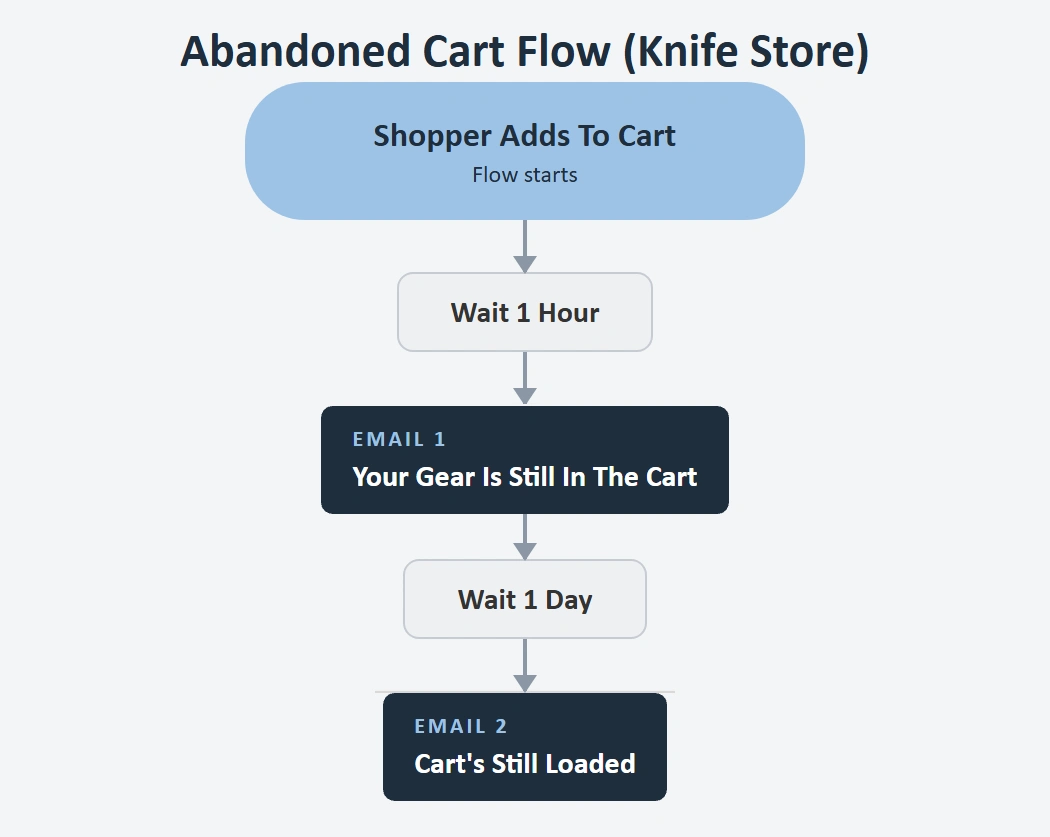
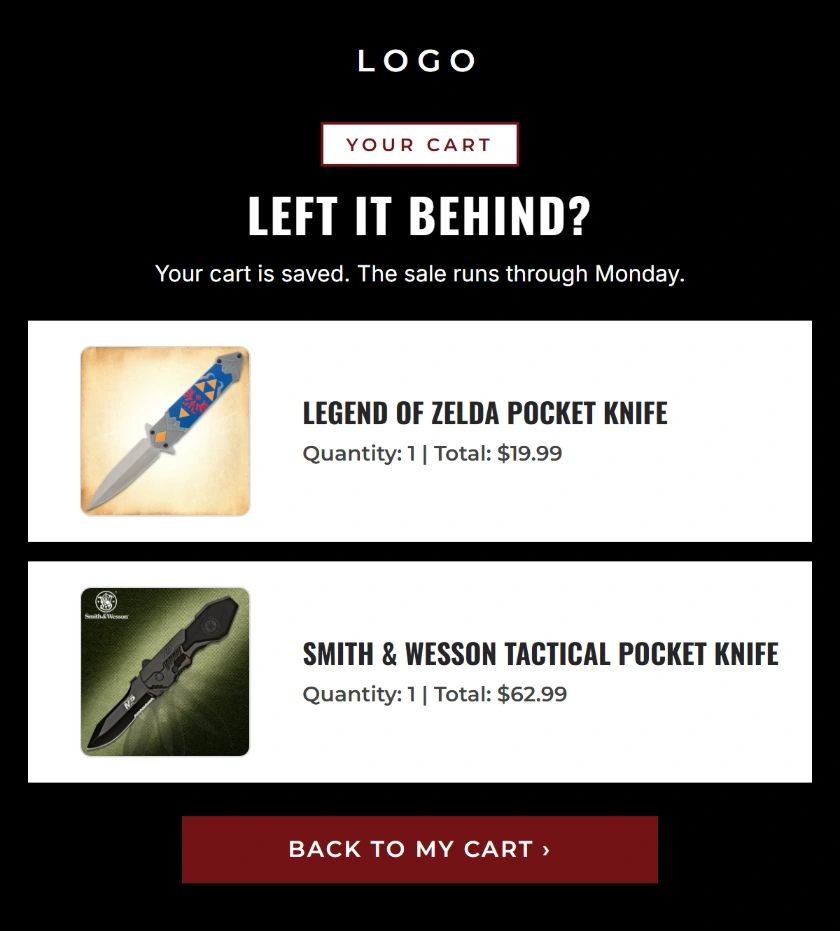
Put saved items and the return-to-cart button before any product recommendations. The two cart examples keep that order and use the second email to make the closing day more visible. For a short promotion, Klaviyo’s BFCM checklist suggests a first reminder after about 1 to 2 hours and a second after about 6 to 8 hours. Write down the intended send times and use the flow timeline to check how the delays add up.
Build the first message around the basket the shopper left. Keep the product name, selected variant, quantity, and return link in the same visible block. Save recommendations for lower in the email. In checkout, test a cart with one sale item and one excluded item so you can see if the price in the generated message matches what the shopper will pay.
Abandoned checkout flow
Set the checkout flow to start on your store’s checkout event and require zero Placed Order events since the profile entered. Klaviyo rechecks profile filters before sending, so placing a test order after the first reminder should prevent the next one. Inspect Recipient Activity on that message to confirm why the profile was skipped.
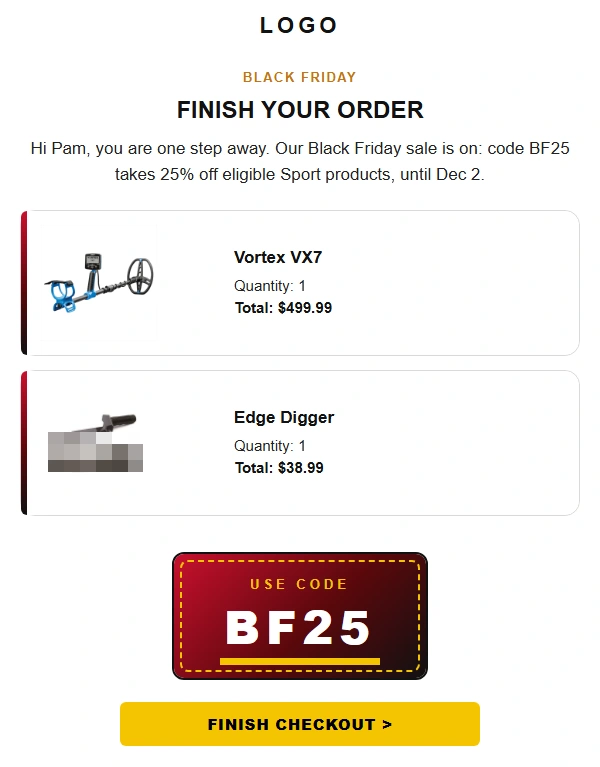
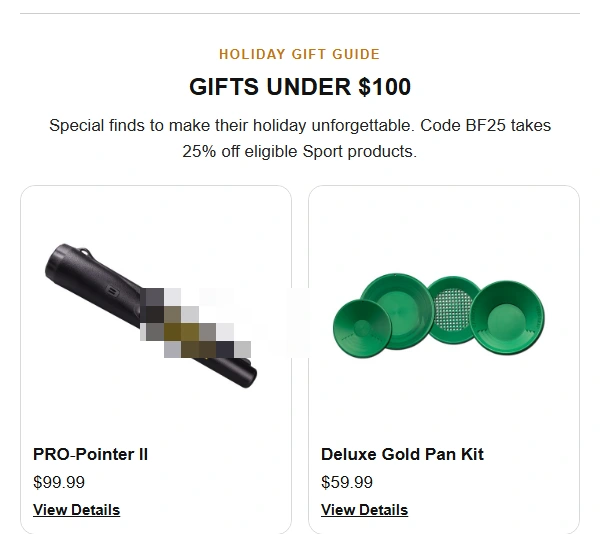
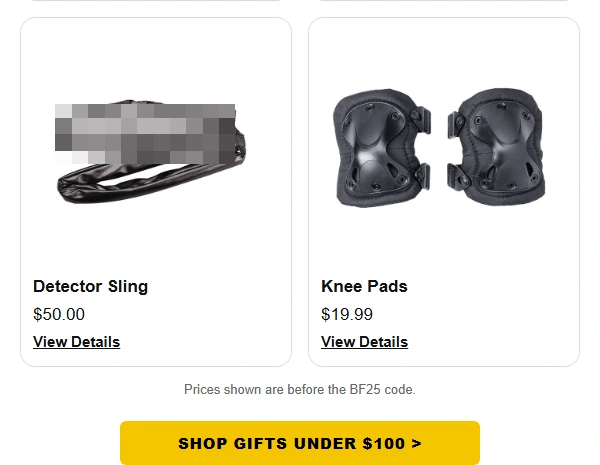
The checkout example names the saved items, states the code and expiration, and puts the main button above its gift guide. Link to the shopper’s checkout when the trigger data provides a recovery URL. Keep secondary offers below that action, especially when a shopper is returning to finish one purchase.
How do you edit a Black Friday email in Klaviyo?
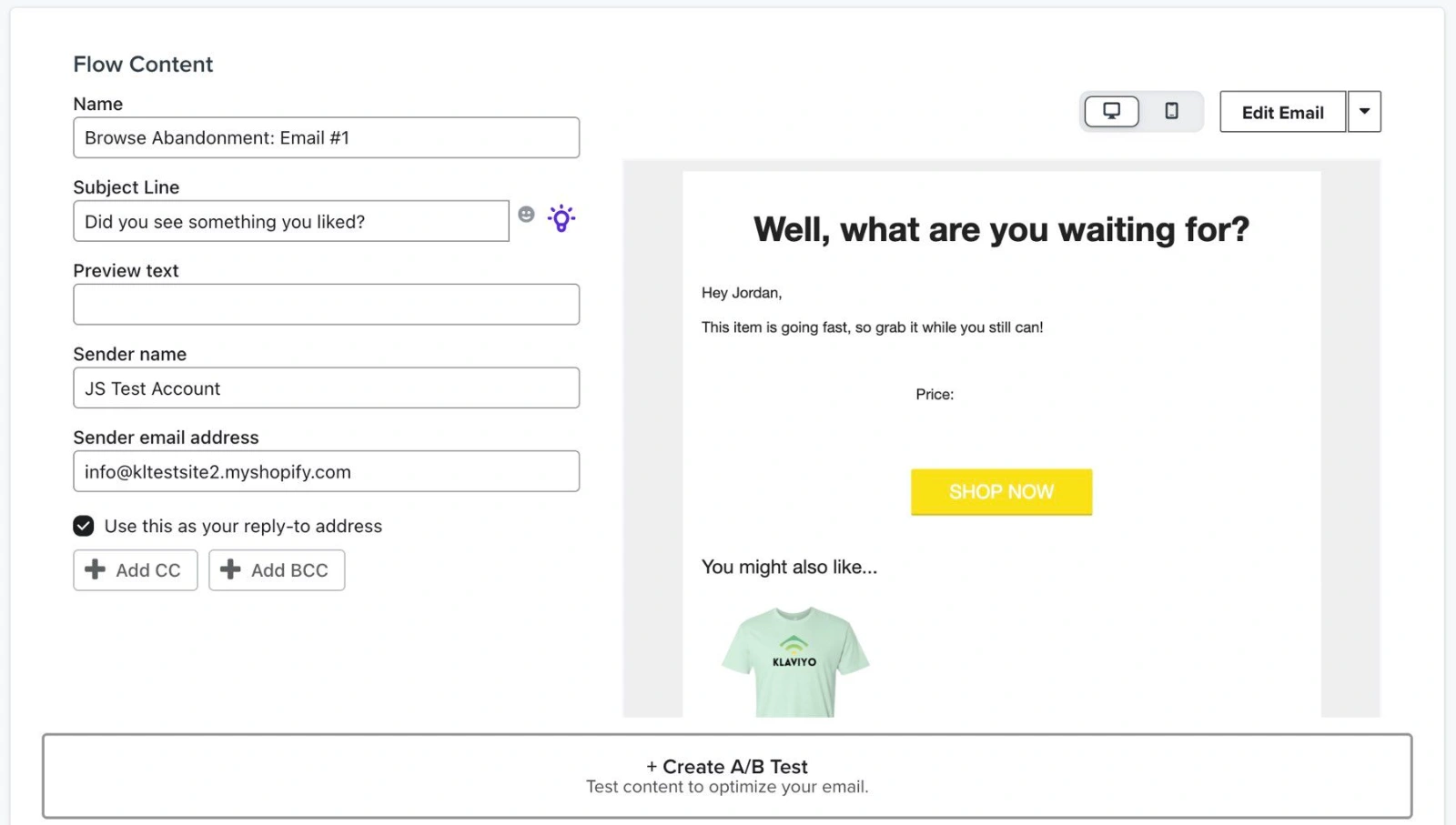
Open the flow, select the email you want to change, and open its message content. Set the subject line, preview text, and sender details. Choose Edit Email to update the existing message. If you select a new template instead, it replaces the message content. Save a copy of the current email first if you plan to restore it after the sale. Klaviyo’s flow email editing instructions
Keep the sale terms in a text block near the first button so readers can see them when images are slow to load. Update that button to the correct collection, product page, cart, or checkout for the message. Check the From name and reply-to address while you are in the message settings. A plain-text follow-up from a named team member still needs an inbox someone monitors.
Reusable blocks and sale-specific content
Use the drag-and-drop editor’s Content controls for text, imagery, and buttons. Use Styles for defaults that apply across the template. Klaviyo also lets you save blocks as Universal content. Save a header or footer you want to share, and review the messages that use any shared block before applying a change to all instances. Klaviyo’s email template editor guide
Keep an offer, code, and expiration in a block specific to the holiday email when those details change from send to send. A copy of the layout makes it easier to maintain the same typography and spacing while the promotion changes. Save a separate version for anyone with a different offer or checkout rule, and name the version for its intended audience and send.
Dynamic product rows for cart and checkout
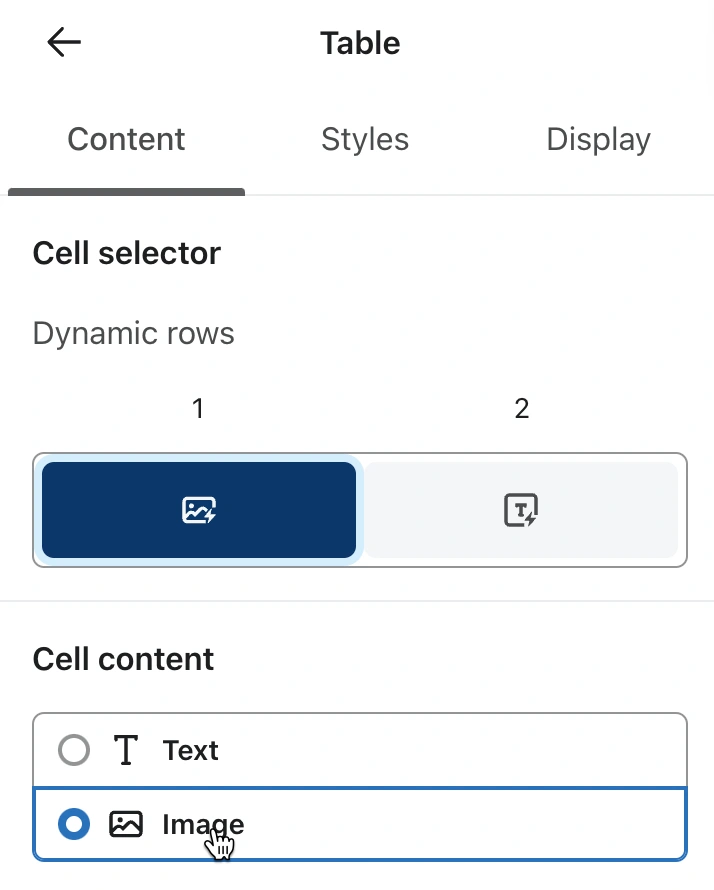
When the trigger event includes multiple products, a dynamic table can repeat a row for each item. Select the row collection from an example event in your own account and assign a row alias, such as item. Use that alias in the text, image, and link fields. In the table’s Styles, choose Dynamic. For example, if your checkout event lists items at event.extra.line_items, enter that path as the row collection and use {{ item.title }} for the item name. Check those fields against your store’s integration. If the event represents a single product, a static table can display variables from that event. Klaviyo’s dynamic flow block instructions
Preview data and test sends
Click Preview in the email editor and pick data that matches the message. For a live event-triggered flow, choose a recent event. When working in a reusable template, choose Event and select the metric you plan to use. For a campaign or a list-triggered welcome flow, choose a profile. Confirm that names and products populate, then check both desktop and mobile. Klaviyo’s preview and test instructions
If the cart is blank, create a fresh test event from the store and inspect its properties in Klaviyo. Check your selected event before you edit the block. A Started Checkout event may carry line items that the Added to Cart event stores differently. In a two-item checkout, verify that both products appear with the correct image, quantity, and return destination.
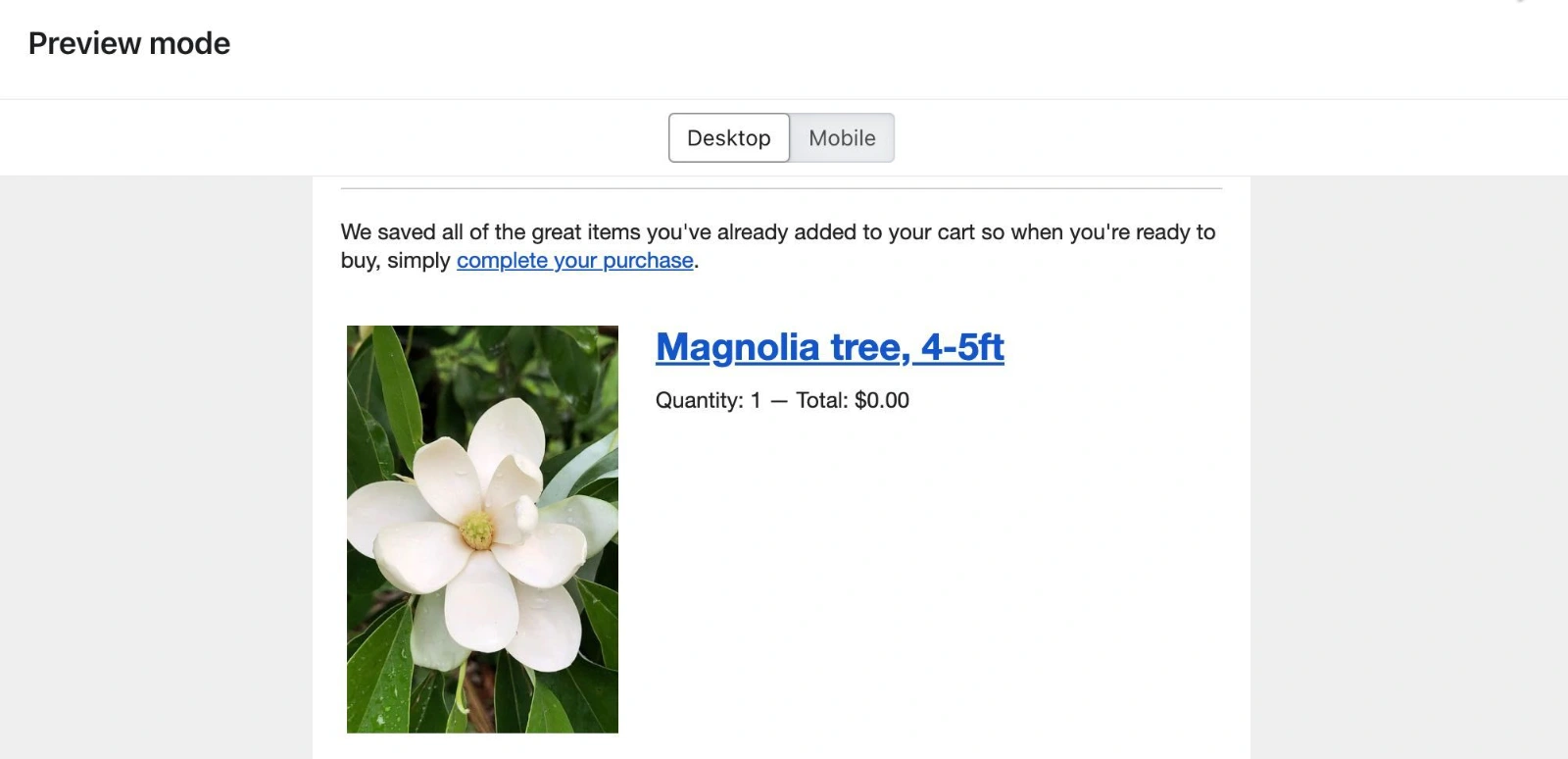
Checkout recovery with an inbox test
Use Send test to see the email in an inbox and inspect the buttons on a phone. The sample profile or event determines the data in the test. In Klaviyo test emails, footer links such as unsubscribe and preferences are for display only. Use a controlled live test on a test audience when you need to verify real footer links, send-time eligibility, or the behavior of the checkout after an order.
Open the recovery link from a fresh browser session on the device you used for the test order. Then try it from a second device if your store supports cross-device recovery. Verify that the link restores the correct basket or checkout. Test one eligible basket and one with an excluded item so you know what the shopper sees when a discount applies to only part of the order.
How to test and switch holiday flows
Run a test order through your complete sale journey before switching live messages. A profile can qualify for a flow when it enters and become ineligible later. Run separate tests for a new signup, a product view, a cart that becomes a checkout, and a checkout that becomes a purchase. Check that each expected message appears in the right queue and that filters suppress earlier-stage reminders.
Use the flow message statuses for the cutover. Manual queues an eligible message for review. Draft keeps new recipients out of that message’s queue. An item already in Needs Review stays there when you switch the message to Live. Use a controlled test profile or a test flow, then inspect Waiting and Needs Review before you activate, retire, or restore any sale messages.
Put the two status changes on the calendar with the promotion start and end times and the store time zone. Klaviyo lets you schedule flow status updates. Allow at least five minutes between scheduled status changes within a single flow, and confirm who owns each change if you’re handing off across time zones. Check the discount at the start and end of the sale in a test checkout. During rollback, look for queued reminders with old codes and confirm the evergreen offer still works. Leave a clear record of which versions are live so a second person can verify the handoff.
Test the transition as well as each individual path. For example, add a product to cart shortly before launch, then start checkout after the sale version goes live. Open both flow activity views and check which reminder that profile is scheduled to receive. At the end of the sale, use a profile whose next step would fall after the offer ends. That is how you catch a stale message that looks correct in a preview.
Who should receive Black Friday email campaigns?
Start with subscribers who have taken a recent action, such as clicking an email or buying, and widen the audience in batches you can evaluate. A subscriber may qualify for early access through purchase history and for a launch email through engagement. Before each send, check how much those groups overlap and decide who should receive both. Keep bounce, unsubscribe, and sunset exclusions in place.
Use Klaviyo Smart Sending to control collisions between campaigns and flows. Smart Sending can skip a message when the recipient is inside the channel’s sending window. The skipped send stays skipped. If the cart reminder has priority over a second broad campaign, test the expected order with Smart Sending on and check which message gets skipped.
Deliverability and dormant subscribers
Keep dormant subscribers out of peak sends until a separate reactivation test records useful engagement. When you widen a segment, save the before-and-after recipient counts and review bounces, complaints, unsubscribes, and clicks. That record lets you decide when to stop expanding. Treat reported opens as a supporting signal because Apple Mail can load tracking pixels without a person opening the message.
Optimum7’s BUDK Klaviyo migration case study shows how a warm-up worked for one store. After its early sends produced open rates of 2% to 3%, campaigns focused on the 30-day engaged segment and brought back broader audiences in batches. The agency reported a 66.2% open rate in the first 30 days and 14 of 15 planned flows live in the same period. This was a migration recovery, with the results measured on BUDK’s account.
Check which actions your Klaviyo segment counts as engagement before reusing it across stores. One account may include opens over a longer period, while another may require a recent click or purchase. Pull the counts for each separate condition and compare them with the size of the final audience. If recorded opens account for almost all of the expansion, run a smaller send to profiles with a stronger signal first. Build that check into the campaign handoff so a teammate can reproduce the audience.
A welcome follow-up during the sale
For a new subscriber, the second welcome email is a chance to show something the first did not. The second welcome email introduces a different product selection and puts the closing day near the opening offer. Use that approach when the shopper still has time to browse. If the sale has already ended, introduce an evergreen collection or a promise you can still fulfill.
Assign one person to retire the second welcome email at the cutoff. Check Waiting for profiles due to get it after close and Needs Review if the message is in Manual. Replace the promotional copy or change the send status using your cutover plan, then confirm that the next live welcome message matches the offer still on the site.
VIP segments and BigCommerce purchase history
Define VIPs with purchase information you can check against the store, such as order count or lifetime spend. Then sample some profiles near the threshold and confirm that the shoppers you expect to qualify appear in the segment. A single high-value order can qualify a shopper in a spend-based segment, while a repeat-buyer segment looks at a different behavior.
The Klaviyo BigCommerce data reference says orders with the status Incomplete, Pending, or Awaiting Payment do not sync as Placed Order by default. Wait for historical sync to finish before comparing daily order counts. If paid orders are still absent, check their status and the profiles attached to them before changing the VIP threshold. Optimum7’s Magnum Ballistics case study defined VIPs as customers with more than $1,000 in lifetime purchases. Your threshold should reflect the customer group you can serve with the offer and inventory on hand.
Black Friday email templates with subject lines and preview text
Plan Black Friday emails around the next action a shopper can take. A VIP email needs a link and a code eligible shoppers can use early. A final reminder needs the exact cutoff. A December shipping message needs an order-by time the warehouse and carrier can meet.
These seven examples use an illustrative outdoor retailer. Match the offer, time zone, delivery terms, and button destination to your store. Klaviyo’s sending guide places VIP outreach and gift guides in the lead-up to Black Friday, when shoppers are deciding what to buy. Klaviyo’s Black Friday sending guide
VIP early access
Send to the VIP segment the day before public launch. Test a VIP and a regular subscriber in checkout to confirm that VIP20 applies only to eligible customers.
Subject
VIP access is open: 20% off select outerwear
Preview text
Use VIP20 before public access opens Friday at 9 a.m. ET.
Body
Your early access is open. Use VIP20 for 20% off selected rain shells, insulated jackets, and coats. Shop with the email address on your VIP account. Early access ends Friday at 9 a.m. ET. Clearance items and gift cards are excluded.
Button
Shop VIP early access
Black Friday launch
Send when the public collection and discount go live. Point the button to the eligible collection and test one regular item and one excluded item.
Subject
Black Friday starts now: 20% off select outerwear
Preview text
Use WEEKEND20 on eligible jackets and coats through Monday at 11:59 p.m. ET.
Body
Black Friday is live. Browse rain shells for wet commutes and insulated jackets for colder days. Apply WEEKEND20 at checkout for 20% off eligible styles through Monday at 11:59 p.m. ET. The offer excludes clearance items and gift cards.
Button
Shop the outerwear sale
Holiday gift guide
Send to gift-guide browsers before the sale or during a quieter campaign day. Link to an in-stock collection where every item meets the advertised price limit.
Subject
Gifts under $75 for runners who train in the cold
Preview text
Find thermal socks, gloves, and reflective accessories in one collection.
Body
Shopping for someone who heads out before sunrise? Start with reflective accessories. For cold-weather training, look for insulated gloves or thermal socks. Every pick in this guide is under $75 before shipping and tax.
Button
Shop gifts under $75
Cyber Monday bundle
Send when the bundle page is live and all three items are available. Verify that the bundle price and code exclusions match what the shopper sees in checkout.
Subject
Cyber Monday: Three winter running essentials for $89
Preview text
Get the thermal top, gloves, and socks in one kit through 11:59 p.m. ET.
Body
The Winter Run Kit includes a thermal long-sleeve top, insulated gloves, and thermal socks for $89. Choose your size on the kit page. The bundle price ends at 11:59 p.m. ET tonight. The WEEKEND20 outerwear code excludes the kit.
Button
Shop the Winter Run Kit
Final hours of the sale
Send to engaged subscribers who can still use the offer. Check overlap with active cart and checkout flows, and schedule the email far enough before the cutoff for customers to order.
Subject
20% off select outerwear ends at 11:59 p.m. ET
Preview text
Use WEEKEND20 on eligible jackets and coats before the sale closes tonight.
Body
The outerwear offer ends tonight at 11:59 p.m. ET. Use WEEKEND20 for 20% off eligible jackets and coats while the code is still active. Clearance items and gift cards are excluded.
Button
Shop the outerwear sale
Holiday shipping cutoff
Send only to shoppers in regions covered by the deadline. Use the warehouse and carrier cutoff for the shipping service promoted in this message.
Subject
Order by noon ET Dec. 18 for estimated Dec. 24 delivery
Preview text
The cutoff applies to ready-to-ship gifts using standard shipping in the contiguous U.S.
Body
Sending a gift within the contiguous U.S.? Order an eligible ready-to-ship item by noon ET on Dec. 18 using standard shipping for estimated delivery by Dec. 24. Check the delivery estimate for your address at checkout.
Button
Shop ready-to-ship gifts
Digital gifts after the shipping cutoff
Send after the relevant physical delivery deadline passes. Test the gift-card fulfillment and delivery email before promising when the code will arrive.
Subject
Still shopping? Send a digital gift card
Preview text
Choose an amount and forward the code to the person you’re shopping for.
Body
Give them the choice of what to wear on their next run. Pick a gift-card amount and check out. We’ll email you the code when the order is fulfilled, and you can forward it or print it for them.
Button
Choose a gift card
Create each campaign with its own audience and send time. Use the same verified offer terms in active flows, with a destination matched to the trigger. A launch email leads to the sale collection. A cart reminder leads back to the items that shopper left.
Black Friday, Cyber Monday, and December campaign timing
Use VIP outreach for early access, Black Friday for the offer launch, Cyber Monday for an updated offer or final reminder, and December emails for verified order-by dates. What will a subscriber learn from the Cyber Monday email after seeing Friday’s launch? Use a genuine update, such as a new bundle or the last chance to claim the existing offer.
Put each offer’s start and end on the schedule in your store’s time zone. If a VIP campaign grants one day of early access, verify that both the checkout and the public sale page move to the correct prices when that day ends. Give the final reminder enough time for a shopper to read it and complete an order before the cutoff.
VIP early access and campaign follow-ups
Decide when orders open to VIPs and who gets access before scheduling the email. Klaviyo’s BFCM checklist places VIP outreach about 2 to 3 weeks before Black Friday. The message can announce when a shorter exclusive shopping window begins. Test the early-access link and code with both a qualifying profile and a standard subscriber so both routes behave as promised.
If the first send needs a follow-up, Klaviyo’s automatic follow-up limits eligibility to profiles with recent engagement. The available lookbacks are 30, 60, or 90 days, and Apple privacy opens and bot clicks do not count toward that prior engagement check. A recorded open on the original email, including an Apple privacy open, excludes the profile from the resend. Allow at least 24 hours for a fixed-time-zone follow-up, or 48 hours if the campaign uses recipients’ local time zones. The automatic follow-up uses the original body with a new subject line. Skip it if the delay would carry it past the offer cutoff. For a plain-text note with updated terms, create a separate campaign with a clear sender and one main link.
The second cart reminder near the cutoff
Work backward from the actual close of your offer to see which entrants can receive a second reminder. If a cart starts at 7 p.m. and the sale closes at 11:59 p.m. in the same time zone, a second reminder scheduled six hours later is too late. Use the first email if there is time to buy, and plan how to keep the second one from sending when the code has expired.
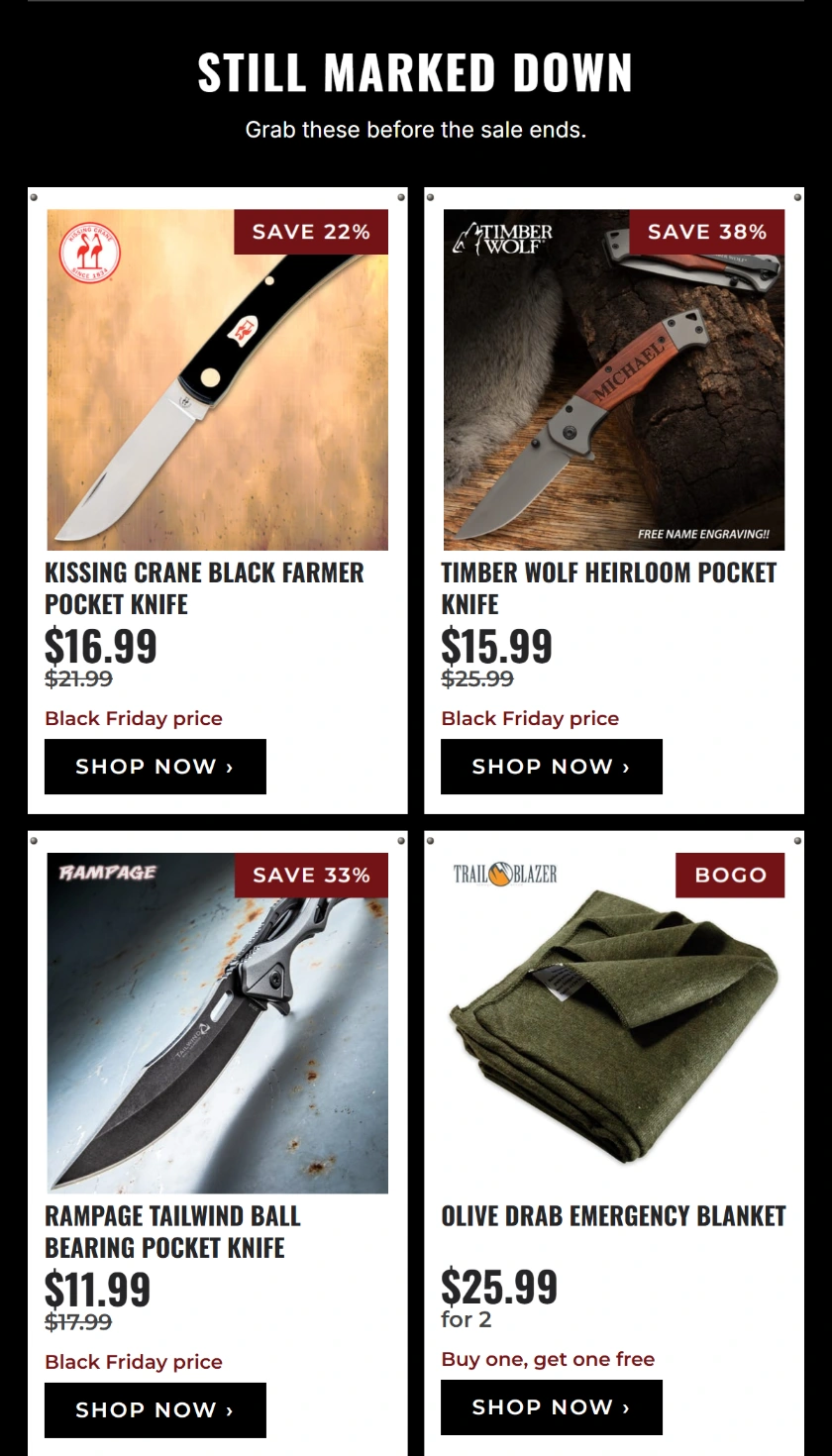
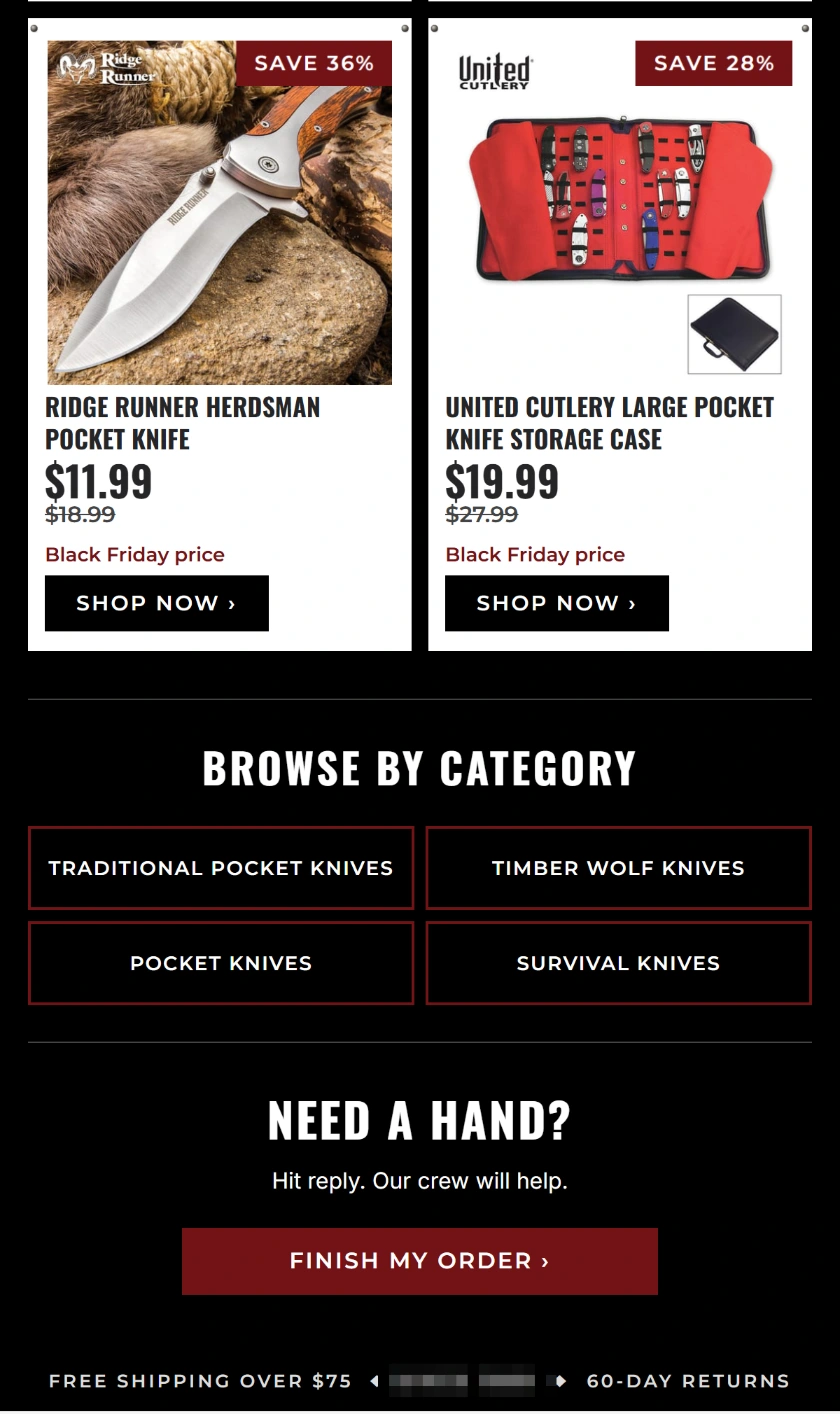
The second cart example puts the Monday closing day under the headline. Add the exact cutoff and time zone in the live version if customers shop across regions. If you repurpose the creative in December, update the subject and preview text along with the artwork. Check old messages separately because a shopper can still open them after the deadline.
Shipping cutoffs and final reminders
Send December deadline emails after fulfillment confirms the order-by time for each shipping method and zone. State the date and time zone in the message, and match the cutoff on the site and at checkout. If overnight delivery has a later deadline than standard shipping, put each date next to the right service so shoppers know what they are paying for.
To calculate an order-by deadline, start with the requested delivery date and work back through carrier transit, the next carrier pickup, and the time the warehouse needs to process and pack the order. Run the same calculation for remote zones and made-to-order items before announcing a broad deadline. Offer a separate date where the capacity or transit window differs.
Plan what shoppers will see after the last physical shipping cutoff. For example, replace the shipping reminder with a digital gift-card email or show local pickup where the store supports it. Put the same information in flows whose next send lands after the cutoff. Otherwise a welcome or browse email can promise a delivery date the campaign has already stopped advertising.
Schedule a handoff from the sale calendar to the first regular week. Restore the welcome offer and replace expired banners on landing pages linked from delivered emails. Keep a working destination for anyone who opens an old message. If there is no equivalent promotion to show, land shoppers on a current collection page that clearly explains available prices.
Can a welcome code stack with a Black Friday discount?
In Shopify, a welcome code can combine with an automatic Black Friday discount only when both discounts allow the other’s class and the basket qualifies. Check the combination settings for each discount in Shopify. Test a qualifying basket, an excluded item, and a basket below the minimum spend. Align the signup form and the email with the prices those shoppers see. Shopify’s discount combination rules
If you generate codes in Klaviyo for Shopify, check the offer end time in both tools. Klaviyo sets coupon dates in UTC. Shopify sets expiration using the store’s time zone, so the two tools can show different dates for the same code. Use an actual test code in checkout. Klaviyo’s editor preview displays a sample code for review. The offer cutoff and the order-by date for holiday delivery are separate promises, so validate each one. Klaviyo’s Shopify coupon settings
Post-purchase emails after Black Friday and Cyber Monday
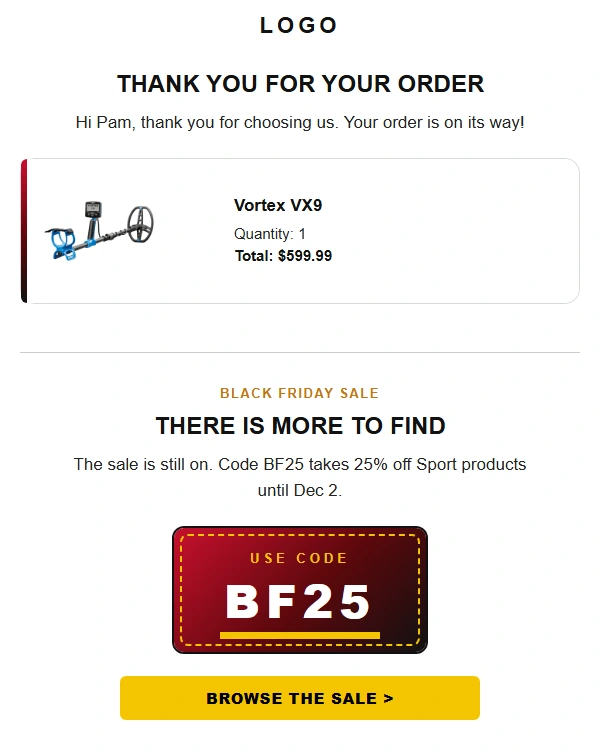
Use Placed Order to enter the marketing follow-up, then split first-time buyers and repeat buyers if they need different messages. The post-purchase example acknowledges the order before introducing a second shopping opportunity. Keep the order details and support link visible, especially when holiday delivery or returns could be the buyer’s next question.
Start with one relevant follow-up based on the order. A first-time buyer may need setup instructions, while a returning customer may respond to a compatible item. If the email requests a review, Klaviyo’s holiday checklist suggests sending it 7 to 10 days after delivery. Use delivery data if it is available. Review the order status and estimated arrival before setting a delay from the purchase date.
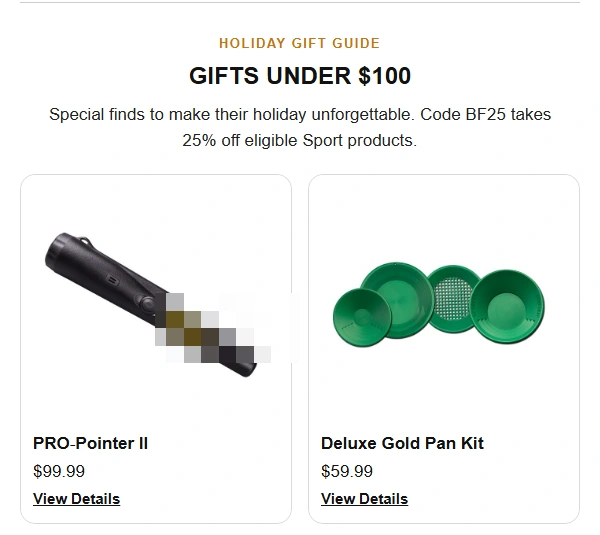
When a promotion ends immediately after a purchase, a useful follow-up is the order acknowledgment and a link to delivery or setup information. During the active sale, use a recommendation only when the buyer has time to place another order under the same terms. If you plan a gift guide, check that its prices and availability are still current.
Separate this sequence from the first repeat-purchase campaign. Use delivery or fulfillment data to decide when the customer has had a chance to use the item, and exclude people with unresolved order issues where that data is available. For buyers who have already returned to purchase again, change the follow-up so it reflects the relationship they now have with the store.
What to measure after Cyber Monday
Report flows and campaigns separately over the same period. Start with revenue per recipient, which Klaviyo defines for campaigns as attributed revenue divided by delivered emails, and pair it with delivery counts and total attributed revenue. A flow can earn more per recipient while a campaign drives more total revenue across a larger audience. Use the two measures to decide which change to keep. Klaviyo’s campaign benchmarks and metric definitions
Set the baseline before the sale. Export last year’s holiday dates, attributed revenue, delivered messages, order rate, and unsubscribes if the account has comparable data. Record the attribution settings in use. A year-over-year difference can reflect changes in the audience, timing, offer, or reporting window, so annotate those changes before treating the result as a performance trend.
At the message level, check which sends customers received and where they stopped qualifying. A skipped browse reminder can be the intended result if the customer had already checked out. For post-purchase follow-up, track first-time BFCM buyers separately and review second orders after a fixed period. In Klaviyo’s 2025 BFCM results, repeat-customer revenue grew 13.5% year over year in the same 10,000-brand cohort. Your first-time buyer cohort gives you a way to measure repeat orders from your own holiday sale.
Keep a brief record of the decisions for the next sale. For example, if a cart reminder earned more revenue per recipient once you shortened its delay, check the number delivered, the number of eligible carts, and the share of those carts that went on to order. A shorter delay may have reached more people before they returned on their own. If the reporting difference warrants a test, compare the original and shorter delay on comparable groups during a later promotion.
Frequently asked questions about Klaviyo holiday email marketing
When should a store prepare Klaviyo for Black Friday?
Review list health and live flows in summer, then build and test sale audiences and messages in September and October. If the sale starts next week, prioritize the five live marketing flows, discount validity, event filters, and the campaign schedule. Give yourself time to run a test checkout before any code changes.
Do stores need a separate Klaviyo flow for every holiday offer?
A separate flow helps when the sale needs a different sequence or shorter delays. A simple offer swap can use existing flow messages with a planned restoration. In either setup, confirm the offer is valid at send time and check profiles already waiting when the promotion starts or ends.
Should Black Friday emails go to the entire Klaviyo list?
Start with recently engaged subscribers and add eligible groups in measured batches. Keep sunset and bounce exclusions in place, and use click, purchase, and deliverability data alongside recorded opens. Track who received campaign and flow messages to catch overlap while the promotion is still running.
Why is the cart empty in the Klaviyo email preview?
The event selected in Preview might lack the fields that the email references. Create a fresh cart or checkout event and inspect its item data in Klaviyo. Choose the event that matches the flow trigger and check the row collection, alias, and fields against that payload. Test with two products so you can see that the row repeats.
How long should a store allow to migrate before Black Friday?
Klaviyo’s BFCM migration guidance recommends at least four weeks for lists under 50,000 subscribers, five to six weeks for lists of 50,000 to 250,000, and six to eight weeks for larger lists. The schedule needs room for data transfer, event validation, and a sender warm-up.
If your team needs help testing flow triggers, preparing for a Klaviyo migration, or checking campaign delivery before the holidays, see Optimum7’s ecommerce email marketing services.
About the author: Duran Inci is the CEO and Co-Founder of Optimum7, an ecommerce development and digital marketing agency. He helps mid-market and enterprise brands scale revenue through conversion optimization, SEO, and custom ecommerce solutions.