TL;DR: Klaviyo email marketing earns its keep through automated flows, behavioral segments, and disciplined deliverability. Build the seven core flows first, send campaigns to engaged segments second, and prune your profile list before billing renewals. Klaviyo’s Composer can now draft a flow from a prompt; you still decide the order and run the pre-launch checks. This guide walks the full build order with verified benchmarks and documented client results.
How much of last month’s revenue came from emails nobody on your team pressed send on? That single number separates stores that use Klaviyo as a revenue channel from stores that use it as a newsletter tool. In Klaviyo’s 2026 benchmark data, automated flows generate roughly 41% of total email revenue from just 5.3% of sends, so the answer should be a large share of your email total.
Optimum7 has deployed Klaviyo for ecommerce clients across firearms, luxury jewelry, pet products, and food verticals, including one launch that went live with 11 flows and 55 automated emails on day one. The pattern across those accounts is consistent: the stores that win treat Klaviyo as a data platform with an email arm attached, and they build in a specific order. This guide lays out that order, from account setup to the point where hiring help makes financial sense.
The build has a new shortcut as of this autumn. On October 13, 2026, Klaviyo made Composer, an AI agent that drafts a whole flow from a written prompt, generally available to every account. Composer writes the first draft of a flow in seconds, structure and messages included. The order you build in and the checks before a flow goes live still decide whether it earns money, which is where the real work moves once the AI handles the typing.
What Is Klaviyo Email Marketing?
The platform syncs order history, browsing events, and profile data directly from your store, then lets you act on that data through email, SMS, and push. Native integrations cover Shopify, BigCommerce, WooCommerce, Magento, and the major review, loyalty, and support tools, so a purchase on your store can trigger a thank-you sequence within minutes without any custom code.
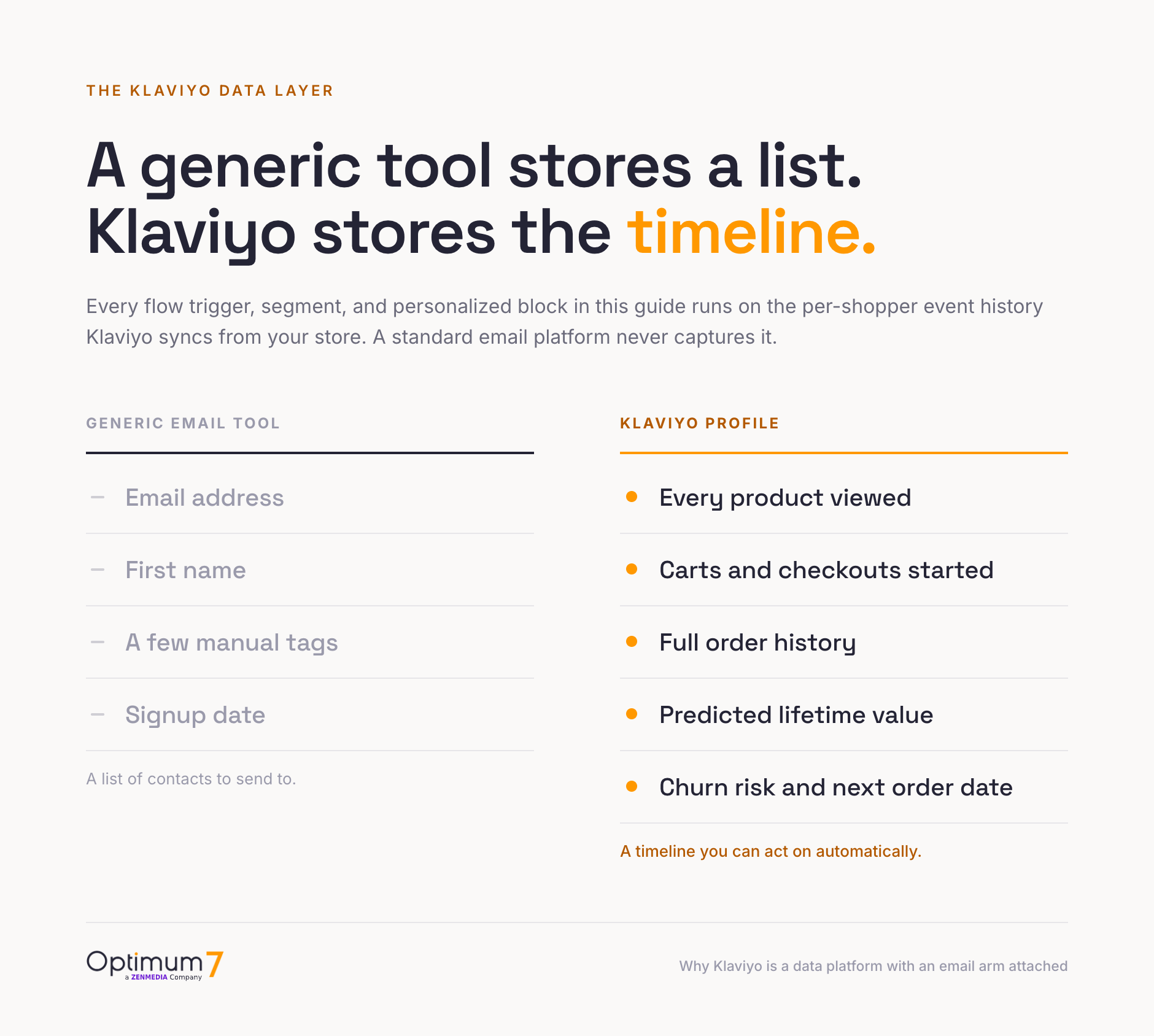
That data layer is what separates Klaviyo from a generic email tool. A standard email platform stores a list of addresses; Klaviyo stores a timeline of every event each person generated on your site. Every feature covered in this guide, from predictive analytics to one-click VIP segments, exists because that event timeline sits underneath the sending engine. Which platform your store runs on shapes how much of that data arrives automatically; our guide to choosing the best ecommerce platform covers the integration side in depth.
Six Klaviyo Features Built for Ecommerce Revenue
Six features carry the revenue load in a typical Klaviyo account, and each one draws on the same store event data. Shoppers who ask which email personalization features Klaviyo offers usually mean the last three: predictive analytics, product recommendations, and dynamic content blocks that change per recipient.


Dynamic content ties the set together: one template renders different products, offers, and copy per recipient based on segment membership and catalog data. A single win-back email built this way substitutes for a dozen hand-built variants, and Klaviyo’s Composer agent, covered in the flows section, can now draft that email and the flow around it from a written prompt.
Klaviyo Pricing in 2026: How Active-Profile Billing Works
Klaviyo prices on active profiles: every contact who could receive marketing from your account, including the ones you never email. The free tier covers up to 250 active profiles and 500 email sends per month; paid Email plans start at $20 per month and Email + SMS at $35, with each tier scaling by profile count. Those figures come straight from Klaviyo’s pricing page, which includes a calculator for your exact list size.
| Plan | Starting price | What it includes |
|---|---|---|
| Free | $0 | Up to 250 active profiles, 500 email sends per month, $5 in mobile messaging credit, built-in reporting |
| $20/month | Paid tiers scale with active profiles; flows, segmentation, forms, and email plus chat support on every tier | |
| Email + SMS | $35/month | Everything in Email plus SMS/MMS credits and mobile push, billed by message volume on top of profile tier |
The model rewards clean lists and punishes hoarding. A store with 50,000 profiles pays for all 50,000 even when only 15,000 have opened anything in a year, and store owners on community forums report tier jumps of several hundred dollars a month after list imports they forgot to trim. What happens to your bill when 40,000 of those profiles have ignored you for a year? You fund their storage every month until you suppress them.
Budget the platform fee alongside the labor to run it. A $400 monthly subscription that returns a quarter of store revenue through email is cheap; the same subscription on an account with two dormant flows is an expensive newsletter tool. The sections that follow are the difference between those two outcomes.
Setting Up Klaviyo: Integration, Data Sync, and Migration
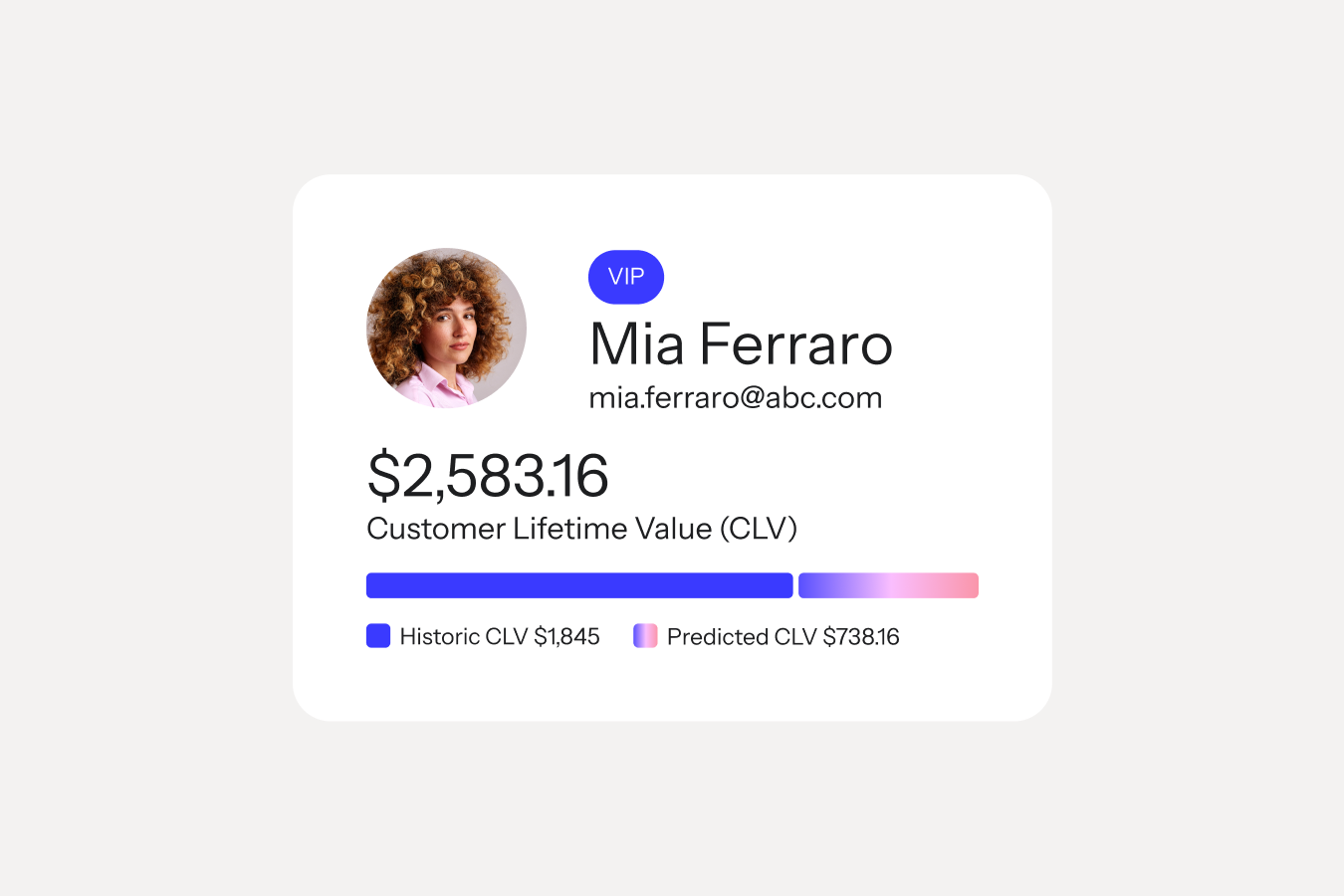
A Klaviyo account becomes useful the day its data is complete, so setup is a data project before it is an email project. The store integration takes minutes on Shopify or BigCommerce: install the app or connect the API key, enable onsite tracking, and Klaviyo starts recording orders, product views, and checkout events against individual profiles. Within days, each profile reads like the card above: order history, lifetime value split into historic and predicted amounts, and the event timeline every flow trigger depends on.
Three setup decisions matter more than the rest. First, import the full customer and order history from your store, your old email platform, and any spreadsheet exports, because predictive analytics need past orders to model expected next order dates. Second, set up the branded sending domain before the first send so your reputation accrues to your own domain from day one; the deliverability section covers the records involved. Third, map consent correctly on import: subscribed, unsubscribed, and never-subscribed profiles must land in the right state, since a consent error at import stage produces spam complaints that take months to recover from.
Moving from another platform follows the same sequence with one addition: rebuild automations before switching sends, and run the old platform’s flows until the Klaviyo versions are live and tested. The Gray & Sons migration in the management section below preserved tracking and historical data through exactly this sequence, and the email program kept its performance history across the move. Export suppression lists too; mailing people who unsubscribed on the old platform is both a legal problem and a reputation hit.
Expect the full setup, integration, historical import, sending domain, consent mapping, and the first flow set, to take one to three weeks of calendar time on a typical mid-market store. The work frontloads: every section that follows assumes this data layer exists.
Klaviyo Flows: the Seven Automations That Carry Email Revenue
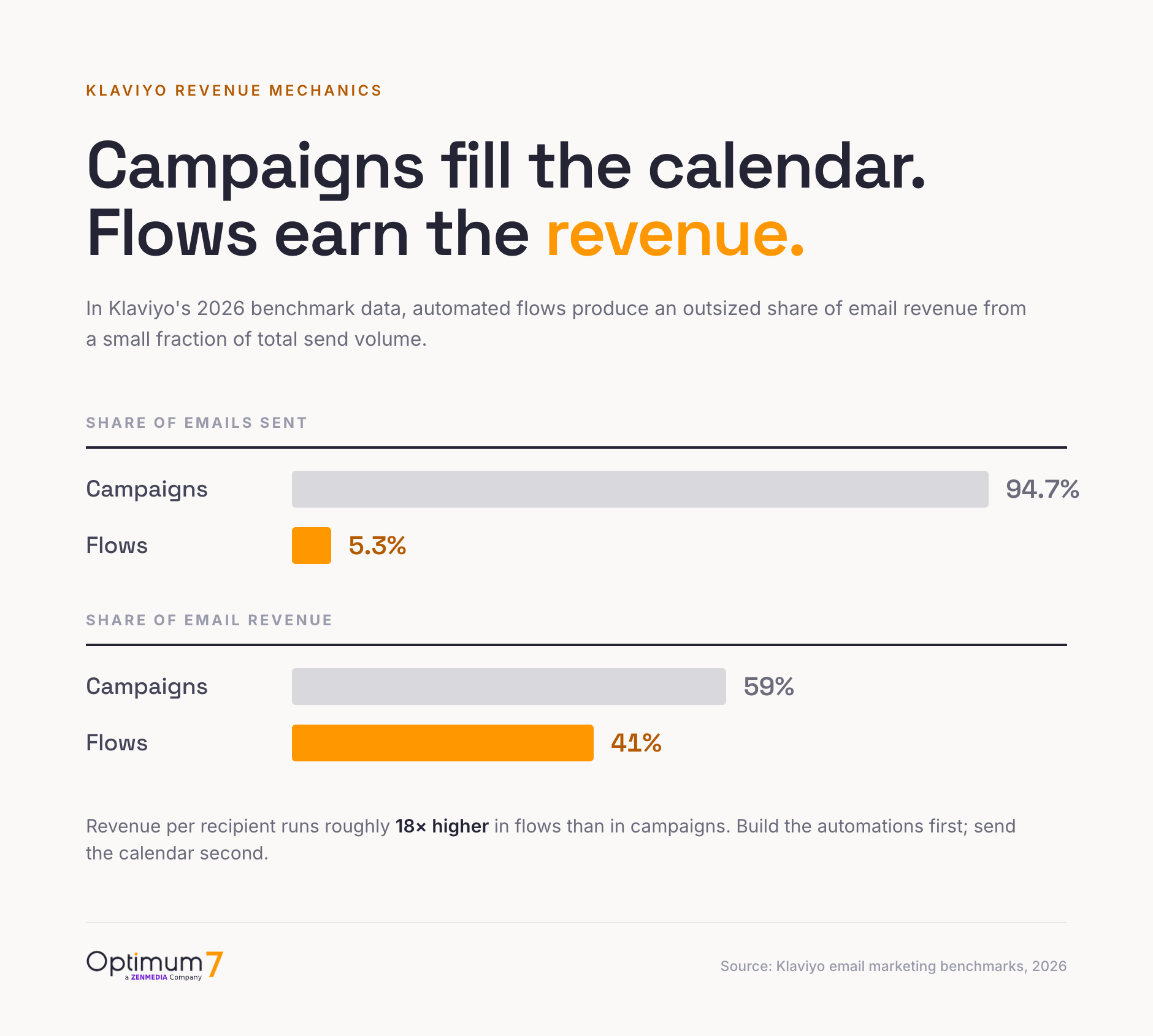
Flows are automated email sequences triggered by shopper behavior, and they are the highest-yield work in any Klaviyo account. The send-versus-revenue asymmetry in the chart above extends to engagement: flow emails click at 5.58% against a 1.69% campaign average, place orders at 13 times the campaign rate, and draw nearly 48% of their revenue from first-time buyers. Flows win first orders as reliably as they drive repeat ones.
Build these seven in this order. Each one triggers on an event your store already sends to Klaviyo, and together they cover the full customer path from first visit to lapsed buyer. Optimum7’s Klaviyo rebuilds are designed around exactly this set, and Composer, covered below, can draft any one of them from a written prompt once you have decided the order.
Optimum7’s published Klaviyo rebuilds run longer sequences than the minimums above: eight emails each in the welcome and cart-and-checkout flows, five in winback, and two in sunset. The right length depends on your margin and product cycle; start at the minimum, then add emails where the revenue report says the flow still converts.
Sequencing and timing decide how much these five earn. The welcome series opens within minutes of signup and runs three to five emails across five to seven days. Abandoned checkout fires its first email at one to four hours, a second at roughly 24 hours, and an optional third at 48 to 72 hours; shorter gaps catch live intent, longer ones give the slower buyer room. Post-purchase waits until the order ships before asking for a review, then times the replenishment nudge to the product’s real reorder cycle: 30 days for coffee, 90 for supplements, longer for durable goods. The common failure is overlap, where one shopper qualifies for welcome, browse, and abandoned-checkout at once and receives three emails in an afternoon; profile filters and Klaviyo’s smart-sending cap prevent it.
Judge each flow on revenue per recipient; open rate hides whether a flow actually sells. A welcome series should produce the highest revenue per recipient of any flow because it catches peak intent, so if yours trails the abandoned-checkout flow, the offer or the timing needs work. Review flow performance monthly, improve the single lowest performer, and leave the winners alone until a seasonal refresh.
Advanced Flows Worth Adding Next
Once the seven core flows run, three more capture demand the basics miss. Klaviyo’s early-2026 account audits found price-drop and low-inventory flows absent in roughly half the accounts reviewed, which makes them the highest-value additions once a store has the core path in place.
Inside the Flow Builder
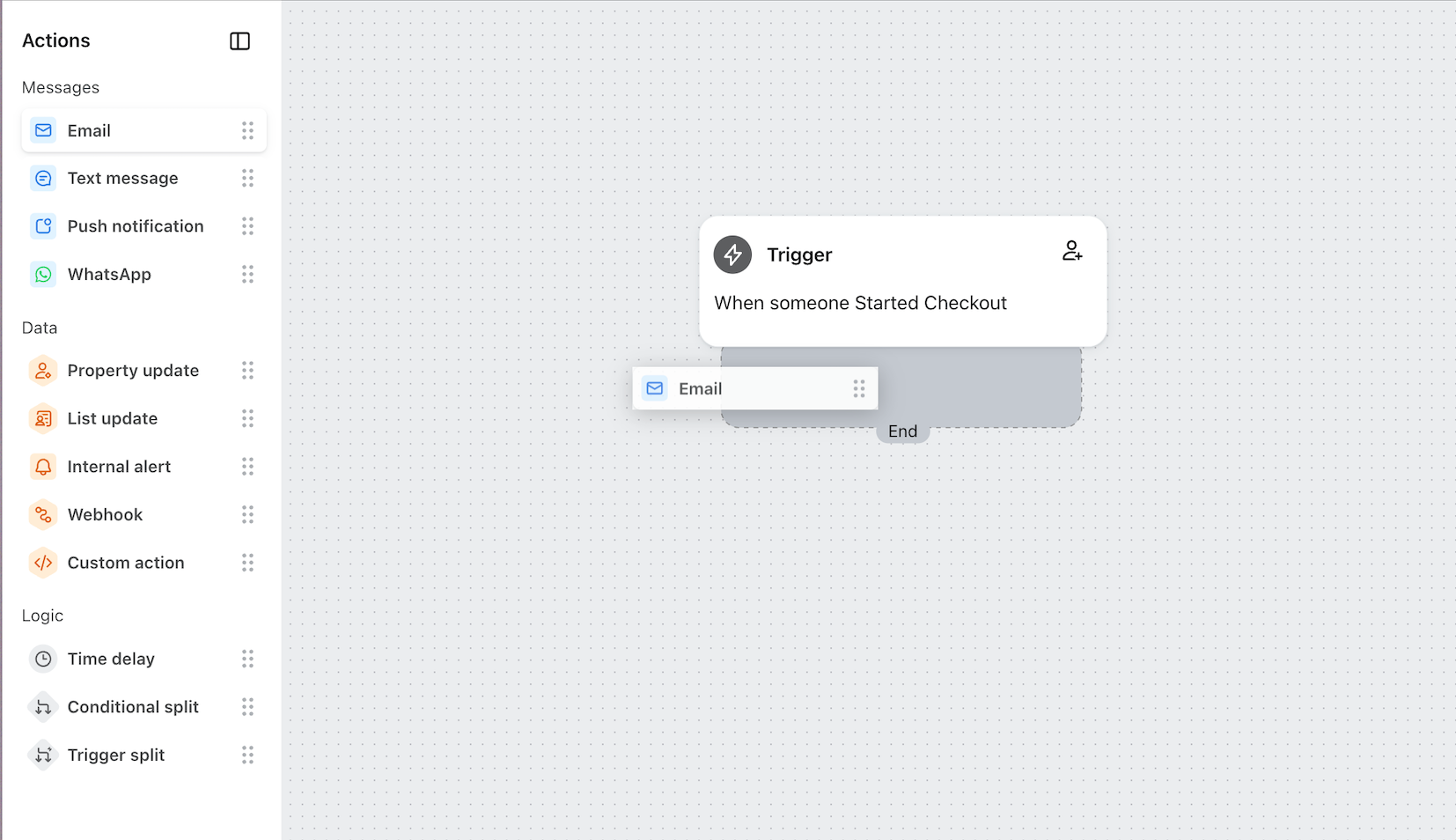
The builder is a drag-and-drop canvas: pick a trigger, drag actions and logic onto the tree, and set live. The elements that separate a professional build from a template fill are conditional splits (branch buyers from non-buyers, VIPs from everyone else), time delays tuned to real purchase cycles, and smart sending windows that keep a shopper in three flows from getting three emails in one morning. Profile filters on the trigger keep people out of overlapping flows entirely, which is where double-sending problems start.
Depth here compounds. When Optimum7 migrated Magnum Ballistics from a legacy platform to BigCommerce, the Klaviyo build shipped at launch with 11 flows and 55 automated emails covering cart abandonment, onboarding, repeat purchase, and VIP segmentation for customers past $1,000 in lifetime purchases, detailed in the Magnum Ballistics case study. The flows had to be production-ready before the domain switched, and the store never spent a day live without lifecycle coverage.
Drafting Flows With Composer, Klaviyo’s AI Agent
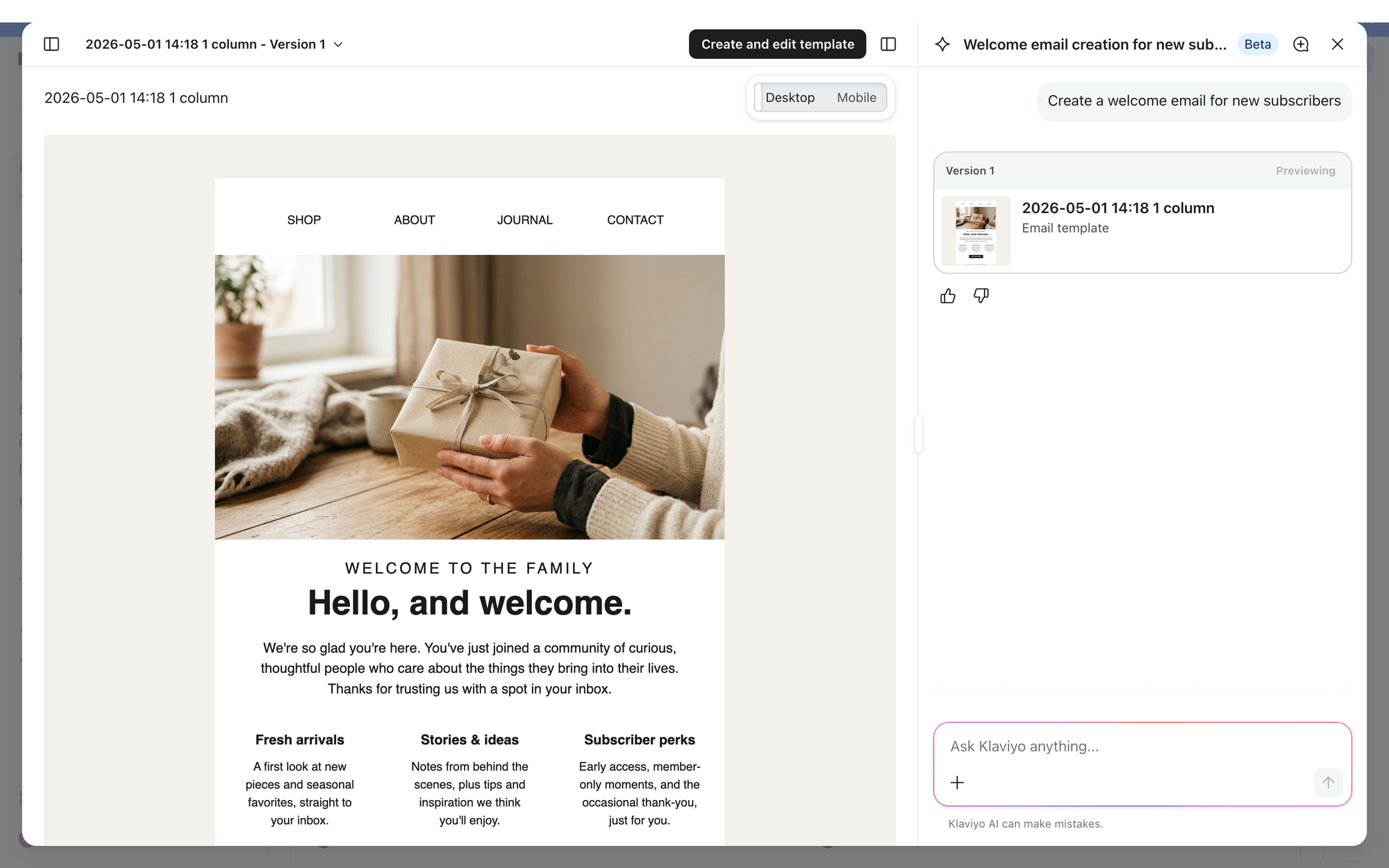
Composer is Klaviyo’s AI marketing agent, in public beta since June 2026 and generally available since October 13, 2026. You type what you want in plain language, for example “a browse abandonment flow for new subscribers,” and Composer drafts the whole thing: the flow structure, the triggers and time delays, and the email, SMS, push, and MMS messages inside it. It shortens the blank-canvas problem that leaves a store stuck at two or three flows for months.
A draft is where Composer stops. The flow arrives as a read-only preview with every message in Draft status, fully editable, and there is no send-as-is option. Klaviyo is explicit that nothing goes live until someone reviews, edits, and approves it, and the interface carries a “Klaviyo AI can make mistakes” notice for a reason: generated copy can be wrong, Composer adds no AI-use disclosures of its own, and brand-new accounts with little data produce weaker drafts. Composer speeds up the first draft; it does not replace the judgment that decides whether a flow is ready for a real audience.
Run the same checks on a Composer draft that you would run on a hand-built flow before it goes live.
How to Plan, Send, and Time Klaviyo Campaigns
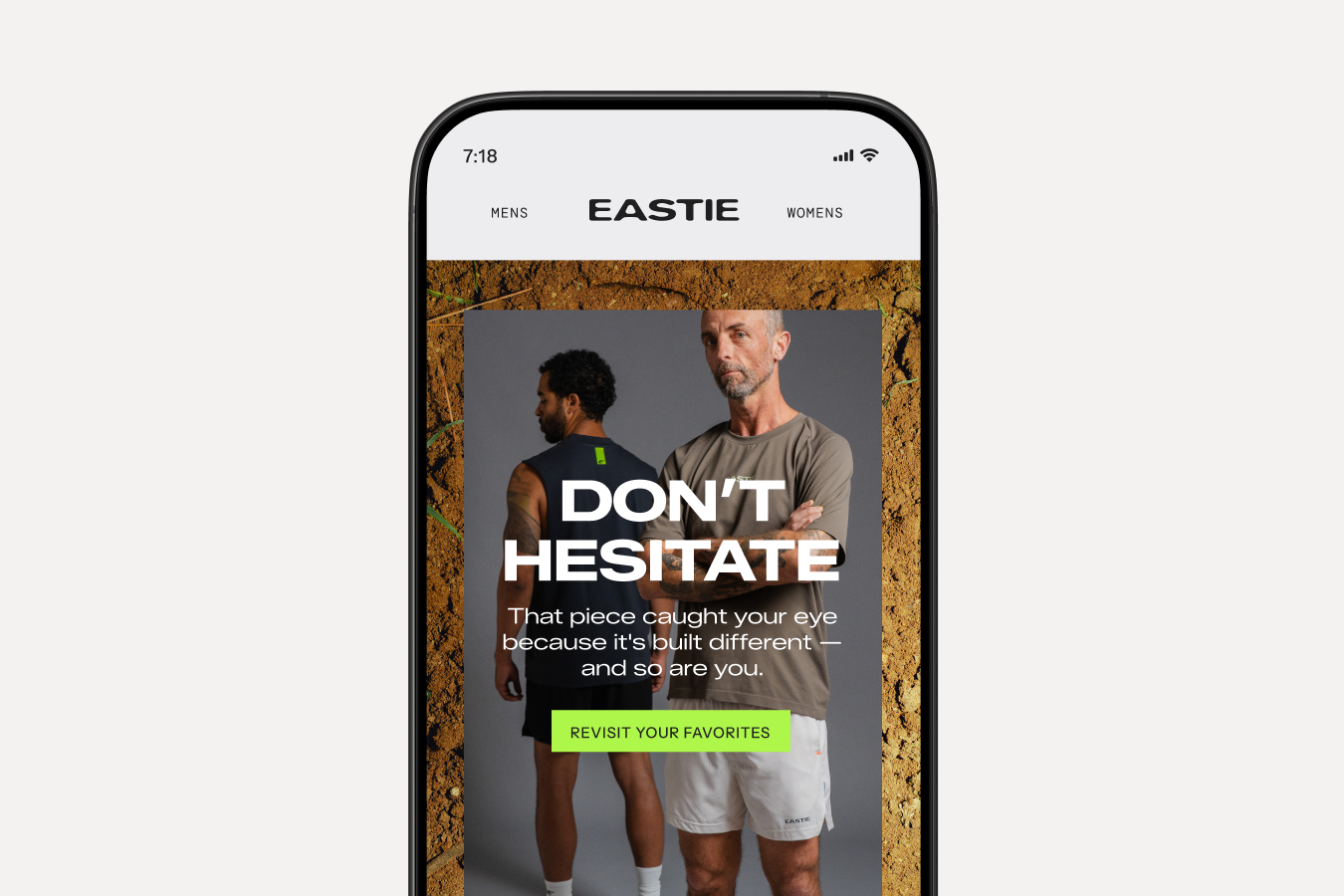
Campaigns are the one-off sends: launches, promotions, content, seasonal pushes. They account for 94.7% of all emails sent in Klaviyo’s benchmark data and produce the majority of email revenue in absolute terms because they carry the volume. They are also where sender reputations go to die, because the temptation is always to blast the full list.
The engaged-segment discipline fixes that. A simple 70/20/10 split keeps a sending calendar healthy: send about 70% of campaigns to your 30- or 60-day engaged segment, 20% to a wider 90- or 180-day window, and reserve the remaining 10% for full-list sends at the two or three moments a year that justify them, like a Black Friday opener. Receivers read your engagement rates per send; a calendar weighted toward engaged profiles keeps those rates high enough that the occasional wide send still lands in the inbox.
Frequency follows the same logic. Two to four campaigns a week suits an engaged ecommerce list; the ceiling is wherever unsubscribe and spam-complaint rates start climbing, which your reporting will show within a few sends. Watch the complaint rate against the 0.3% line in the deliverability section, and pull frequency back the moment it rises. Vary the content across the calendar: rotate product education, new arrivals, customer stories, and genuine offers so subscribers have a reason to keep opening between sales.
On timing, searchers want a magic hour and there is none worth hard-coding. Engagement windows differ by vertical, audience geography, and list age, which is why Klaviyo’s Smart Send Time feature tests windows against your own list and settles on the strongest one. Run it on a few consecutive campaigns, note the winning window, and standardize there. Weekday mid-mornings in your customers’ local time are a reasonable starting hypothesis to test against, never a rule to adopt blind.
Test one variable per campaign: subject line, preview text, or hero offer. Klaviyo’s A/B tooling splits automatically and declares winners by click or placed-order rate; over a quarter, those small wins compound into a visibly stronger calendar. Campaign-level revenue reporting then tells you which themes earn a repeat slot.
Klaviyo Segmentation: Target by Behavior and Purchase History
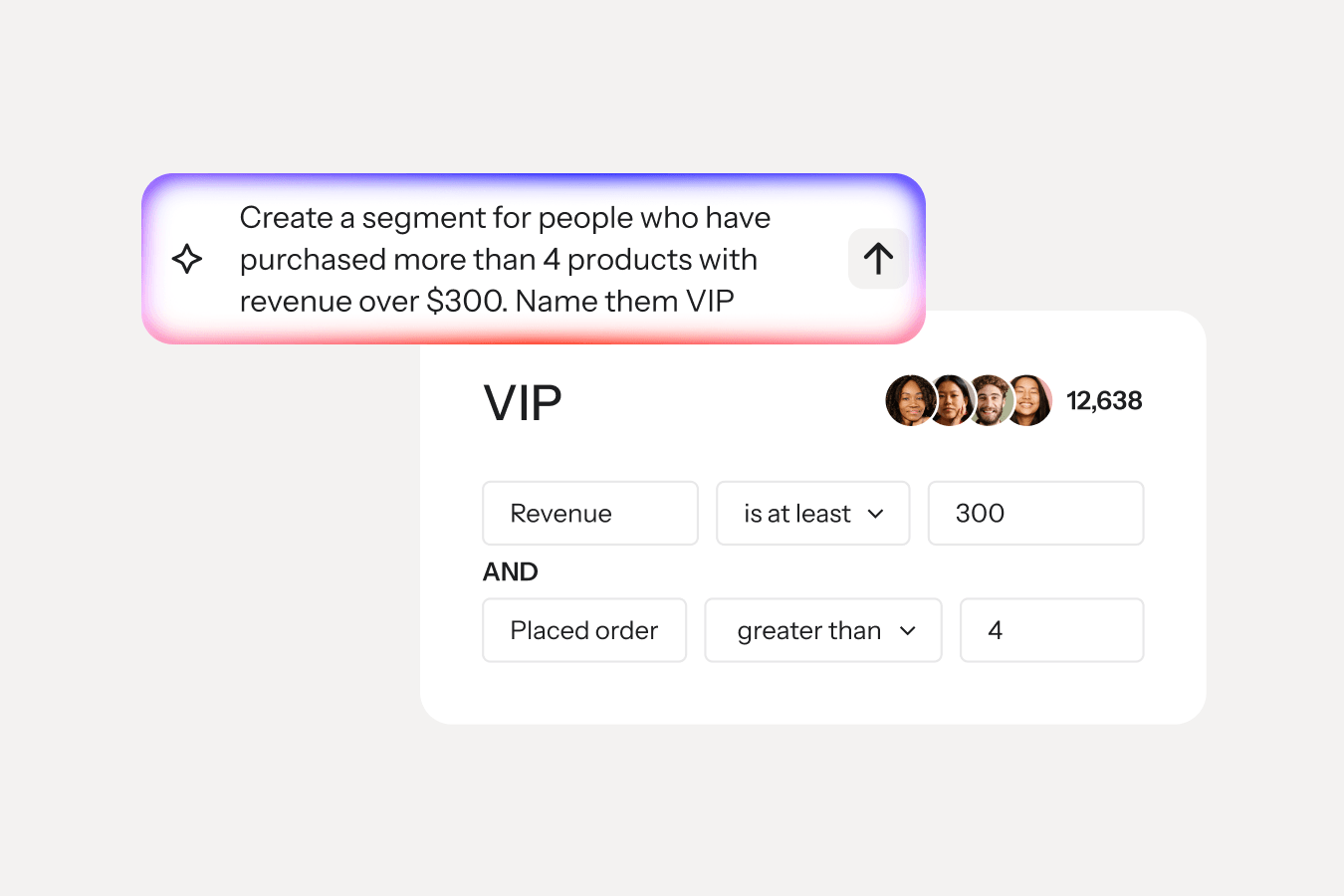
Lists and segments answer different questions. A list is static membership: people who signed up through a form. A segment is a live query over profile data: anyone matching the conditions joins automatically and drops out when they stop qualifying. Searches for a tool to segment customers by purchase history describe exactly this screen; the conditions read like plain sentences, such as placed order at least once where item is a specific product, and revenue greater than a threshold. Klaviyo’s AI segment builder now converts a typed description into those conditions directly.
The underlying framework is RFM: recency, frequency, and monetary value, the three dimensions that predict who buys next. Klaviyo exposes all three as profile fields, so a segment can combine recency from the last order date, frequency from the lifetime order count, and monetary value from lifetime revenue, for example “ordered in the last 60 days, three or more orders, over $300 spent,” into one high-value audience. These are the segment recipes worth building before your first campaign.
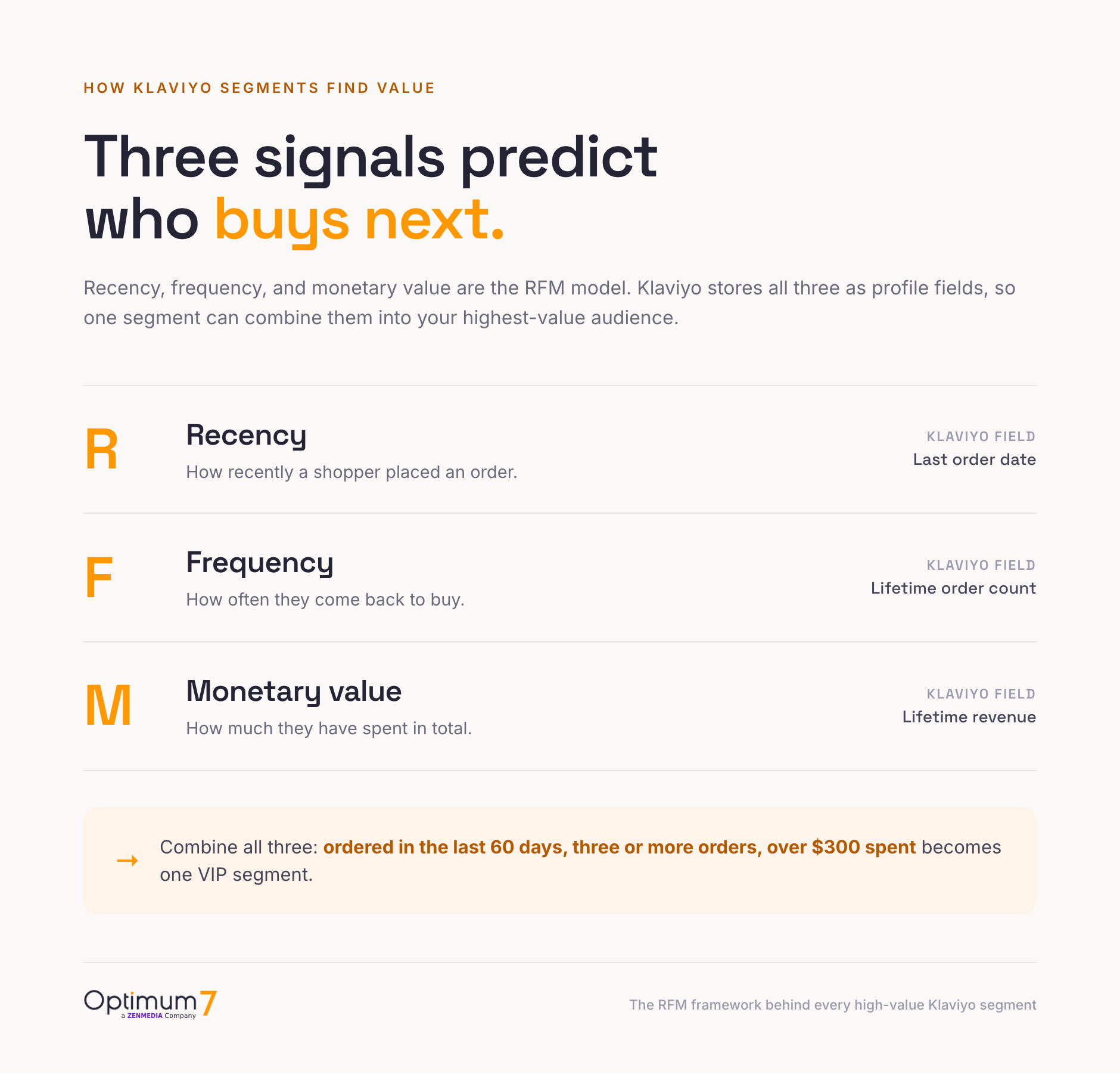
Layer the predictive fields on top and the targeting sharpens further: predicted lifetime value finds tomorrow’s VIPs while they still look like average customers, and churn risk flags a loyal buyer going quiet before the reorder window closes. Klaviyo’s AI segment builder shortcuts the setup by turning a typed sentence into these conditions, the same prompt-driven approach Composer brings to flows. The logic behind each segment still needs to match a real decision you make about that group, which is the part the AI cannot make for you.
Segmented treatment changes economics, and Bereli is the documented example. Optimum7 built segmented Klaviyo nurture paths separating VIP members from general customers as part of the Bereli Plus membership program, with metafields synced into Klaviyo through webhooks. The program holds 1,044 active memberships generating $110,181 in annual recurring revenue, with +19% lifetime value and +13% average order value across the documented period; the full build is in the Bereli case study.
Growing Your Klaviyo Email List
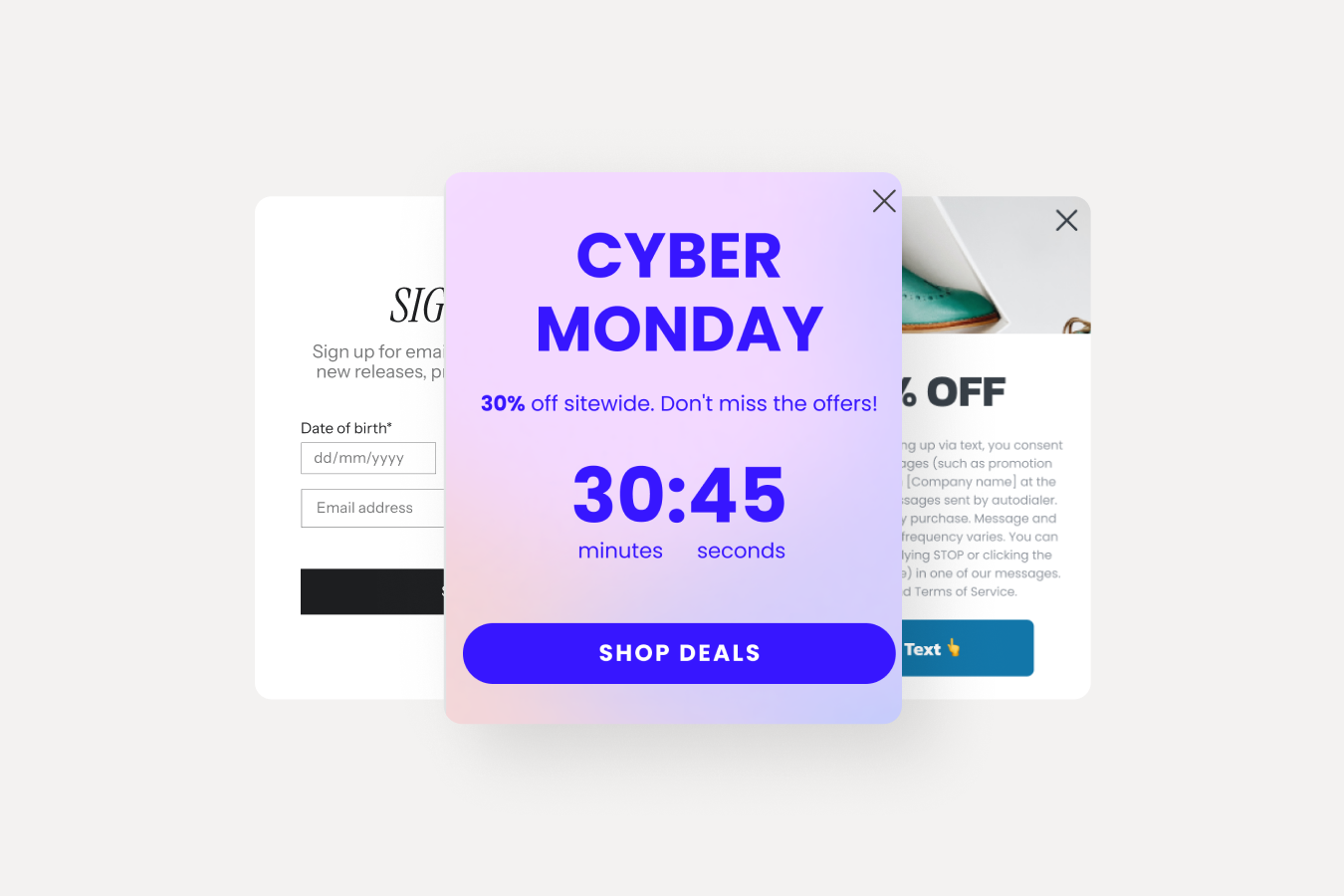
Flows and segments only compound on a list that grows, and the capture formats worth running have narrowed to five. Klaviyo’s form builder covers all of them natively, with display targeting so the right visitor sees the right form once.
Growth and hygiene are the same project under active-profile billing. Run double opt-in on giveaway and paid-social sources to keep bots and typos out, and hold a standing sunset segment that suppresses profiles after 12 months of silence. A list that grows 2,000 a month and prunes 1,500 dead profiles a quarter beats a bigger, colder one on every metric that reaches the inbox.
Why Klaviyo Emails Land in Spam, and How to Fix Deliverability
Deliverability decides what every other section of this guide is worth, because a flow nobody receives earns nothing. When did you last send a test to a fresh Gmail address to see which tab you land in? Treat that as a monthly habit, because inbox placement drifts with every change to volume and content.
The non-negotiables come from the mailbox providers themselves. Google’s bulk-sender rules require authenticated mail through SPF, DKIM, and DMARC, one-click unsubscribe, and a spam complaint rate kept ideally below 0.10% and always under 0.3% in Postmaster Tools. In Klaviyo that translates to a branded sending domain set up in account settings, which gives your domain its own reputation record with mailbox providers.
On a new sending domain, warm up gradually. Start the first week with your 30-day engaged segment only, then widen to 60 days in week two and 90 in week three, roughly doubling daily volume each week while open rates hold. Mailbox providers judge a new domain on its early engagement record, so sending to your 30-day engaged profiles first builds the reputation that later, wider sends depend on. A cold blast to the full list on day one is the fastest way to land a new domain in spam.
Ongoing hygiene keeps the reputation you built. Hold a rolling sunset segment that suppresses profiles after about 12 months of no opens, clicks, or orders, and run a re-permission email before the final suppression so you keep anyone still interested. Watch three numbers in Klaviyo’s deliverability dashboard every week: bounce rate under 2%, spam complaints well under the 0.3% line, and open rate steady or rising. A sudden bounce spike usually signals a bad import; a complaint climb usually signals frequency or a stale segment. Both are fixable the week they appear if you are watching.
The Gmail Promotions tab deserves a straight answer, since plenty of store owners search for a way out of it. Tab placement responds to engagement and formatting signals, and no setting forces the Primary tab for commercial mail. What moves individual senders over time: a consistent from-name people recognize, emails that read like a note (more live text, fewer image blocks), replies encouraged and answered, and subscribers who add you to contacts. For genuinely promotional sends, the Promotions tab is where shoppers expect deals, and well-targeted mail converts from there every day.
Klaviyo Email Templates: Design Standards for Mobile and Dark Mode
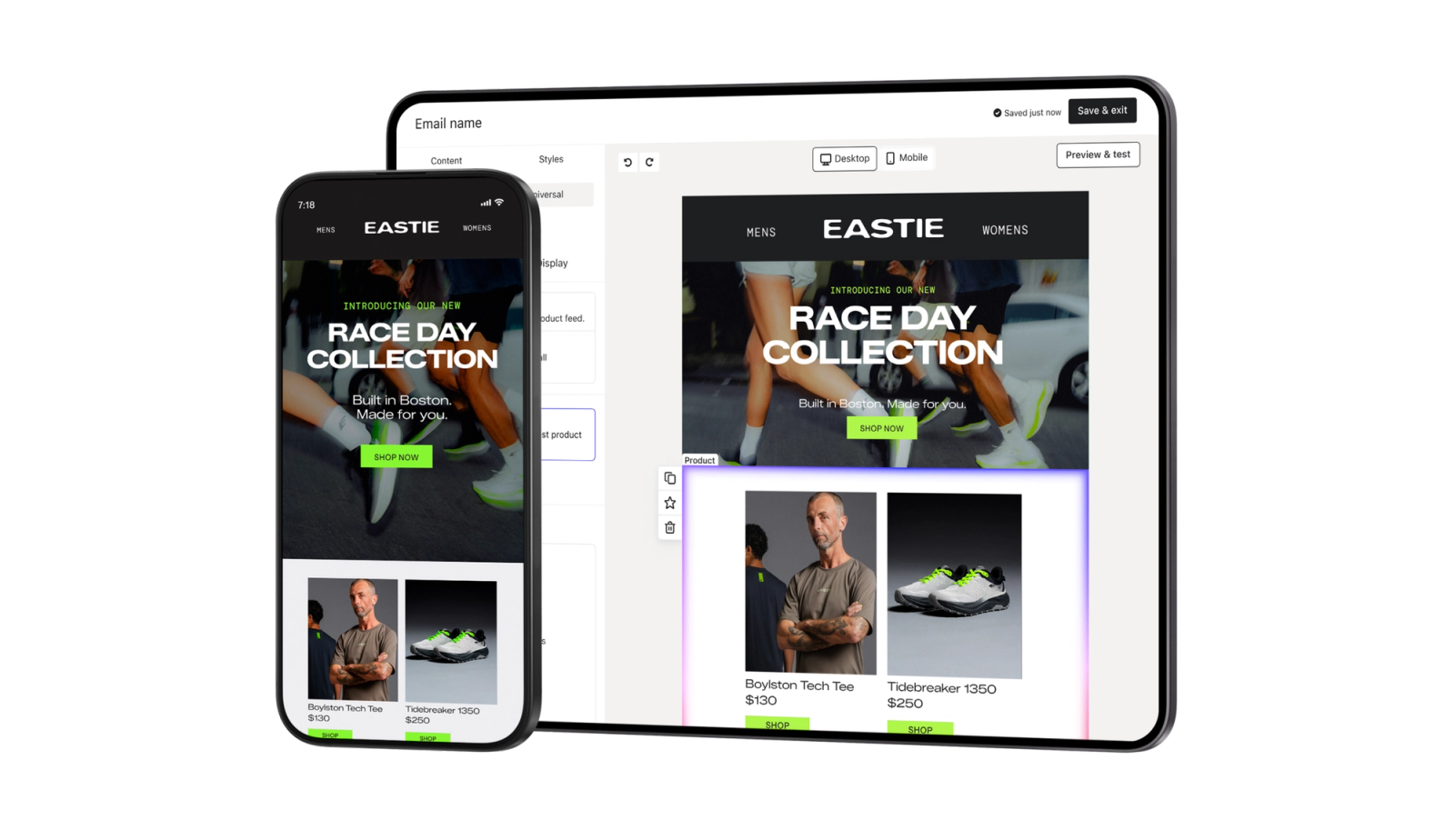
Klaviyo ships a template library organized by use case, holidays, reminders, deals, events, plus a drag-and-drop editor with saved brand blocks. Start from a library layout once, strip it to your brand system, and save the result as your master template so every campaign starts consistent.
The standards that hold up across client accounts: a single-column layout around 600px wide, since multi-column designs collapse unpredictably on phones where the majority of opens happen; a text-to-image balance with the offer and CTA in live text, because image-only emails hide their message from clipped previews, dark mode, and spam filters alike; one primary CTA per email, repeated once below the fold; and alt text on every product image. Test in dark mode before scheduling, as pure-black logos on transparent backgrounds vanish there.
For flow emails, plainer wins more often than polished. A checkout reminder formatted like a short personal note, product thumbnail, one line of copy, one button, routinely outperforms a designed promotional layout in the same slot, and it reinforces the engagement signals the previous section depends on. Hold the heavy design for campaigns where the visual is the message.
Klaviyo Reporting: Which Metrics to Check Every Week
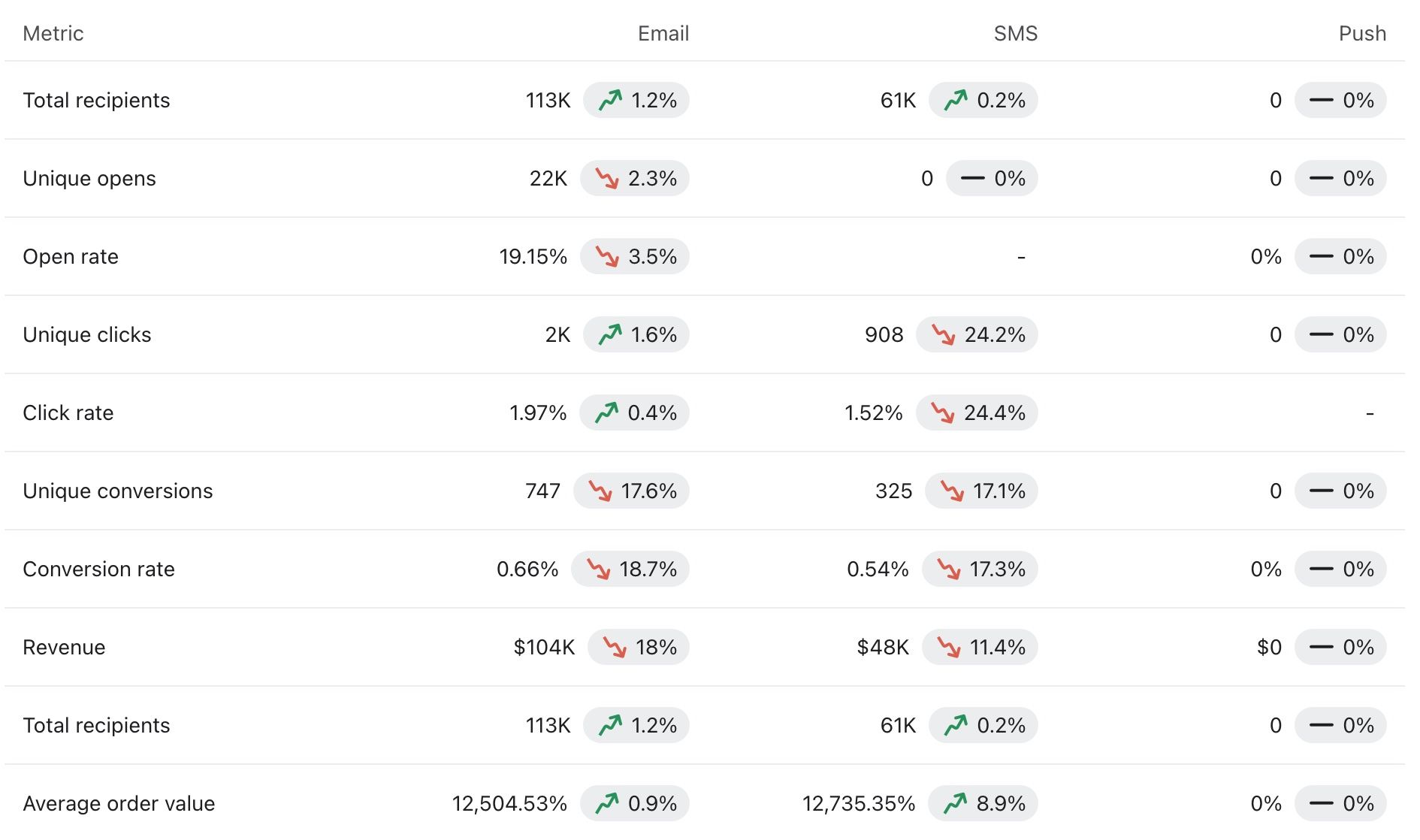
Klaviyo’s reporting answers one question that decides your whole program: how much of total store revenue does email drive? Healthy ecommerce accounts reach the quarter-of-revenue range, and the attributed-revenue dashboard shows your figure against it. If email sits in single digits, missing or dormant flows are the usual cause.
Four reports earn a weekly look. Flow performance ranks every automation by revenue per recipient, which surfaces the one flow worth improving next. Campaign performance tags each send with revenue and engagement, so themes that earn a repeat slot become obvious. The deliverability dashboard tracks open, bounce, and spam-complaint rates against the thresholds the next section covers. Benchmarks compare your rates to similar brands by industry, which separates a real problem from a category norm.
Read attribution with its window in mind. Klaviyo credits email for a conversion within a set window after an open or click, so a longer window inflates email’s apparent share and a shorter one deflates it. Pick one window, hold it steady, and judge trends against your own past numbers. A 5-day window and a 30-day window describe the same program with very different figures, so comparisons only mean something when the window is fixed.
Klaviyo vs Mailchimp and Other Email Platforms
Klaviyo wins for ecommerce stores and loses on price for everyone else; that is the honest one-line comparison. Mailchimp remains a capable tool for newsletters, service businesses, and content audiences, with lower entry pricing for a comparable list. Once repeat-purchase behavior drives your revenue, Klaviyo’s data model starts paying back the price difference.
| Dimension | Klaviyo | Mailchimp |
|---|---|---|
| Data model | Event timeline per profile synced from the store: orders, views, checkouts | Contact records with tags; ecommerce data arrives through integrations with less depth |
| Segmentation | Real-time behavioral queries plus predictive fields like churn risk and expected next order | Tag and audience based; strong for demographics, thinner on purchase behavior |
| Automation | Ecommerce flow triggers out of the box: started checkout, viewed product, placed order | Customer journeys cover standard sequences; ecommerce triggers depend on the connected cart |
| Pricing basis | Active profiles; costs climb with list size and reward aggressive suppression | Contacts plus send volume; cheaper at comparable list sizes for simple sending |
| Best fit | Stores where repeat purchase behavior drives revenue | Newsletters, services, and content brands sending on a calendar |
Omnisend and Drip compete in the same ecommerce lane at lower entry prices and are worth a look under 5,000 profiles. The real switching cost is data history: flow performance, engagement records, and predictive fields rebuild slowly after a migration, so pick the platform you expect to still be on at five times your current revenue. When Gray & Sons moved off the legacy Bronto platform, the migration itself was the turning point, and the next section shows the numbers.
When to Hire Klaviyo Management: DIY, Freelancer, or Agency
Run it yourself while the seven core flows plus a weekly engaged-segment campaign fit inside the hours you have; a founder with a sub-10,000-profile list and a decent template can hold that bar. The case for help starts when email revenue share sits below the quarter-of-revenue range healthy accounts reach, when flows have not been touched since launch, or when nobody on the team reads the deliverability dashboard monthly. If sends keep landing flat, our breakdown of why Klaviyo campaigns underperform walks the usual causes before you commit to an audit.
Composer raises the value of experienced help. Drafting a flow was never the expensive part; deciding the architecture, the segments, and whether a drafted flow is accurate and on-brand is. As the AI absorbs the typing, the value a team adds concentrates in exactly the judgment Composer cannot supply. Professional management earns its fee through platform migrations, flow architecture, and the segmentation work covered above. Gray & Sons is the documented before-and-after: an outdated email platform, a full migration into Klaviyo with tracking installed and historical data preserved, and a program rebuilt around it.
If your account shows the audit symptoms above, Optimum7’s email marketing services cover Klaviyo audits, flow architecture, migration, and ongoing campaign management. Email work also compounds with the site itself: a flow that recovers a checkout only pays out when the checkout converts, which is where improving ecommerce conversion rates and our conversion rate optimization services pick up the thread.
Klaviyo Email Marketing FAQ
What is Klaviyo email marketing?
Klaviyo email marketing is ecommerce email run on the Klaviyo platform, which syncs order and browsing data from your store and uses it to trigger automated flows, build behavioral segments, and personalize campaigns. It covers email, SMS, and push from one profile database.
How much does Klaviyo cost?
Klaviyo’s free plan covers 250 active profiles and 500 email sends a month. Paid Email plans start at $20 per month and Email + SMS at $35, scaling with your active profile count. Suppressing inactive profiles before billing renewals is the main lever for controlling cost.
Is Klaviyo worth it for a small store?
Yes once repeat purchases matter to your revenue. The free tier handles a starting list, and the core flows run without daily attention. A store under 250 profiles pays nothing to test it; the platform starts earning its subscription when abandoned-checkout recovery alone covers the monthly fee.
What is the difference between a Klaviyo list and a segment?
A list is static: people join through a form or import and stay until removed. A segment is a live query that re-evaluates automatically, such as everyone with two or more orders in 90 days. Lists collect consent; segments do the targeting.
When is the best time to send email in Klaviyo?
There is no universal hour; engagement windows vary by audience and vertical. Use Klaviyo’s Smart Send Time to test windows against your own list across a few campaigns, then standardize on the winner. Weekday mid-mornings in the recipient’s local time are a common starting test.
Which personalization features does Klaviyo offer?
Dynamic content blocks that change per recipient, product recommendation feeds built from browsing and purchase history, predictive fields including predicted lifetime value, churn risk, and expected next order date, and conditional template logic. All of them draw on the event data Klaviyo syncs from your store.
Klaviyo or Mailchimp for ecommerce?
Klaviyo for stores: its data model, flow triggers, and segmentation are built around ecommerce events, and flows carry a large share of email revenue. Mailchimp costs less and fits newsletters, services, and content brands where behavioral purchase data plays a smaller role.
What is Klaviyo Composer?
Composer is Klaviyo’s AI marketing agent, generally available since October 13, 2026. It drafts a whole flow from a written prompt, including the structure, triggers, time delays, and the email, SMS, push, and MMS messages inside it. The draft is fully editable and goes live only after a human reviews and approves it.
Can Composer set a Klaviyo flow live on its own?
No. Klaviyo states that Composer does not send or publish flows or messages without the user’s sign-off. A drafted flow arrives as a read-only preview with every message in draft, and it stays in draft until someone reviews, edits, and approves it. Generated content can be wrong, so the pre-launch checks still apply.
How do I keep Klaviyo emails out of the Gmail Promotions tab?
No setting forces the Primary tab. Placement improves with engagement: a recognizable from-name, more live text and fewer image blocks, encouraging replies, and subscribers adding you to contacts. Promotional sends belong in Promotions, and well-targeted mail converts from that tab daily.
About the author: Duran Inci is the CEO and Co-Founder of Optimum7, an ecommerce development and digital marketing agency. He helps mid-market and enterprise brands scale revenue through conversion optimization, SEO, and custom ecommerce solutions.