

TL;DR: A Shopify Plus migration covers data integrity, SEO continuity, and custom functionality rebuilds, each requiring dedicated scoping and execution. Brands that treat it as a bulk export-and-import lose organic traffic and sales. Optimum7 has executed over 1,000 ecommerce migrations; six pre-migration techniques separate launches that hold their gains from the ones that require emergency rollbacks.
Has your development team spent more time this year maintaining your current platform than building the conversion features your merchandising team requested two quarters ago? That pattern, where an aging ecommerce platform consumes engineering capacity it never returns in revenue, is the clearest signal that a Shopify Plus migration has moved from “worth evaluating” to “cost of staying put.”
Shopify Plus is the enterprise tier of the Shopify platform, starting at $2,500 per month on a 1-year term. It includes dedicated B2B tools, full checkout customization via Checkout Extensibility, headless commerce API support, and infrastructure rated for 10,000 simultaneous checkouts per minute at 99.99% uptime. For brands generating between $1M and $500M annually, it handles the operational load that standard Shopify plans do not. If you are considering migrating from Magento, WooCommerce, BigCommerce, Volusion, Salesforce Commerce Cloud, or a legacy enterprise platform, this guide covers the full picture: when to move, what it costs and why, what gets migrated, and six techniques drawn from Optimum7’s migration history that prevent the failures other agencies leave out of scope.
Five Platform Limitations That Signal a Shopify Plus Migration
Platform cost is rarely visible on a P&L until someone calculates the full picture: licensing fees, developer hours spent on maintenance, integration workarounds, and the revenue lost to downtime during peak periods. The five patterns below are the most consistent predictors, across Optimum7’s migration history, that a store’s current platform is holding revenue growth in place.
Shopify Advanced vs. Shopify Plus: When to Upgrade
Shopify’s Advanced plan covers stores generating under $1M annually for most use cases. Shopify Plus makes financial sense at the $1M to $2M revenue threshold, where checkout customization, B2B tooling, and multi-storefront capabilities begin to return more than the monthly cost difference. For a full side-by-side of the two plans, see Optimum7’s Shopify vs Shopify Plus comparison; for the business case behind the Plus tier, see the Shopify Plus enterprise platform benefits breakdown. The table below covers the capabilities that materially differ between the two tiers.

| Capability | Shopify Advanced | Shopify Plus |
|---|---|---|
| Monthly cost | From $399/mo | From $2,500/mo |
| Checkout customization | Limited, no Checkout Extensibility | Full Checkout Extensibility API |
| B2B and wholesale | Native B2B (basic features) | Full B2B: net payment terms, company accounts, self-serve portal |
| API rate limits | Standard limits | 10x standard rate |
| Multi-storefront | Single store | Up to 10 expansion stores |
| Campaign coordination | Standard discount tools | Launchpad for timed launches |
| Headless commerce | Basic Storefront API access | Full Hydrogen and Oxygen support |
| Merchant support | Standard support queue | Dedicated merchant success manager |
Shopify Plus Migration Scope and Cost: $10,000 to $100,000
Migration cost is driven by three variables: the volume and complexity of your data, the amount of custom functionality that must be rebuilt on Shopify Plus, and the scale of your SEO redirect mapping. A store with 500 products, 5,000 orders, and no custom checkout logic is a fundamentally different project from a dual-brand enterprise running 930,000 historical orders with a headless frontend architecture. Optimum7 uses the four scope tiers below as a starting framework for migration estimates.
Shopify Plus Migration Investment by Project Scope
Starting investment by complexity tier
Starting investment (USD). Final costs vary by data complexity and custom functionality scope. Based on Optimum7 migration experience.
Custom functionality rebuilds account for the largest cost variable in enterprise migrations. Features that your current platform handles through native settings, custom modules, or proprietary plugins each require individual assessment: can they be replicated with a Shopify app, or does the logic require custom development? Age verification, B2B tiered pricing, subscription management, volume discount engines, and vehicle fitment tools like Year/Make/Model selectors all require custom Shopify Plus development work scoped separately from data migration.
Six Data Categories That Derail Shopify Plus Migrations
Every ecommerce migration involves the same six data categories, but the complexity within each varies significantly by platform and store maturity. Stores that have operated for more than five years accumulate structural inconsistencies, duplicate records, and legacy data formats that must be audited and resolved before the first import begins.


Field-by-Field Data Integrity Prevents Post-Launch Revenue Loss
Data integrity failures at launch cost more than the migration itself. A customer who calls about a missing order finds a store that cannot locate their account. A product with a broken variant mapping shows the wrong price at checkout. A discount code that worked on the old platform throws an error on the new one. On large migrations, each of these is a predictable failure mode triggered by skipping staged validation checkpoints.
Optimum7 uses field-by-field data mapping with staged validation at each import phase. The process requires reading Shopify’s native data structures, writing custom transformation scripts for each source platform, and running validation passes against imported data before any frontend development begins. For stores with complex data at scale, this is the longest phase of the project and the one most commonly shortchanged when agencies underestimate scope.
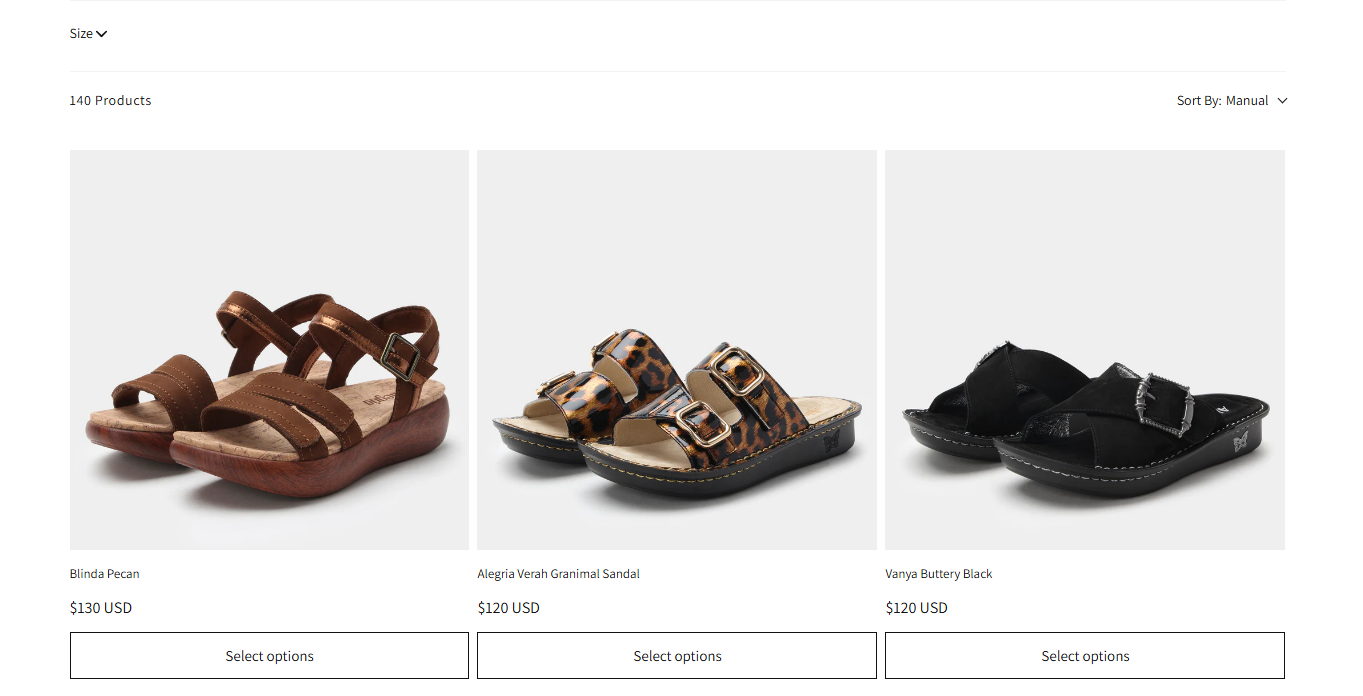
Alegria Shoe Shop’s migration from Volusion to Shopify required moving 1.4 million historical orders, 653,000 customer accounts, and 41,000+ products with full relational integrity. Optimum7 used GraphQL bulk operations and staged validation checkpoints to complete the migration with zero data loss and zero SEO disruption. The scale of this data is what makes it a useful reference point: at 1.4 million orders, a 0.1% error rate means 1,400 broken order records. Validation at each phase is what keeps that error rate at zero.
Dual-Brand Shopify Plus Migration: 930,000 Orders Across Two Storefronts
Enterprise migrations introduce architectural decisions that smaller projects never surface: how to separate retail and wholesale workflows, how to manage shared product catalogs across independent storefronts, and how to stage a high-volume data transfer without disrupting live operations. The Tees2UrDoor and SugarStitch migration shows what this complexity looks like at scale.

Tees2UrDoor (retail custom apparel) and SugarStitch (their wholesale sister brand) were both operating on BigCommerce when platform limitations began restricting performance improvements and design flexibility. Running two brands off one platform meant every change to one store created risk for the other. Optimum7 built separate headless Shopify Plus instances for each brand, with independent storefront architectures sharing a common parent, then executed the full data migration for both stores simultaneously. The project also included enterprise search and filtering, mobile-first UX rebuilds, and comprehensive 301 redirect coverage across both storefronts.
SFCC, NopCommerce, and Oracle ATG Each Need a Different Migration Playbook
Enterprise platform migrations carry complexity that mid-market migrations do not. Salesforce Commerce Cloud, NopCommerce, and Oracle ATG were each built for on-premise or early-cloud deployment, with proprietary extension models, licensed deployment costs, and deep integrations with ERP and CRM systems that have no direct Shopify equivalents. Migrating from any of these requires a pre-migration audit that often takes longer than the data transfer itself, and scoping errors at this stage are the most expensive mistakes in any migration budget.
Salesforce Commerce Cloud to Shopify Plus
Salesforce Commerce Cloud (SFCC) migrations are among the most technically complex moves to Shopify Plus. SFCC runs on a cartridge-based extension model where custom business logic, pricing rules, and storefront behaviors are built as proprietary extensions. None of these transfer to Shopify directly; each cartridge must be assessed individually and rebuilt as either a Shopify app, a custom Shopify Function, or native Shopify Plus configuration. SFCC also integrates deeply with Salesforce Marketing Cloud and Service Cloud, so every email automation workflow, customer service trigger, and CRM sync requires remapping to Shopify-compatible alternatives. The total cost of ownership on SFCC is substantially higher than Shopify Plus, and brands that have outgrown the need for Salesforce’s full suite of enterprise products typically recover the migration investment within the first year of lower platform fees. For a detailed breakdown of what this migration involves, see Optimum7’s Salesforce Commerce Cloud to Shopify Plus migration services.
NopCommerce to Shopify Plus
NopCommerce’s open-source ASP.NET architecture gives development teams deep configuration flexibility, at a maintenance cost that compounds as the platform ages. Custom NopCommerce plugins are written in .NET and each require individual analysis and a full rebuild for Shopify’s ecosystem. The data model in NopCommerce also differs from Shopify’s in how it handles product attributes, customer groups, and discount structures, requiring custom mapping logic for every migration. Brands on NopCommerce moving to Shopify Plus typically see the clearest gains in ongoing maintenance cost: the move from a developer-dependent on-premise deployment to a managed SaaS environment removes an entire category of operational overhead. On the data side, NopCommerce’s product attribute model, customer group structure, and discount engine each require custom mapping logic before a single record transfers cleanly to Shopify.
Oracle ATG to Shopify Plus
Oracle ATG (now Oracle Commerce) is one of the oldest enterprise ecommerce platforms still in active use, running on Java application servers with a catalog management model built for a pre-cloud world. ATG migrations to Shopify Plus require moving from a licensed, often on-premise deployment to a modern SaaS infrastructure, with all the data model translation that implies. ATG catalog structures are highly customized per implementation; there is no standard export path. Custom ATG order management rules, pricing engines, and customer segmentation logic each require individual rebuilds in Shopify’s infrastructure. These projects typically take longer than other migrations and require the deepest pre-migration audit of any platform Optimum7 works with. The payoff for brands that complete the move is substantial: Oracle ATG’s annual licensing and maintenance fees for mid-market deployments run into six figures consistently, and Shopify Plus’s SaaS model eliminates that cost category entirely.
Six Pre-Migration Techniques That Prevent Post-Launch Failures
Optimum7 has run migrations that took 90 days and migrations that took nine months. The destination platform explains almost none of that variance. Preparation work before the first data export does. The six techniques below are what Optimum7 applies consistently to prevent the post-launch failures that force rollbacks, revenue holds, and emergency development sprints.
A Shopify Plus Front-End Rebuild Delivered 425% More Conversions for Vaio
Some brands arrive at a Shopify Plus rebuild already on the platform, looking to close the gap between their current storefront and the conversion performance their tier can support. Vaio’s project was a full front-end rebuild: the product catalog, order management, and integrations stayed in place, while Optimum7 rebuilt the storefront architecture in Liquid and JavaScript from scratch. The results below show what Shopify Plus delivers when the infrastructure is already sound and the front-end is built to match it.

The Shopify Plus Migration Checklist
The checklist below covers the three phases of every Shopify Plus migration: pre-migration preparation, launch week, and the post-migration program that protects the organic and revenue gains from your new platform. Print this, share it with your development partner, and confirm each item is assigned before the project begins.
Pre-Migration
Launch Week
Post-Migration (First 90 Days)
For a free migration analysis and scope estimate from Optimum7, visit the ecommerce migration services page or speak directly with the team about your current platform and project requirements.
Frequently Asked Questions
How long does a Shopify Plus migration take from start to go-live?
A standard Shopify Plus migration with 1,000 to 10,000 products and no major custom functionality typically takes 60 to 90 days from kickoff to go-live. Enterprise migrations involving 50,000 or more products, complex data relationships, or significant custom development can run 4 to 6 months. The largest factor in timeline is the pre-migration data audit and custom functionality scope, both of which should be completed before development begins.
Will my SEO rankings drop after migrating to Shopify Plus?
Organic traffic can dip 5 to 15% in the weeks after launch as Google re-crawls the new URL structure. A complete 301 redirect map built before go-live and a 90-day post-migration monitoring program prevents that from becoming permanent. Stores that discover redirect gaps after launch can lose 20 to 40% of organic traffic before corrections take hold.
What happens to my current store while the migration is in progress?
Your current store remains fully live and operational throughout the migration. The new Shopify Plus store is built entirely in a staging environment. Customers continue to shop on the current platform without interruption. The launch event is a DNS cutover, typically taking under 30 minutes, that redirects traffic from the old domain to the new Shopify Plus store. There is no planned downtime for your existing store during the migration process.
Can I migrate from any platform to Shopify Plus?
Yes. Optimum7 has executed migrations to Shopify Plus from Magento, WooCommerce, BigCommerce, Volusion, Salesforce Commerce Cloud, Oracle ATG, NopCommerce, Miva, 3dcart, and custom-built platforms. The migration methodology differs by source platform: the data models, URL structures, and custom functionality approaches vary enough that each platform requires its own mapping approach. See the full list of platform-specific Shopify Plus migration services.
Does Shopify Plus support B2B and wholesale operations?
Shopify Plus includes built-in B2B on Shopify, which covers wholesale price lists, customer-specific pricing, net payment terms, purchase order workflows, and company account management. These features are native to the Plus plan, not add-on apps. Brands running both B2B and DTC operations can manage both from a single Shopify Plus instance or build separate storefronts using the multi-storefront (expansion store) capability included in the Plus plan.
What is the difference between migrating to Shopify and migrating to Shopify Plus?
The data migration process is largely the same. The differences appear in destination configuration: Shopify Plus adds Checkout Extensibility, the B2B toolset, expanded API rate limits, and multi-storefront architecture. Brands with checkout customizations, wholesale workflows, or high API integration density will have additional build work on the Plus side that a standard Shopify migration would not require.
How do I choose the right Shopify Plus migration partner?
Look for a partner that produces a data mapping document before contract signing, offers staged validation checkpoints at each migration phase, and delivers 301 redirect mapping as part of the project scope. Any agency quoting a flat migration fee without first auditing your data structure has not scoped your actual project.
Can Optimum7 handle migrations from platforms outside the US?
Yes. Optimum7 has executed Shopify Plus migrations for stores in the US, Canada, Australia, the UK, and Western Europe. International projects carry additional complexity around tax configuration, currency handling, regional shipping rules, and multi-language content, all of which require dedicated configuration work beyond the base migration scope.
About the author: Duran Inci is the CEO and Co-Founder of Optimum7, an ecommerce development and digital marketing agency. He helps mid-market and enterprise brands scale revenue through conversion optimization, SEO, and custom ecommerce solutions.