



TL;DR: Technical SEO is the work of making a site fast, crawlable, and cleanly structured so search engines index the right pages. Most of it does not need a developer. This guide covers the four pillars, how to approach a new site versus an existing one, what the work should cost, and the ecommerce database problems that quietly sink rankings.
Technical SEO sounds like the part you have to hand to a developer. Have you ever opened a site audit tool, seen 400 warnings, and closed the tab? The good news is that the concepts are straightforward, and modern platforms handle most of the heavy lifting before you write a line of code.
This guide is built from an Optimum7 Surge Session with CEO Duran Inci and marketing specialists Ohad Yarel and Carlo Ricordi. Four short videos run through it, one per part, and each section expands on what the video covers so you can read the detail at your own pace. The plan: define the term, then split the work into a brand-new site and an existing one, settle what technical SEO should cost, and finish with the ecommerce issues that need a human.
Technical SEO Basics: The Four Pillars
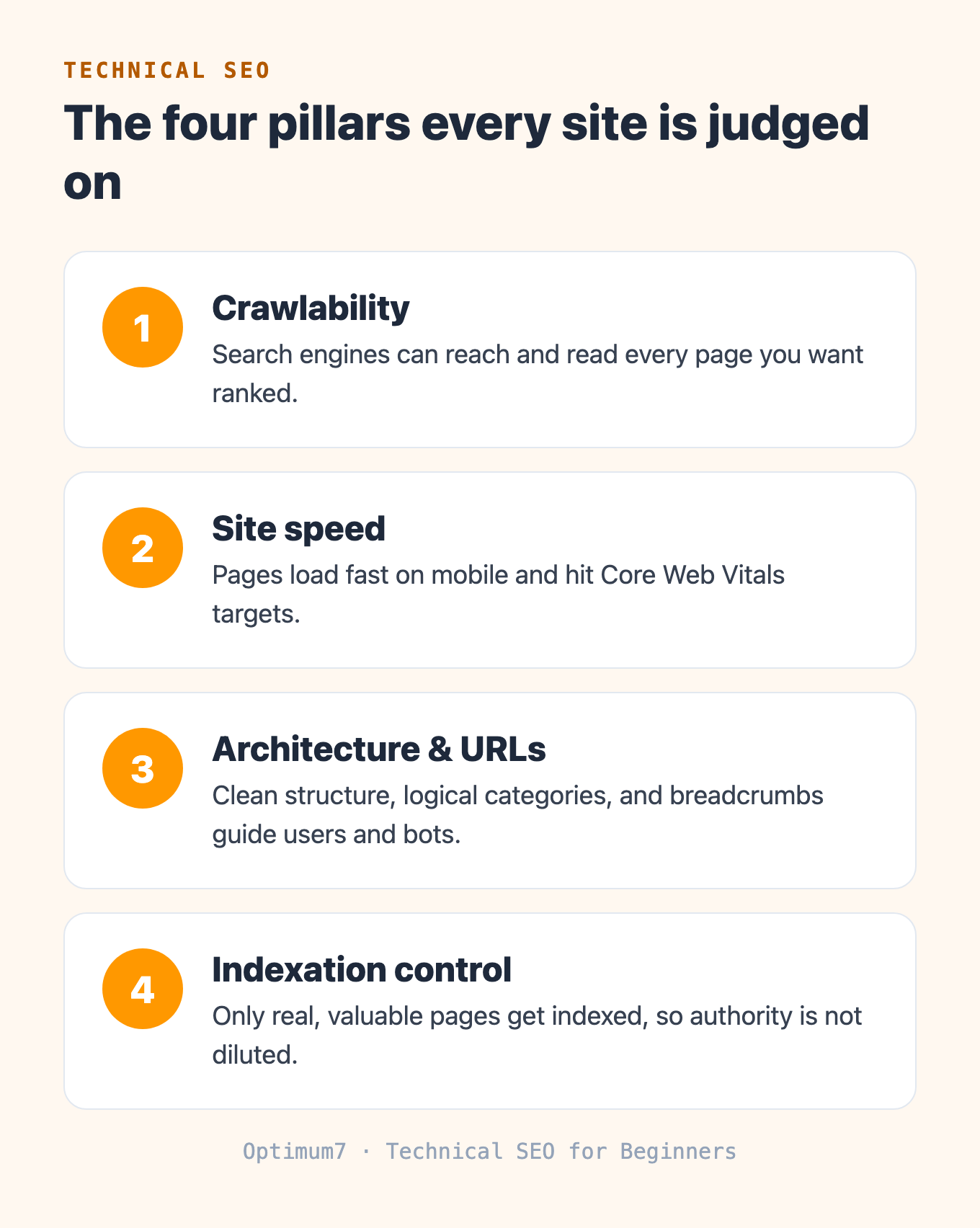
Technical SEO rests on four things: a site that search engines can crawl, pages that load fast, a clean structure, and control over what gets indexed. Get those right and the content has a fair chance to rank. Get them wrong and even good content stays invisible. These are the technical SEO concepts every beginner should know before touching a tool.


Speed is the pillar with a public scorecard. Google publishes three Core Web Vitals thresholds, and hitting them is what its ranking systems reward. A page should reach its largest content within 2.5 seconds, respond to a tap in under 200 milliseconds, and hold a layout-shift score below 0.1.
The four pillars are where technical SEO meets the rest of your strategy. For how crawling, indexing, and ranking fit together into the wider process, Optimum7’s guide to how SEO works walks through the full picture, and the site speed optimization guide goes deep on the speed pillar.
How to Do Technical SEO on a Brand-New Site
On a brand-new site, technical SEO is mostly planning. You decide the platform, the content structure, and the intent behind every page before launch, so the technical setup follows the content from day one. This is the easier half of the work, and it is where startups have the biggest advantage.
The video walks through the sequence Optimum7 uses when building an SEO or ecommerce site from the ground up. Each step feeds the next: the platform shapes what is possible, the keyword research shapes the structure, and the structure shapes the user experience.
Platform choice sets the ceiling for everything else in this sequence. Optimum7’s guide to choosing an ecommerce platform compares the major options so the structure you plan sits on the right foundation.
Technical SEO for an Existing Site: Audit and Clean Up
On an existing site, technical SEO really begins. The job is to audit what you already have and stop low-value pages from diluting your authority. Which pages earn traffic, which are profitable, and which are dead weight quietly dragging the whole domain down?
Start in your analytics and your index. Pull every URL search engines have indexed, then look at traffic, revenue, and backlinks per page. The goal is a clear split between pages worth keeping and pages worth cutting, because on an existing site your authority is a fixed budget you do not want to waste on pages nobody visits.
Once you can see the data, every page gets triaged. A page with traffic, a core term, and backlinks stays. A page tied to a core term but ranking poorly gets rewritten or earns a few links to push it toward page one. A page with no traffic that sits off-topic gets deleted and 301 redirected to a stronger page, so its link equity carries forward to a page that can use it.
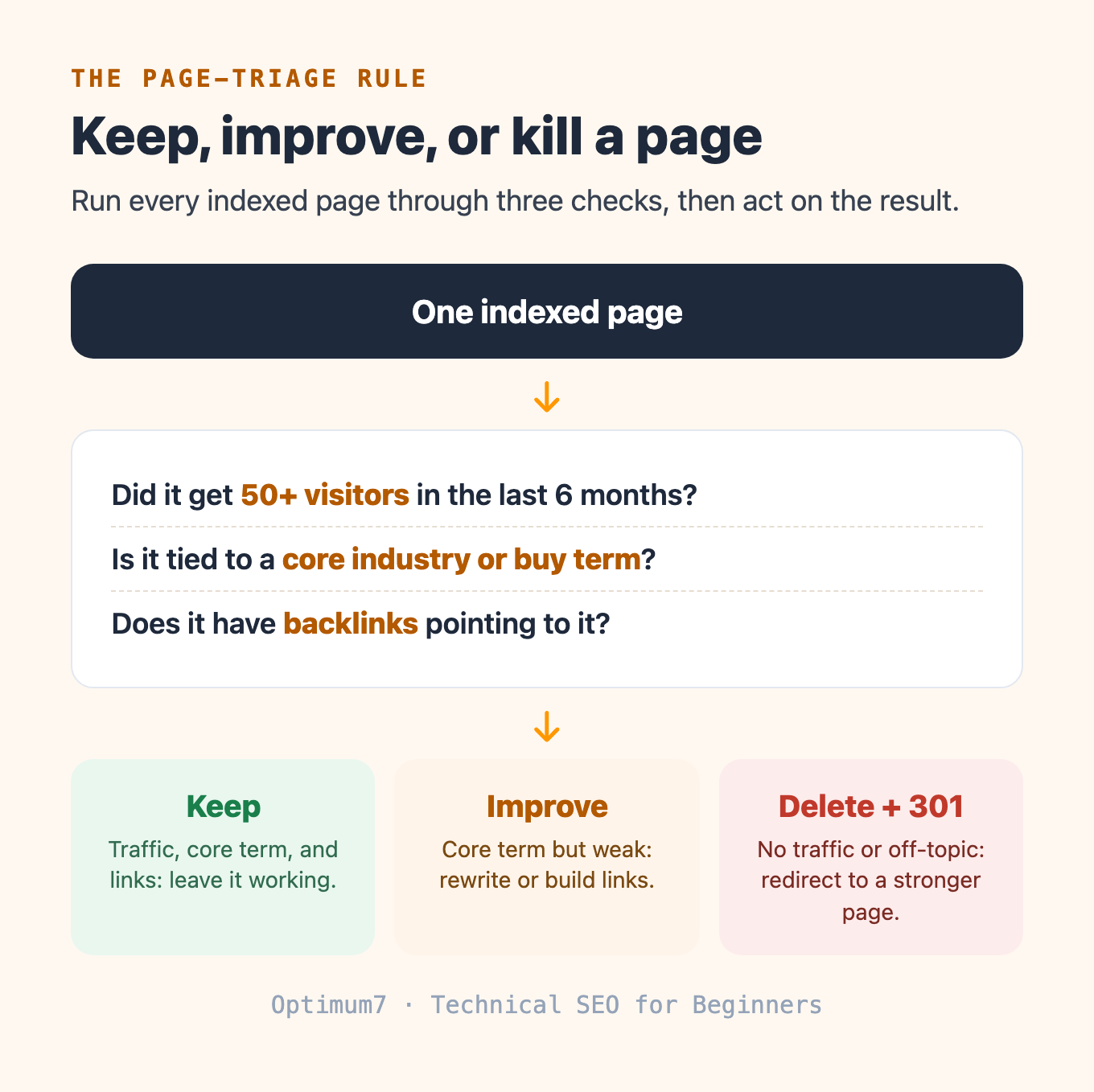
The rule that drives this is specific. If a page pulled fewer than 50 visitors in the past six months, is not tied to a core or buy term, and has no backlinks, delete it. If it has traffic and relevance and links, keep it. If it has links but no traffic while still matching a core term, delete it and redirect the equity somewhere useful. Building rules like this, page by page, metric by metric, is the core of technical SEO.
One quiet source of index bloat is worth calling out. On WordPress, every tag and every extra category you assign spins up a new page, and almost all of them are thin content that dilutes the site. Curate a short list of 10 to 20 tags that are genuinely valuable keywords, and reassign or delete the rest.
This is exactly the mess a botched migration leaves behind, and it is fixable. When Garrett Metal Detectors migrated, missing redirects severed link equity and blog content dropped out of Google’s index while duplicate URLs split ranking signals. Optimum7 ran a site-wide audit, restored the missing 301s, fixed indexation, and consolidated the duplicates with canonical tags.
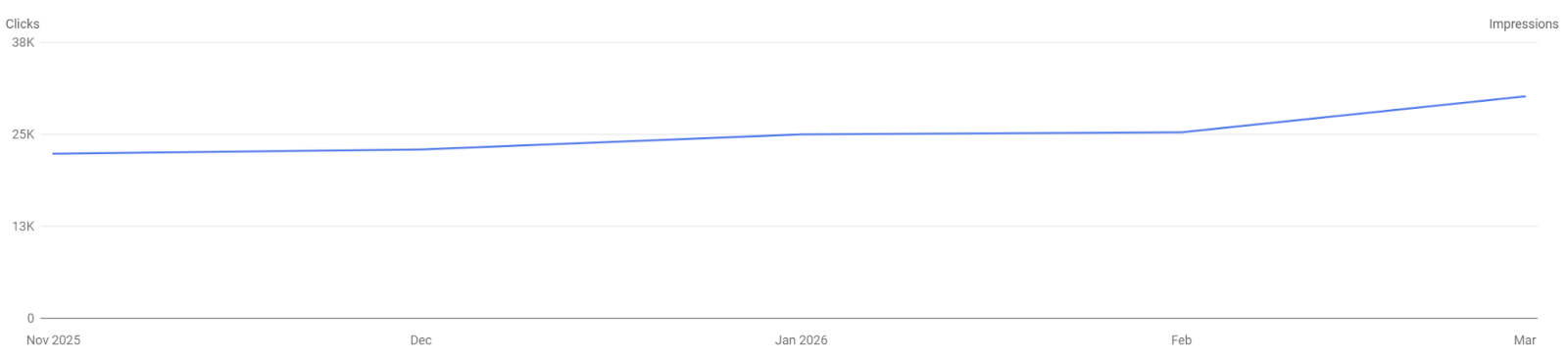
Redirects are the fix with the biggest payoff on an existing site, and getting them right during a platform move is its own discipline. Optimum7’s BigCommerce migration and replatforming guide and the broader ecommerce migration planning guide both cover how to protect traffic when URLs change.
How Much Should Technical SEO Cost?
Do not spend thousands of dollars on a technical SEO cleanup unless your site has more than 10,000 indexed pages. Below that, modern platforms and their plugins already do most of the work, and a full enterprise audit is money you do not need to spend. This is the misconception that costs beginners the most.
For a site with 1,000 to 3,000 pages on WordPress, BigCommerce, Volusion, Shopify, or a similar platform, a five-figure audit is overkill. What you need is a good crawler and the discipline to act on what it finds. Pair a site crawler like Screaming Frog with the free data in Google Search Console, and you can surface the same issues an agency would flag.
From there, chase the lowest-hanging fruit first. Broken backlinks pointing to 404 pages are the fastest win, because a 301 redirect recovers that authority in minutes. Next, check how cleanly your redirects are set up and which pages are indexed and which are missing. When a paid audit does make sense, understanding the split below keeps you from overbuying.
| Situation | Handle it in-house | Bring in a team |
|---|---|---|
| Site size | Under 10,000 indexed pages | Tens of thousands of pages or a large catalog |
| Typical work | Fix 404 backlinks, tidy redirects, curate tags | Database cleanup, duplicate products, indexation rules at scale |
| Tools | A crawler plus Google Search Console | Crawler, log-file analysis, and developer time |
| Spend | Little to none beyond tool subscriptions | Justifies a paid engagement |
Picking the right tool is half the battle for a beginner. Optimum7’s roundup of free SEO extensions for Chrome covers browser tools worth starting with, and if the work outgrows a DIY pass, Optimum7’s SEO services handle audits, technical fixes, and content.
Technical SEO for Ecommerce Sites
Ecommerce technical SEO lives in the product database. A catalog with disorganized, duplicated, or abandoned products throws off thin and duplicate pages across the whole site, and no plugin fixes that automatically. Cleaning it up is a manual process, and it is the work that gets skipped most often.
The issues cluster into a few predictable patterns. Fixing them means going into the catalog and making decisions product by product, the same triage logic from the existing-site section applied to a store.
These patterns show up in nearly every catalog Optimum7 audits, and each has a standard fix. Optimum7’s guide to faceted navigation without SEO issues works through the filter problem in detail, and the case for AI-powered search and filtering covers the navigation side.
Where Technical SEO Fits in the Bigger Picture
Technical SEO clears the path; content and authority still have to do the ranking. A fast, crawlable, well-structured site with the right pages indexed is the foundation the rest of your SEO stands on. Once the technical base is clean, the on-page and off-page steps compound on top of it.
The on-page and off-page steps that build on this foundation are their own discipline. Optimum7’s cornerstone guide to the full SEO process shows how the pieces connect, and if you would rather hand the whole program to a team, Optimum7’s SEO services cover strategy, technical work, and content end to end.
Frequently Asked Questions
What is technical SEO in simple terms?
Technical SEO is the work of making a website easy for search engines to crawl, fast to load, and cleanly structured, so the pages you want to rank get found and indexed. A simple example is fixing a broken link that points to a 404 page by adding a 301 redirect to a working page.
How do I get started with technical SEO?
Start by crawling your site with a tool like Screaming Frog and opening Google Search Console. Look for broken backlinks, redirect chains, and pages that should not be indexed. Fix the fastest wins first, then triage the rest of your pages by traffic, relevance, and backlinks.
What are some examples of technical SEO?
Common examples include improving page speed to hit Core Web Vitals, adding 301 redirects for broken URLs, setting canonical tags to consolidate duplicate pages, cleaning up unnecessary tag and category pages, and writing indexation rules so only valuable pages appear in search results.
Do I need technical SEO if I use Shopify or WordPress?
Modern platforms handle the basics: sitemaps, clean URLs, and mobile rendering come built in. You still control the decisions that matter most, including which pages get indexed, how content is structured, and how duplicate or discontinued pages are handled. The platform covers the plumbing; the strategy stays yours.
How much does technical SEO cost?
For a site under 10,000 indexed pages on a modern platform, a large paid audit is usually unnecessary; a crawler and Google Search Console cover most of the work. A five-figure engagement makes sense once a site has tens of thousands of pages or a large product database that needs manual cleanup.
Can I learn technical SEO myself?
Yes. The concepts are approachable, and on a small or mid-sized site the platform does much of the technical work. Learn to read a crawl report and Google Search Console, apply a consistent page-triage rule, and you can handle most technical SEO without a developer.
About the author: Duran Inci is the CEO and Co-Founder of Optimum7, an ecommerce development and digital marketing agency. He helps mid-market and enterprise brands scale revenue through conversion optimization, SEO, and custom ecommerce solutions.