


TL;DR: The right SEO Chrome extension depends on the job in front of you, an on-page audit, a keyword check, a rank lookup, a redirect trace, or a competitor’s traffic. Thirteen free and freemium extensions cover those tasks, each with the catch worth knowing before you install it, so you can build a lean, capable toolbar.
A good SEO Chrome extension turns a five-tool check into a one-click one. The page’s title, canonical, headings, redirect chain, and structured data all become readable right in the browser, with no crawler, rank tracker, or schema validator to open. So which extensions earn a slot on your toolbar, and which are stale or quietly gone? The Chrome Web Store is full of SEO plugins, and plenty of the ones people still recommend have not shipped an update in years or point at data sources that no longer exist.
The extensions are grouped by the job they do, because the tool you use for an on-page audit has little in common with the one you use to trace a redirect. Every install link goes straight to the Chrome Web Store, so you always land on the current version.
The SEO Chrome Extensions, Compared
Each extension, the job it does best, and what it costs. “Free” means the useful work needs no account or payment; “freemium” means the extension installs free but its heaviest metrics sit behind a paid plan.

| Extension | Best for | Cost |
|---|---|---|
| Detailed SEO | On-page analysis in one click: meta, headings, canonical, nofollow links | Free |
| SEO Pro Extension | A fast on-page snapshot with Core Web Vitals field data | Free |
| SEOquake | SEO metrics inside search results and on any page | Free |
| Ahrefs SEO Toolbar | On-page reports and viewing a page as Googlebot | Freemium (metrics need Ahrefs) |
| Meta SEO Inspector | Meta tags, Open Graph, and structured data markup checks | Free |
| Schema Builder | Generating JSON-LD structured data by point and click | Free |
| Keyword Surfer | Monthly search volume and CPC overlaid on Google | Free |
| FATRANK | Instant single-keyword rank checks with CSV export | Free |
| SimilarWeb | Competitor traffic estimates and channel mix | Freemium (deeper data paid) |
| MozBar | Quick Domain Authority and Page Authority checks | Freemium (full metrics need Moz Pro) |
| Wappalyzer | Competitor tech-stack and platform profiling | Freemium (datasets paid) |
| View Rendered Source | Comparing raw HTML against the JavaScript-rendered DOM | Free |
| Redirect Path | Diagnosing redirect chains and HTTP status codes | Free |
Best Chrome Extensions for On-Page SEO Audits
This is the job extensions get used for most: click once and read a page’s title, meta description, canonical, robots directive, heading structure, and internal and external links without opening a crawler. Four extensions do it well, and you only need one on your toolbar. Pick by how deep you want to go.
Detailed SEO Extension
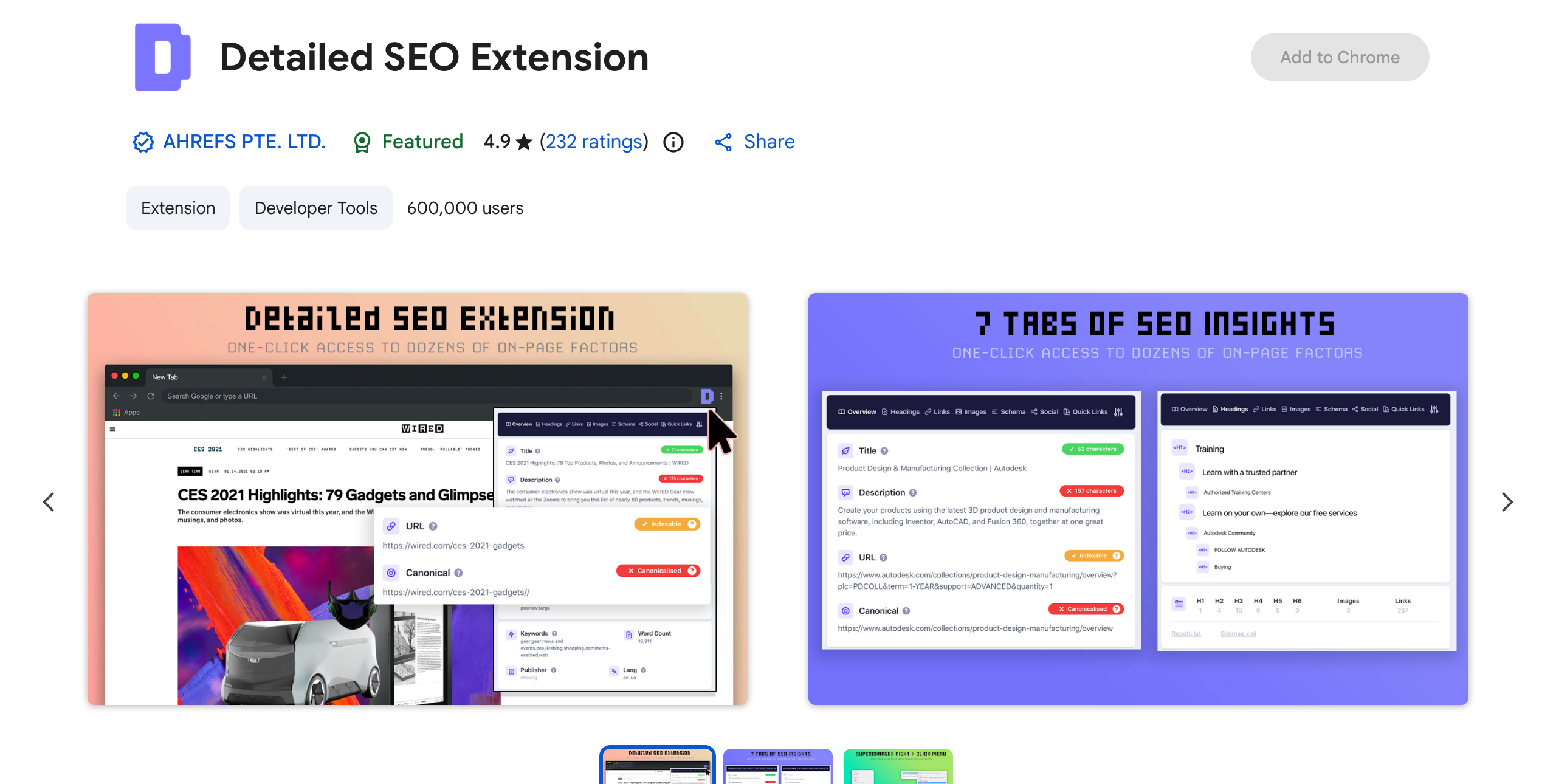
Detailed SEO gives the cleanest one-click read on a page’s on-page health. A single panel shows the meta tags, canonical, robots and indexability, the full H1 to H6 outline, hreflang, schema, and a link breakdown that flags nofollow links. At a 4.9-star rating across 232 reviews and roughly 600,000 users, it is a common first install. Ahrefs acquired Detailed in 2025, so the publisher is now Ahrefs, though the extension stays free with no account, worth noting only if you are avoiding vendor overlap in an Ahrefs stack.
Add Detailed SEO from the Chrome Web Store →
SEO Pro Extension
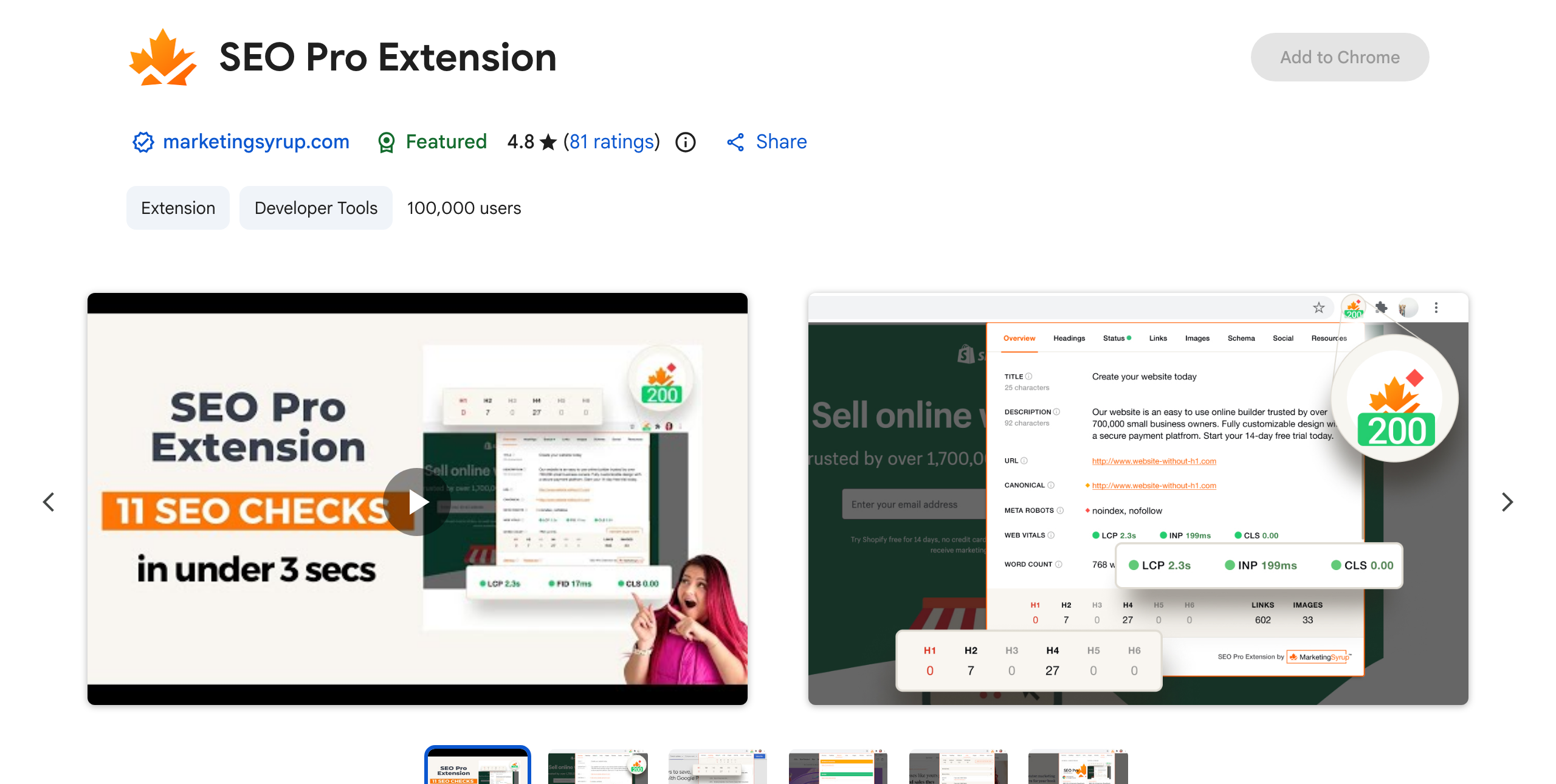
SEO Pro covers the same on-page ground and adds Core Web Vitals field data to the snapshot, alongside title, meta, canonical, headings, schema, alt-text gaps, and an Open Graph preview. It is free, collects no data, and holds a 4.8-star rating. Two things to know before you rely on it: its last update was in late 2024, so it is a little stale but still working, and a low-quality copycat shares almost the same name, so confirm the one you install is by MarketingSyrup.
Add SEO Pro Extension from the Chrome Web Store →
SEOquake
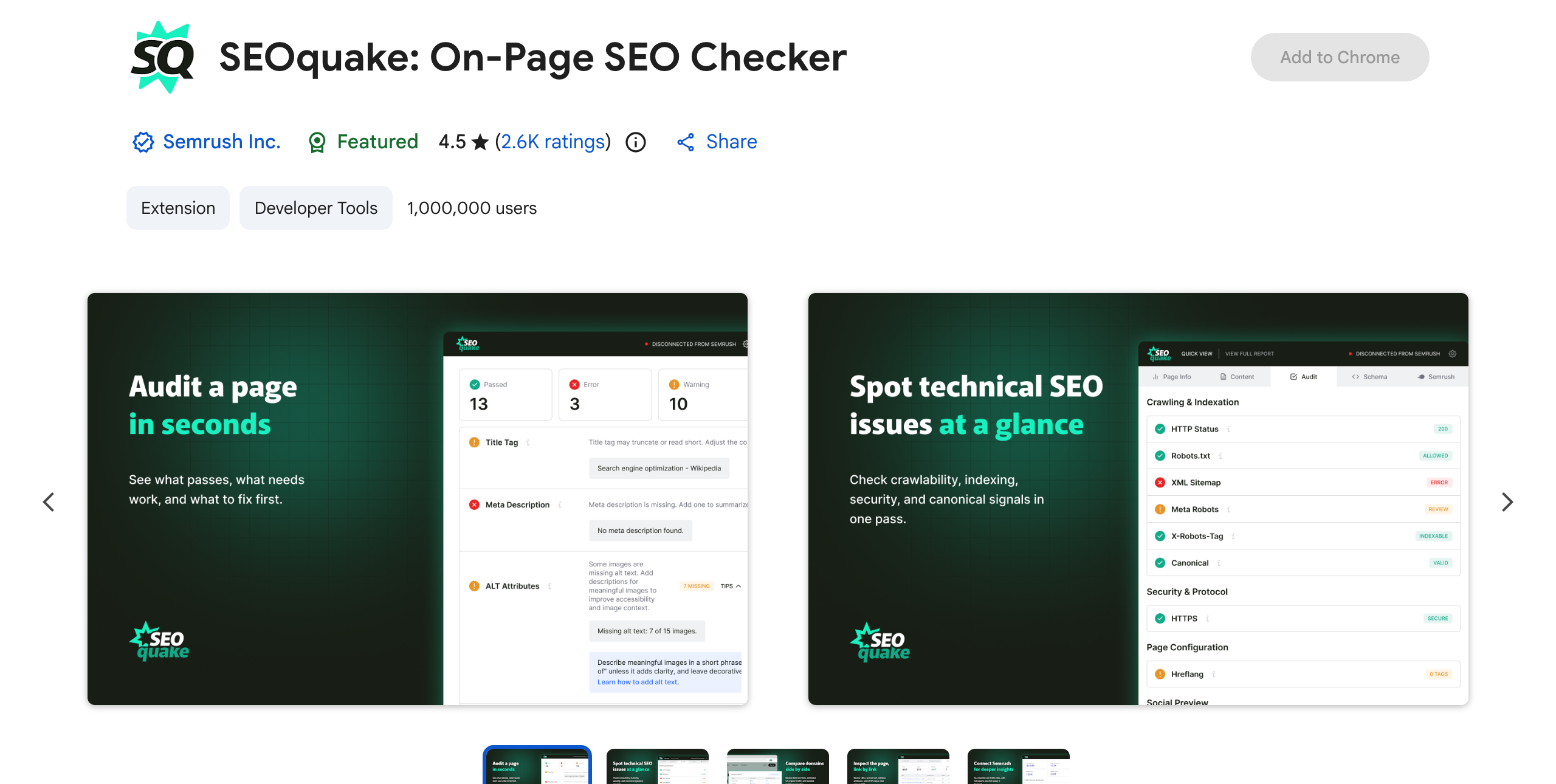
SEOquake is the most-installed extension here, at roughly 1,000,000 users, and its strength is putting SEO metrics inside the search results themselves. It overlays data on the SERP and gives a fast on-page and domain report on any page, with a keyword-density readout and quick competitive checks. It is free, with a Semrush upsell that the core features never require. Reach for it when you want the metrics on the results page as you search.
Add SEOquake from the Chrome Web Store →
Ahrefs SEO Toolbar
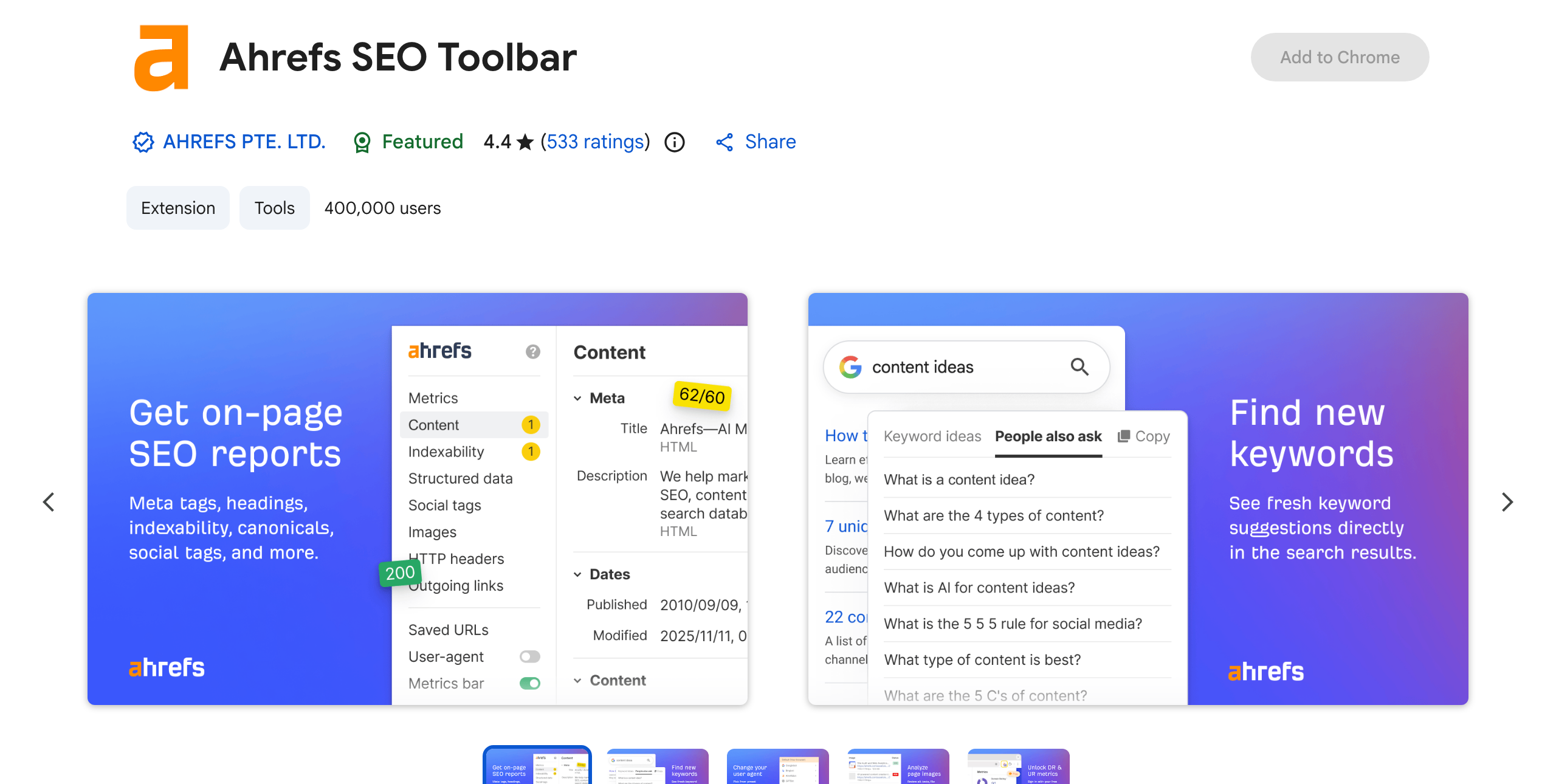
For a step past the basics, the Ahrefs SEO Toolbar carries the deepest free technical layer here. With no account, it produces an on-page report, traces redirects and broken links, overlays SERP positions, and reads HTTP headers, and its standout trick is rendering any page as Googlebot by switching the user agent. The heavier metrics, Domain Rating, backlinks data, and organic keyword counts, need a paid Ahrefs plan, so the free layer works best as a technical spot-check. It holds a 4.4-star rating across 533 reviews.
Add the Ahrefs SEO Toolbar from the Chrome Web Store →
Meta Tags and Structured Data
Two jobs that a general on-page auditor only touches lightly: inspecting every meta and Open Graph tag on a page, and generating clean structured data markup. These two extensions specialize.
Meta SEO Inspector
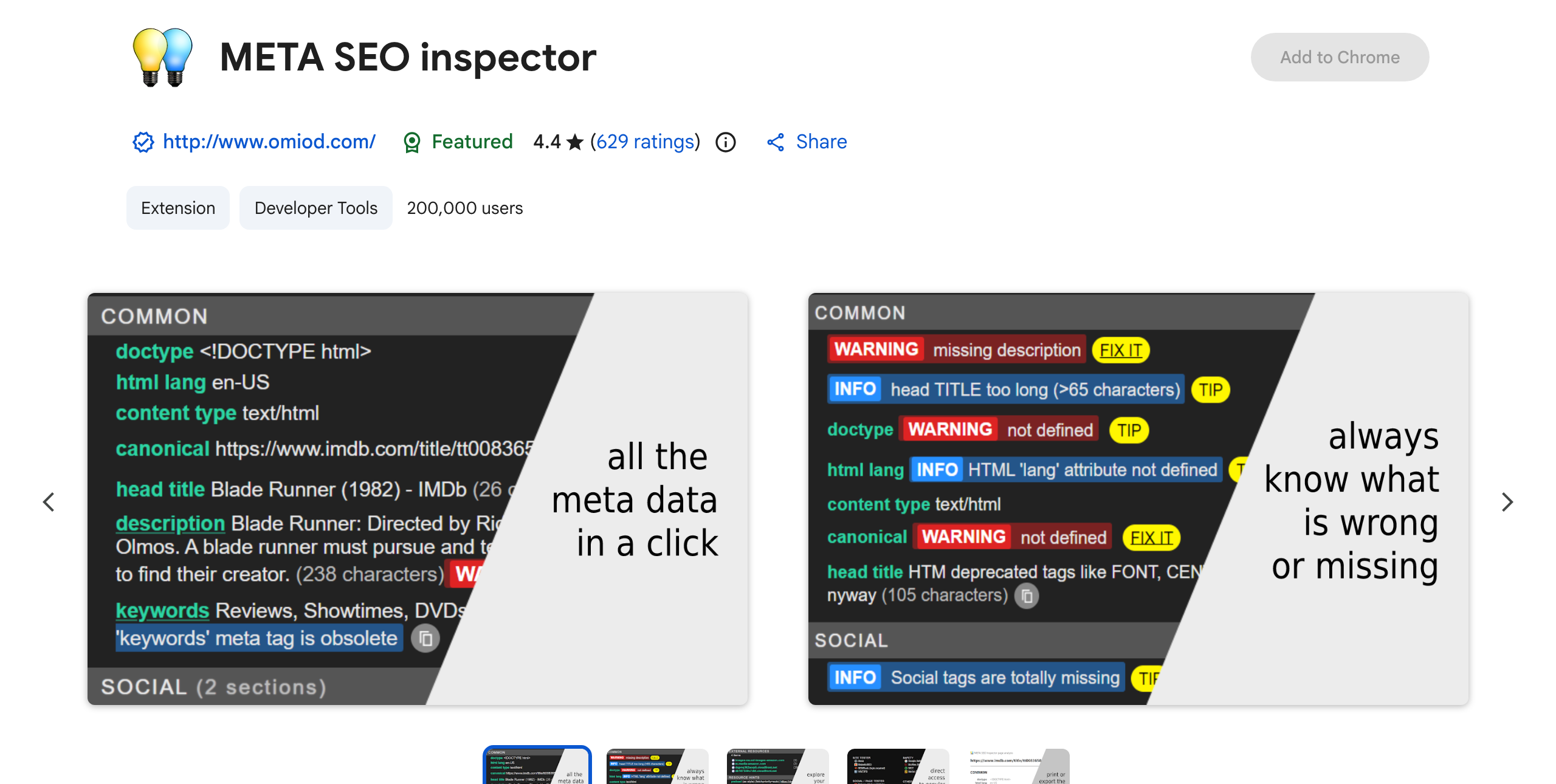
Point it at any page and it surfaces everything hidden in the head: meta tags, Open Graph and Twitter cards, canonical, hreflang, and the page’s structured data markup, with warnings where a tag is missing or breaks Google’s guidelines. Free, actively maintained, and rated well across about 200,000 users. It is the fastest way to answer what a page declares to search engines and social platforms.
Add Meta SEO Inspector from the Chrome Web Store →
Schema Builder
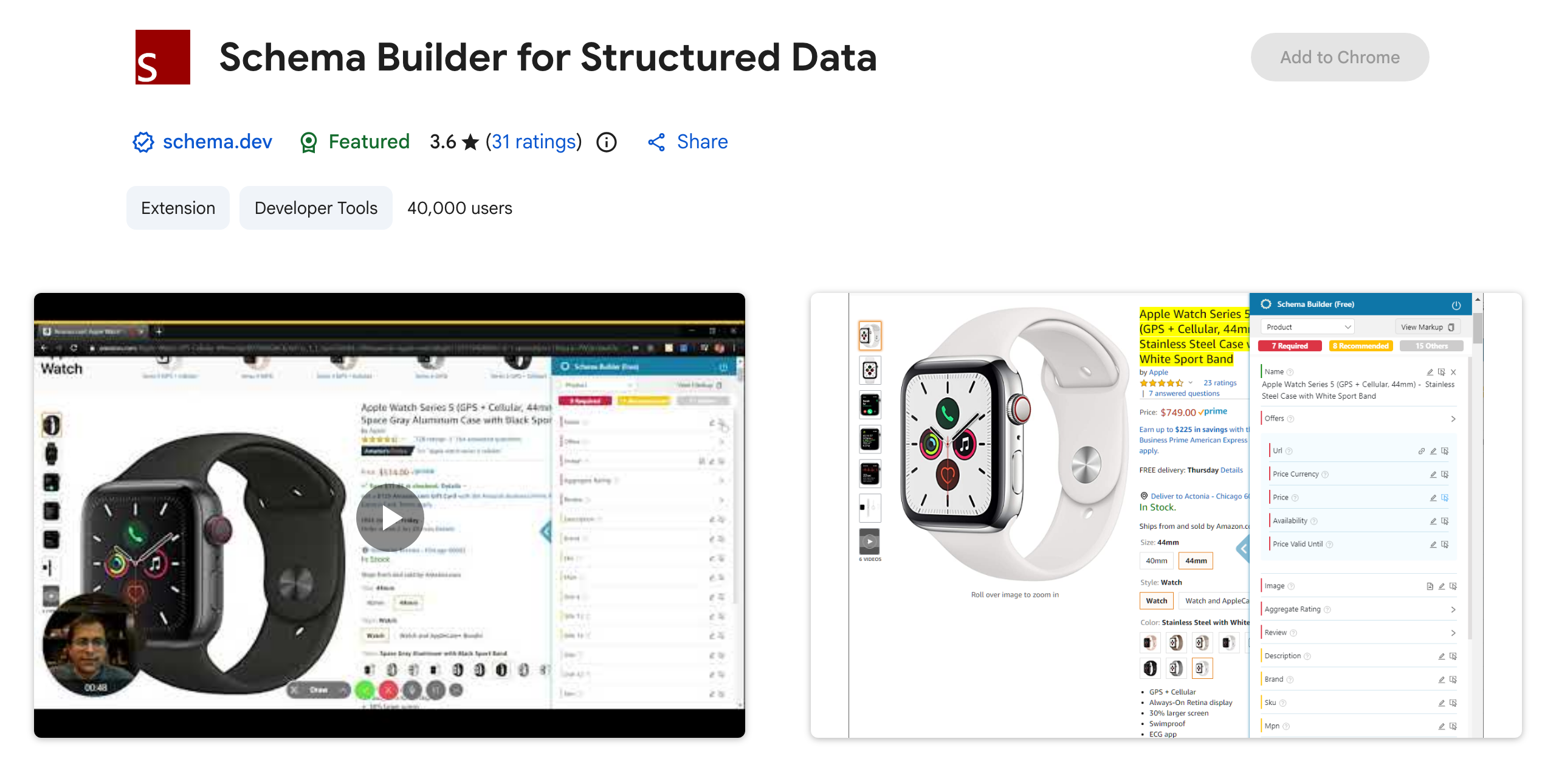
Where Meta SEO Inspector reads schema, Schema Builder writes it. It generates JSON-LD for more than twenty Google-supported types through a point-and-click interface and validates as you go, which saves hand-coding markup. It is free. Two honest caveats: the current publisher is schema.dev (not the similarly named Schema App), and updates have slowed, so validate the output against Google’s Rich Results Test before you ship it.
Add Schema Builder from the Chrome Web Store →
Best Chrome Extensions for Keyword Research
Keyword Surfer
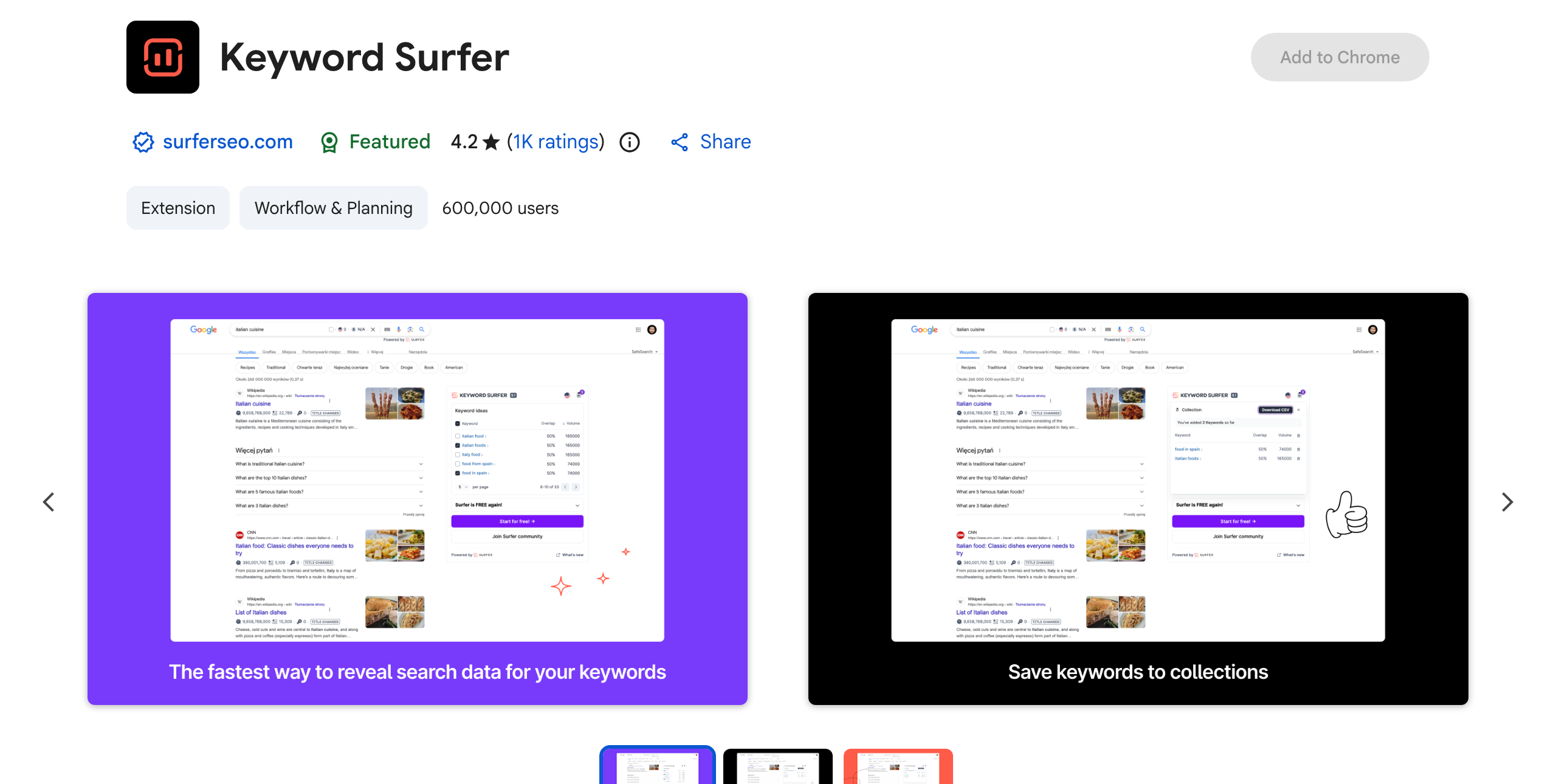
Keyword Surfer puts keyword research inside the search results, and it is one of the few that stays genuinely free with no account. As you search Google, it overlays estimated monthly search volume and CPC next to each result and lists related terms in a sidebar. It has also added AI-search features that show what ChatGPT queries before it answers, which makes it the one credible free option for anyone starting to track AI-search visibility. It is rated 4.2 stars across roughly a thousand reviews.
Add Keyword Surfer from the Chrome Web Store →
If you need deeper keyword difficulty and volume data and do not mind paying, Keywords Everywhere covers the same surface but is now a paid, credit-based tool with no free tier, so it is a paid option to weigh only if the free picks fall short.
Rank Tracking
FATRANK
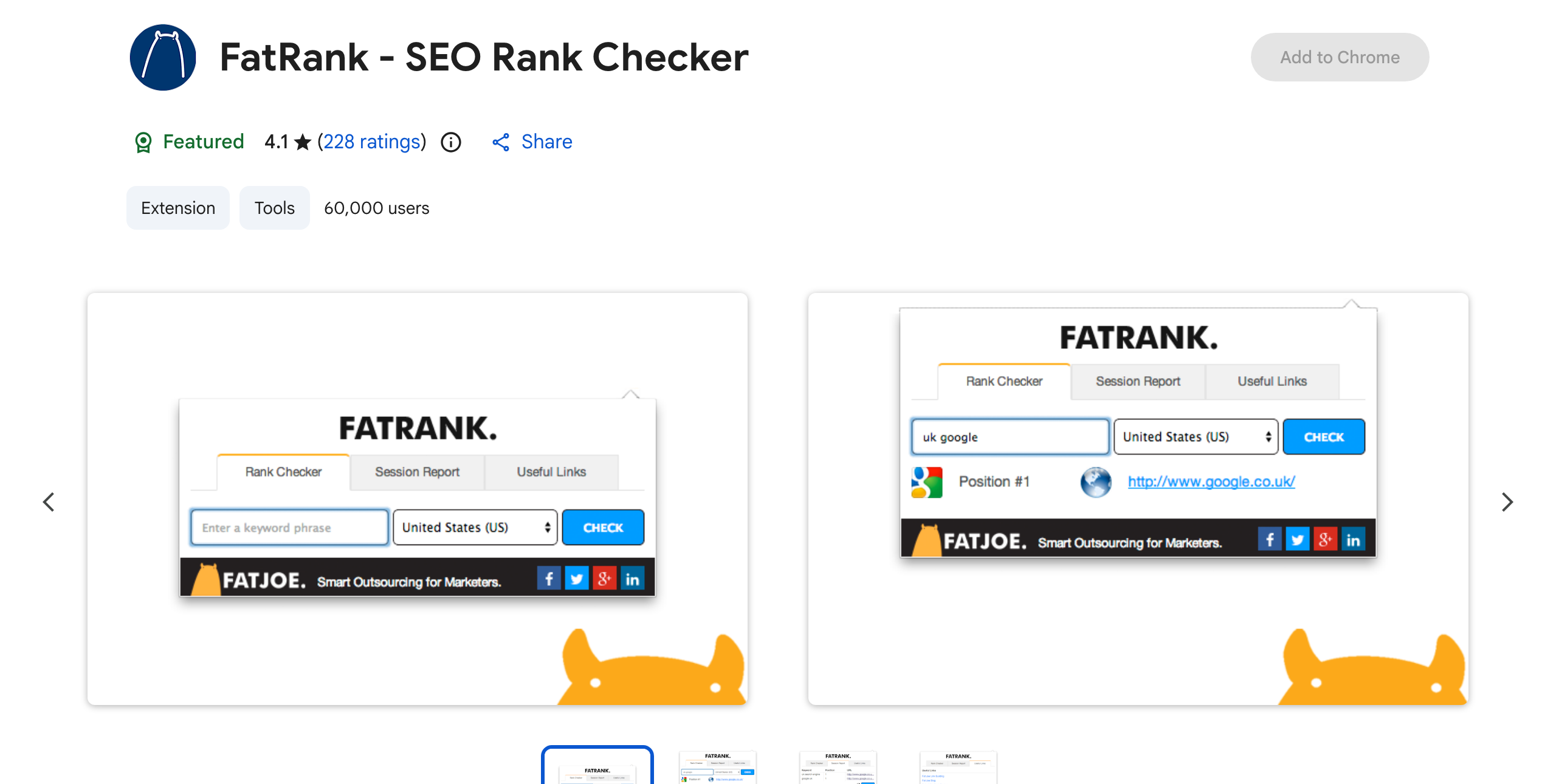
FATRANK answers “where does this page rank for this keyword?” without opening a rank tracker. Type a keyword, pick a country or local setting, and it returns the exact position in the top 100 in seconds, with CSV export for pulling ranking data into a sheet. It is free and runs on the current Manifest V3 standard, so ignore the older articles calling it unsupported; they describe the retired V2 build, and the live listing runs fine. It is rated 4.1 stars across about 60,000 users.
Add FATRANK from the Chrome Web Store →
Best Chrome Extensions for Competitor Analysis
For competitor research, three extensions answer three different questions: how much traffic a site gets, how strong its link profile looks, and what technology it runs on.
SimilarWeb
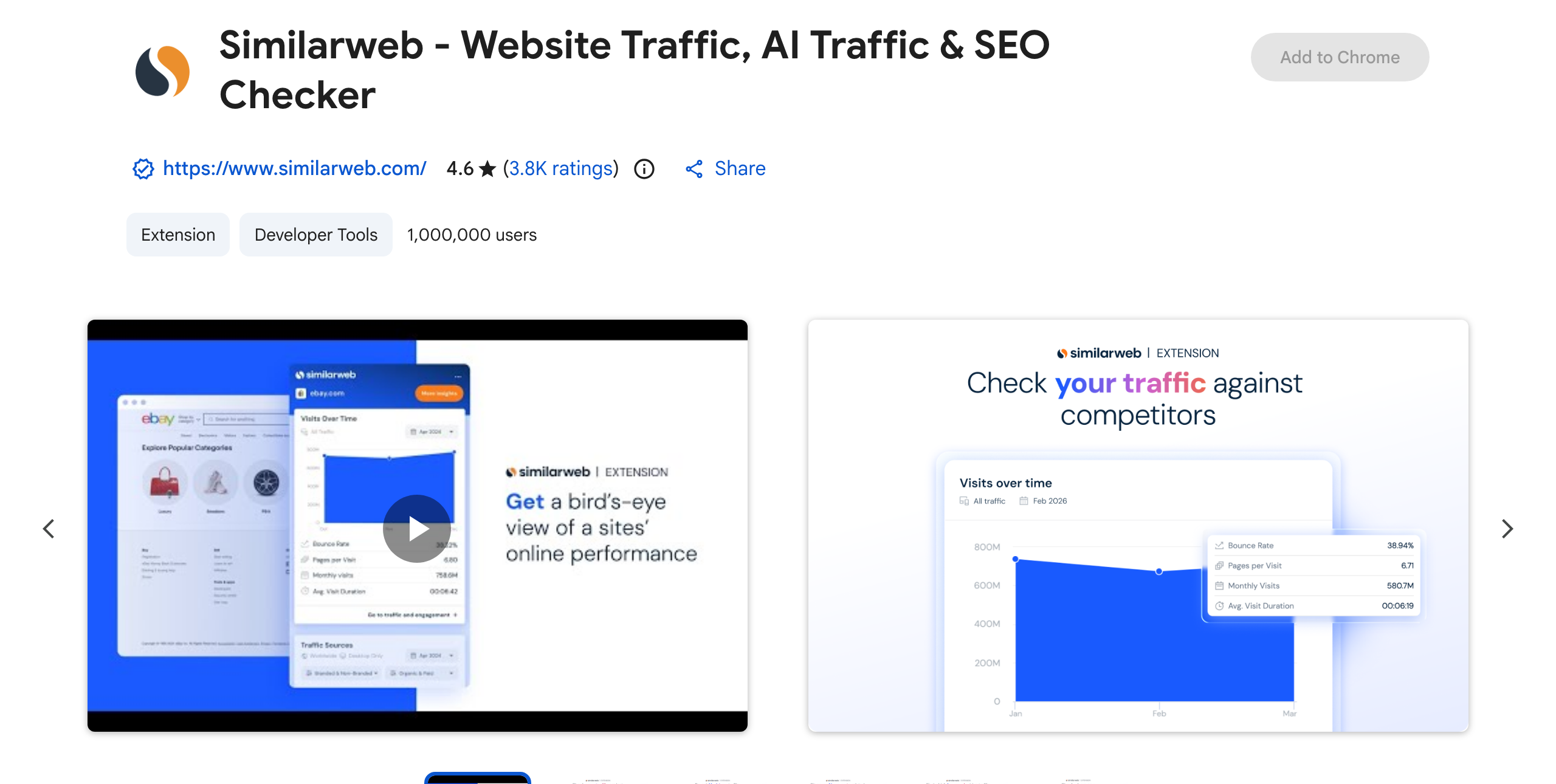
Open any competitor’s site and SimilarWeb gives an instant traffic estimate, engagement metrics, and the channel mix that sends them visitors, now including how much of that traffic comes from AI chatbots and AI Overviews. The extension is free, with deeper historical data on a paid plan, and it carries a strong 4.6-star rating across roughly a million users. It is also the closest direct replacement for the old Alexa rank check that SEOs still look for.
Add SimilarWeb from the Chrome Web Store →
MozBar
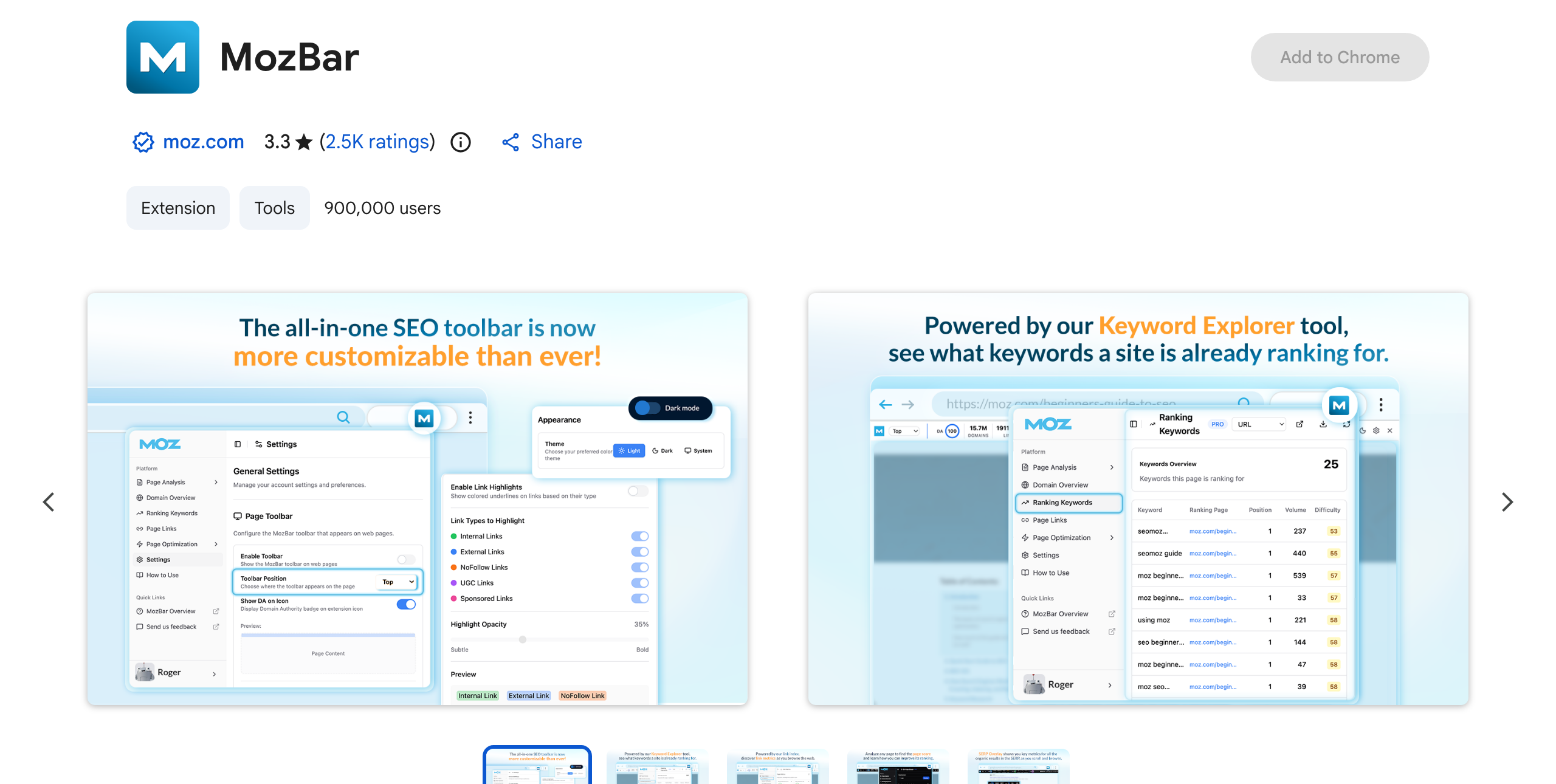
MozBar has been the go-to for a fast Domain Authority and Page Authority read for years, handy for sizing up a competitor or a link prospect as you scan a SERP. The extension is free; full link metrics and campaigns need Moz Pro. In fairness, its Chrome Web Store rating sits at 3.3 stars, the lowest here, mostly from older performance complaints, though the current V5 build was rebuilt for speed. It earns a place for DA and PA spot-checks, with a fuller auditor handling the deeper work.
Add MozBar from the Chrome Web Store →
Wappalyzer
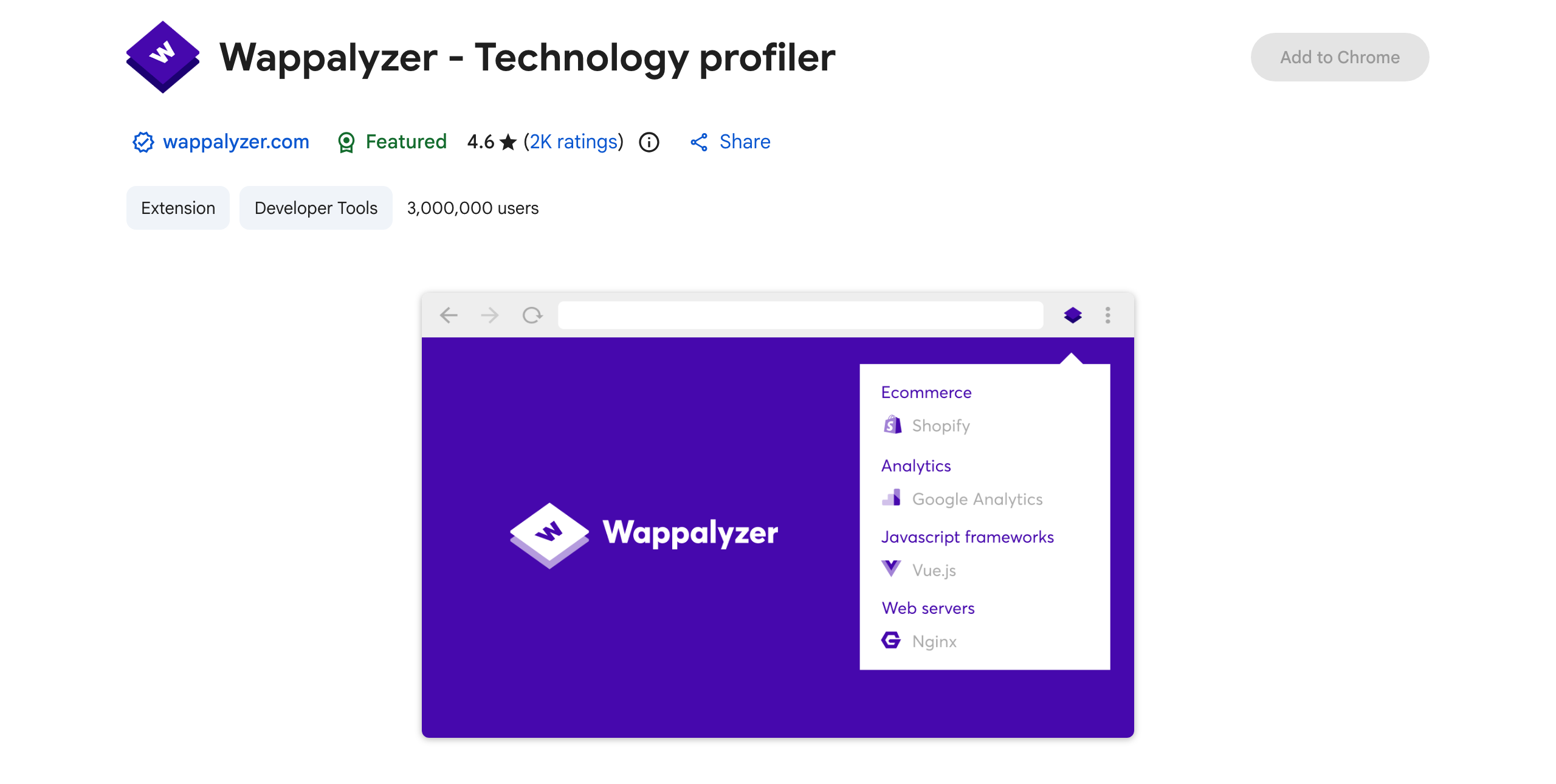
One click on Wappalyzer reveals what a competitor’s site is built on: platform, analytics, tag manager, CDN, ecommerce and CRM tools, and more. That stack profile is genuine competitive intelligence, useful when you are pitching a replatform or working out why a rival’s pages load the way they do. It is free for single-site lookups, with paid datasets for bulk lead lists, and at roughly 3,000,000 users it is one of the most-installed tools here.
Add Wappalyzer from the Chrome Web Store →
Technical SEO: Rendering and Redirects
Two specialist tools for problems that never show up in a normal on-page audit: what a page looks like after JavaScript runs, and what really happens between a URL and the page it finally serves.
View Rendered Source
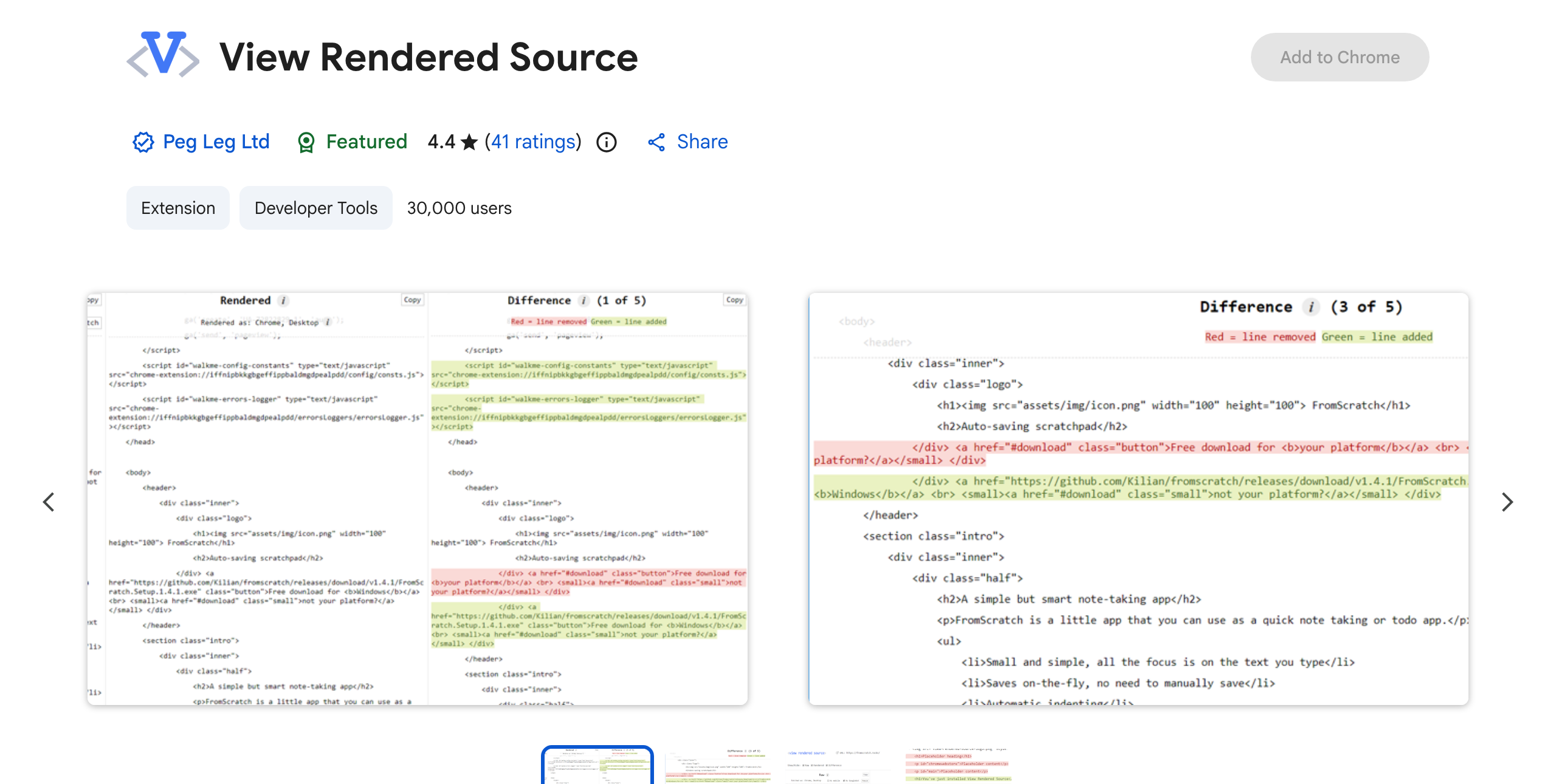
View Rendered Source is the specialist’s pick for JavaScript SEO. It puts the raw HTML the server sends next to the DOM the browser renders, differences highlighted, so you can see which content and links appear only after JavaScript runs. On a React, Vue, or Angular site, that diff is how you diagnose why Google misses your content. It is free and works reliably, though it has not shipped an update since 2023, so treat it as stable but frozen.
Add View Rendered Source from the Chrome Web Store →
Redirect Path
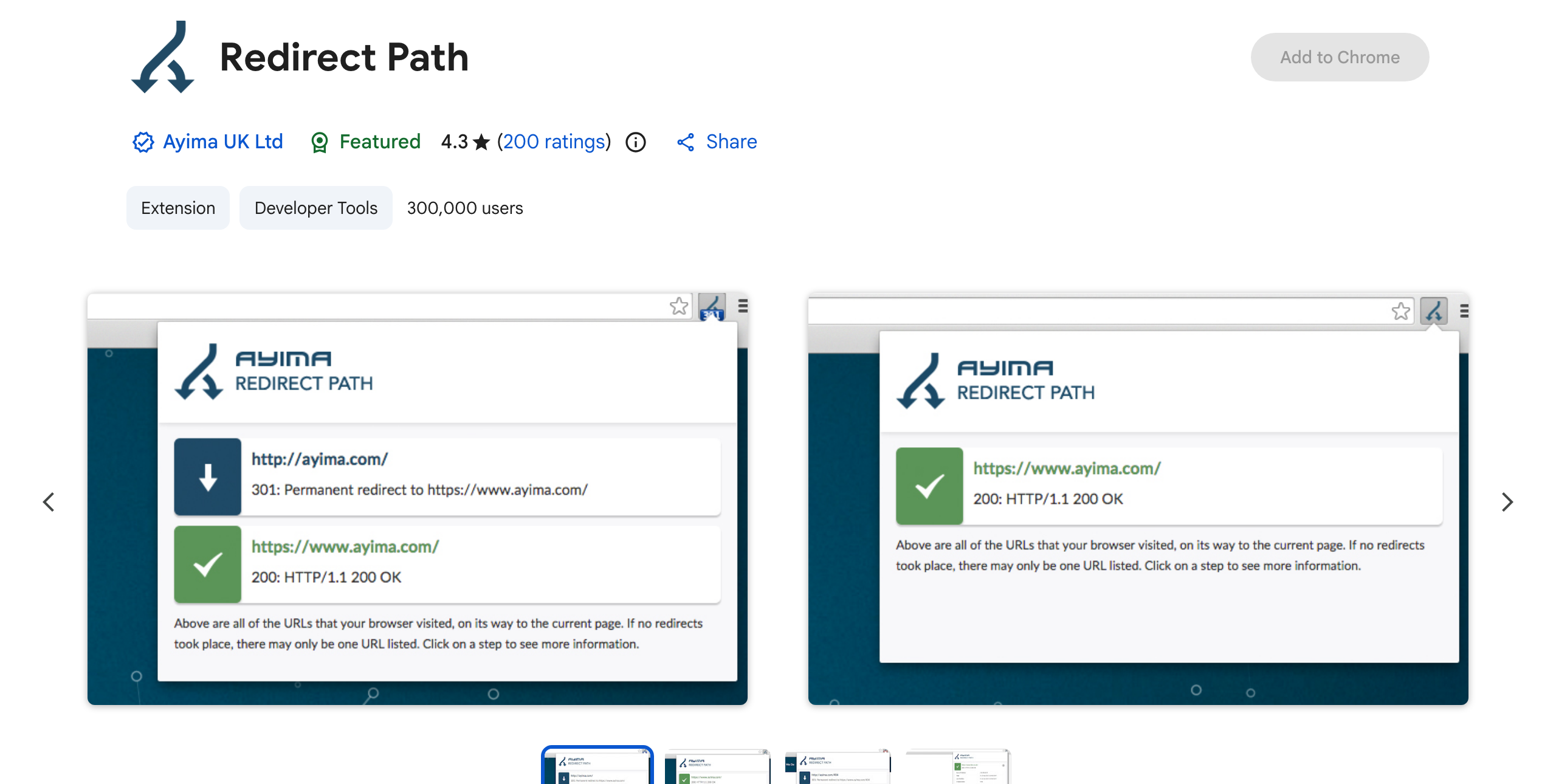
Ayima’s Redirect Path flags HTTP status codes and redirect chains in real time as you browse, showing every hop a URL takes and the status code at each step, from a 301 to a 302, 404, or 200. It is the fastest way to catch a redirect chain eating link equity or a soft 404 hiding behind a 200, and it is free, actively maintained, and used by around 300,000 SEOs. Pair it with a full crawler for site-wide work; for spot-checks in the browser, nothing is quicker.
Add Redirect Path from the Chrome Web Store →
Performance and Core Web Vitals Live in Chrome DevTools
For page speed and Core Web Vitals, the honest answer is that you no longer need an extension. Google retired its standalone Web Vitals extension in early 2025 and moved that real-time LCP, INP, and CLS reporting into the Chrome DevTools Performance panel. Lighthouse, the automated audit for Performance, Accessibility, SEO, and Best Practices, is built into DevTools too, and Google’s own guidance recommends the DevTools panel over the standalone Lighthouse extension because it can test local and logged-in pages the extension cannot. Open DevTools, run Lighthouse from the panel, and skip the extra install. The mechanics of why these signals matter are covered in Optimum7’s guide on how SEO works.
What Happened to the Alexa Rank Extension?
If you are looking for an Alexa rank checker for Chrome, it is gone, and no working version exists. Amazon retired Alexa.com in May 2022 and shut down the ranking data and its supporting APIs, so Alexa Rank is no longer calculated or published. Any extension still claiming to show it has no live data source behind it. For the same “how popular and how trafficked is this site?” question, use SimilarWeb, above, as the closest direct replacement. For a free, research-grade site-popularity list, Tranco is a solid reference, and Cloudflare Radar offers free traffic and trend insight. Those tools cover the ground Alexa Rank used to.
Are There Good Free AI SEO Chrome Extensions in 2026?
This is the fastest-growing corner of the Chrome Web Store, and little of it is worth installing. A wave of extensions promises an “AI visibility score” or AI Overviews tracking, but these are mostly small, unvetted tools that output a number with no credible methodology behind it, and the category is where thin, data-harvesting extensions cluster. Be skeptical of any free extension claiming to measure your standing inside AI answers.
The one credible free option with real AI-search features is Keyword Surfer, above, which surfaces what ChatGPT searches before it answers. Past that, serious AI-search analysis still lives inside the major SEO platforms, and treating AI visibility as a workflow to build will serve you better than any free extension promising a score.
How to Choose, and How Many to Install
More extensions do not make you faster; they slow the browser and clutter the toolbar. Aim for one tool per recurring job and a lean toolbar, since a practical daily SEO workflow rarely needs more than four running at a time.


Frequently Asked Questions
What are the best free SEO Chrome extensions?
For a quick on-page audit, Detailed SEO. For keyword volume in the SERP, Keyword Surfer. For rank checks, FATRANK. For competitor traffic, SimilarWeb. For technical work, Redirect Path and View Rendered Source. A practical setup is one on-page auditor plus two or three specialists you switch on as needed.
Is there a free Ahrefs Chrome extension?
Yes. The Ahrefs SEO Toolbar is free to install and runs an on-page report, traces redirects and broken links, and lets you view a page as Googlebot without any account. The paid data, Domain Rating, backlinks, and organic keyword counts, appears only if you have an Ahrefs plan, but the technical spot-check features work free.
What replaced the Alexa rank extension?
Nothing shows Alexa Rank anymore, because Amazon retired Alexa.com and its data in 2022. For the same site-popularity and traffic question, the SimilarWeb extension is the closest direct replacement, and Tranco and Cloudflare Radar are free references. Any extension still advertising an Alexa rank has no live data behind it.
Are there AI SEO Chrome extensions worth using?
The dedicated “AI visibility” extensions are mostly low-quality and not worth installing. The credible free option with genuine AI-search features is Keyword Surfer, which shows what ChatGPT searches before answering. For anything deeper, serious AI-search analysis currently sits inside the major SEO platforms.
Do SEO extensions slow down Chrome?
Several running at once can, since they inject scripts and fetch data on every page you load. The fix is to keep only one or two running full-time and switch on specialist extensions, like a rendering or redirect checker, only when a task calls for them. Turn them back off when you are done and the browser stays fast.
Which SEO extension is best for beginners?
Detailed SEO. It shows the important on-page elements in one clean panel with plain labels, needs no account, and does not overwhelm you with metrics you cannot act on yet. Add Keyword Surfer once you start doing keyword research, and you have a capable free setup.
Extensions make the daily checks fast. Turning what they surface, the audits, the redirects, the ranking gaps, into real rankings and revenue is the harder work, and where Optimum7’s SEO team comes in, handling the technical fixes, content, and links that move the numbers. Talk to an expert about where your site stands.