




Visualize Better Product Option Layouts in Seconds

AI Product Option Configurator
for eCommerce Stores

Paste a product URL and instantly see how your product options could look as cards, stacks, or guided steps.

Preview a cleaner modifier layout, clearer selections, and live price updates before touching your codebase.

Instant Product
Page Fetch

4 Preset
Display Styles

Live Option and
Price Simulation

No Installation
Required

Make Product Variants Visible

Design the Decision Layer

On most eCommerce sites, product options are buried inside dropdowns, sizes hide behind clicks and bundles disappear in long lists. Feature combinations feel technical instead of intuitive. When modifiers are hard to scan, customers hesitate.

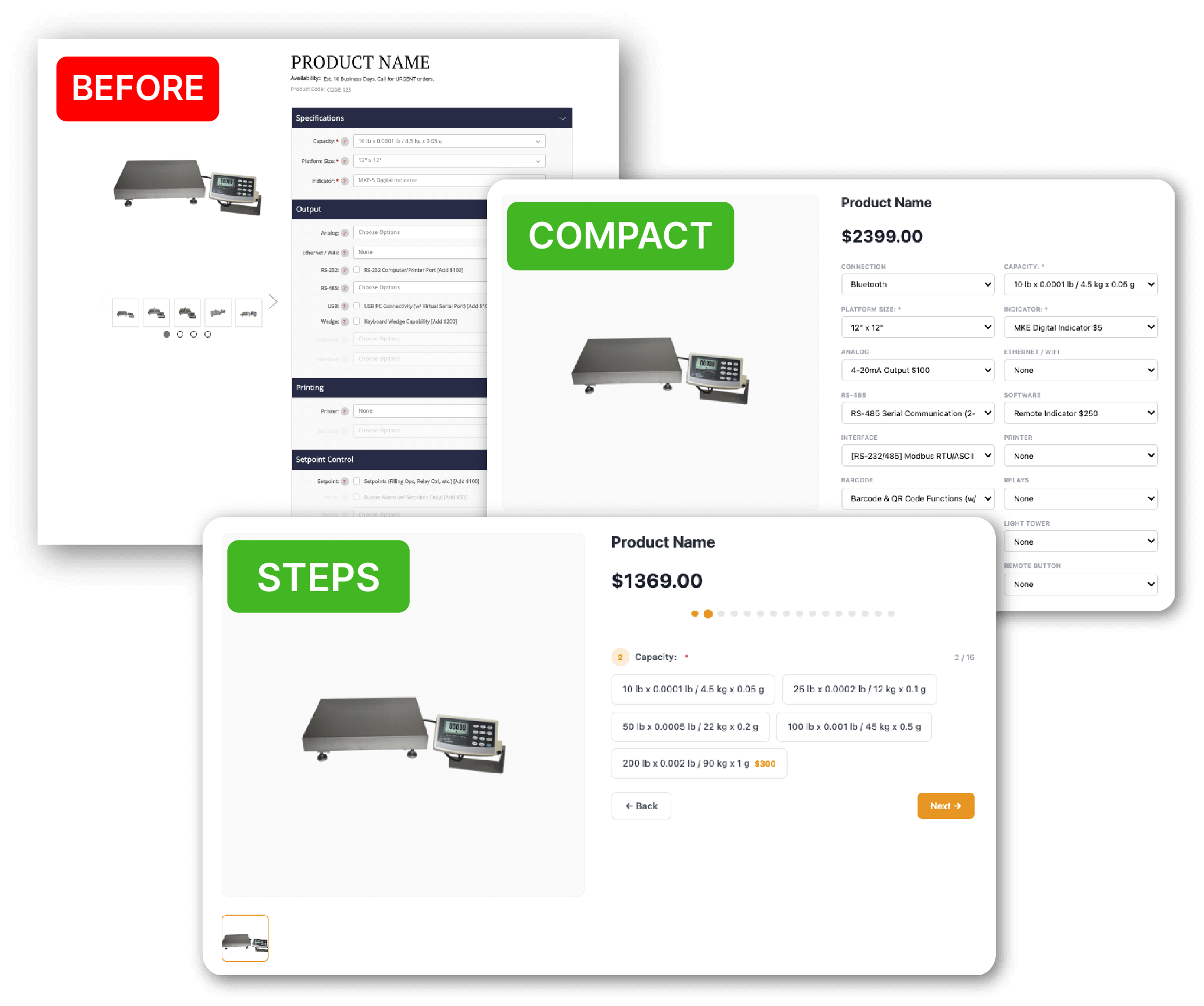
AI Product Option Configurator rebuilds that decision layer into structured layouts: Cards, Compact Selectors, Guided Steps.

You can instantly see how visibility, hierarchy, and grouping change the buying flow before committing development time.

Choose a Layout That Fits Your Product

Presets and Use Cases

Each preset changes how shoppers scan, select, and confirm variants.

Use the preview to find the cleanest path for your SKU complexity.

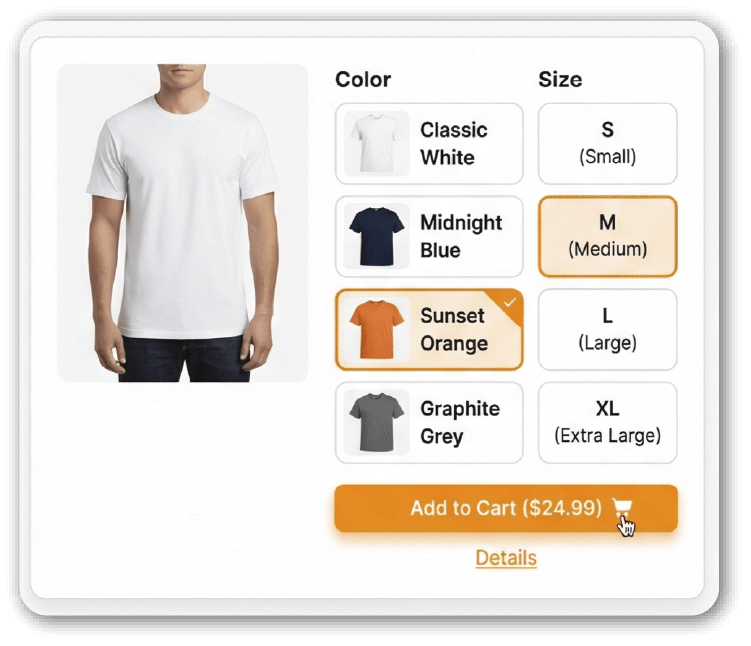
Cards

Best for colors, materials, bundles, add-ons. Makes options immediately scannable and reduces misclicks on mobile.
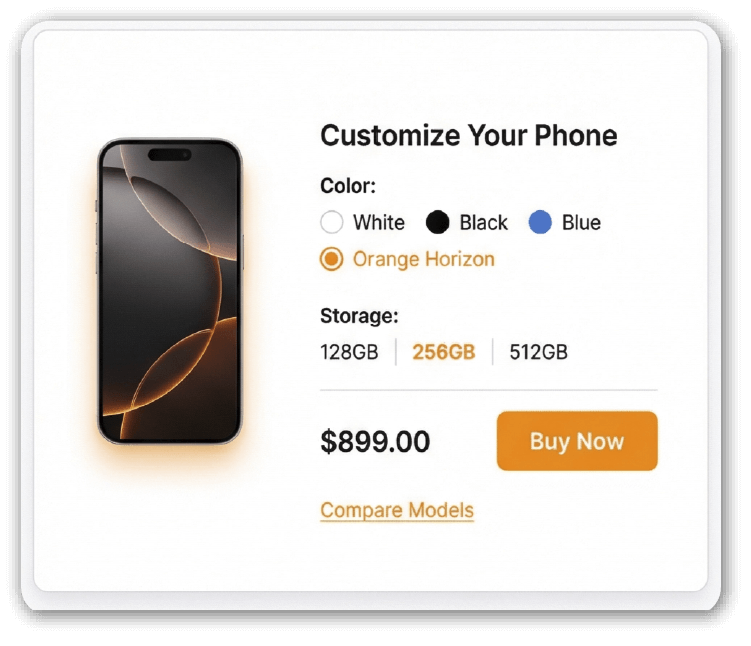
Minimal

Best for simple size or single-attribute variants. Keeps the page lightweight while improving clarity.
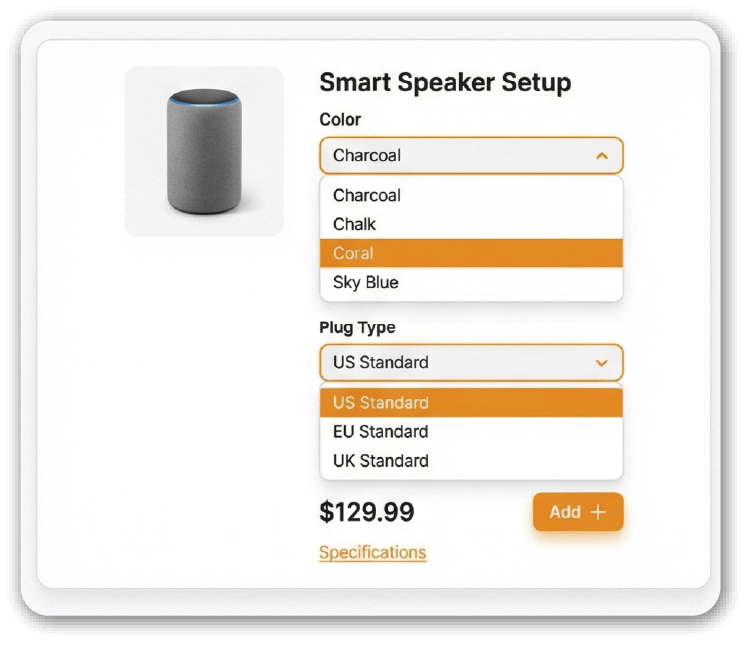
Compact

Best for dense option sets and technical configurations. Groups options neatly so pages stay readable.
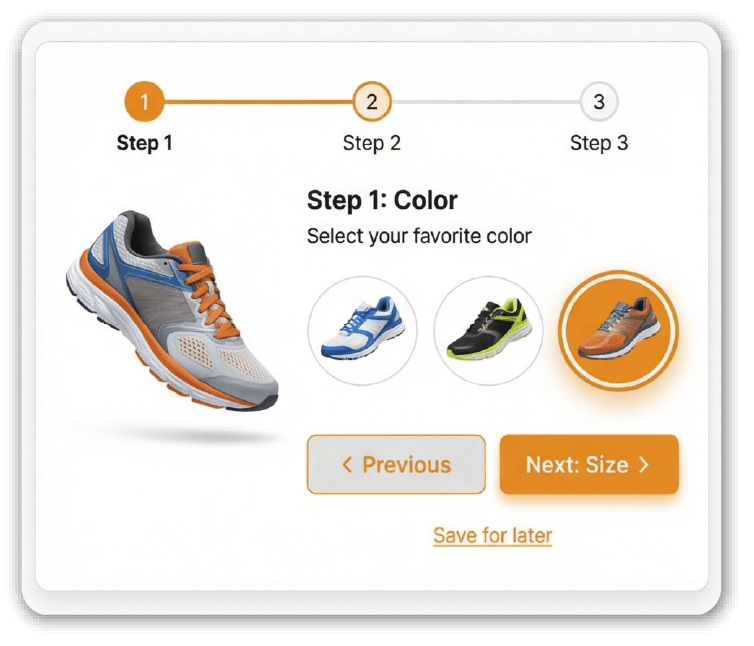
Steps

Best for multi-step builds and personalization flows. Breaks complex selections into a guided sequence.

Choose a Layout That Fits Your Product

Where Product Option UX Breaks Down

Small issues in variant presentation compound fast. When options are hard to scan, poorly grouped, or unclear in state, shoppers slow down. This preview helps you identify structural friction in your product option display before it impacts conversion rate, mobile usability, or average order value.

Hidden options:

Dropdowns bury high-intent choices behind extra clicks.

Overloaded lists:

Long option menus slow decision-making.

Weak grouping:

Add-ons, and upgrades blend together.

Unclear selection state:

Shoppers are unsure what’s selected.

Mobile tap friction:

Small targets and scrolling fatigue increase drop-off.

Price confusion:

Option changes feel unpredictable when totals update late.

From URL to Interactive Preview

How the AI Product Option Configurator Works

The tool analyzes your public product page structure, detects variant groups, and
rebuilds the selection experience
using preset layouts. In seconds, you can compare how different product option displays affect clarity, grouping,
and selection flow.

Step 1:
Paste a Product URL

Enter the full link of any public product page to begin analysis.

Step 2:
AI Detects Structure

The system scans the page markup to identify option groups, attributes, and pricing behavior.

Step 3:
Select a Preset Layout

Choose Cards, Minimal, Compact, or Steps to reformat how variants are displayed.

Step 4:
Review the Live Simulation

Test usability and performance, refine the interface, and deliver your final demo with documentation and roadmap.

Want This Variant Selector Live on Your Store?

If a preset improves clarity for your products, we can implement
a production version inside your theme. We map the layout to your existing option rules so pricing, inventory, and
variant logic stay consistent.

Get a Free Consultation

FAQ

  • Is this AI product option configurator free to use?

    Yes. You can paste a product URL and preview different variant selector layouts without installing anything or creating an account.

  • Does this tool modify my live product page?

    No. It generates a separate simulation based on your public product page structure. Your storefront remains unchanged.

  • Which eCommerce platforms does this work with?

    The tool analyzes publicly accessible HTML. It can preview product option structures from platforms like Shopify, WooCommerce, BigCommerce, Magento, Wix and custom builds, depending on how variants are rendered in the theme.

  • What types of product options can it detect?

    Standard variant attributes such as size, color, material, and basic add-ons are typically detected. More complex conditional logic or heavily script-based configurations may require custom implementation.

  • Does it support live price updates?

    Yes. The simulation reflects price changes based on detected option combinations so you can evaluate pricing visibility within each preset layout.

  • Do you store my product page data or source code?

    The page is analyzed to generate the preview. No source code or product data is stored after the simulation is created.

  • Can your team implement the selected layout on my store?

    Yes. If you choose a preset that improves clarity or usability, we can translate it into a production-ready variant selector tailored to your platform, theme, and product logic.

  • How long does implementation usually take?

    Timing depends on the complexity of your product options, conditional rules, and theme structure. After reviewing your URL, we can provide a realistic scope and recommendation.

Ready to See Your Product Page in a New Light?

Preview a better product option layout, validate your variant selector experience, and take the next step toward a higher-converting product page.